
Style variations
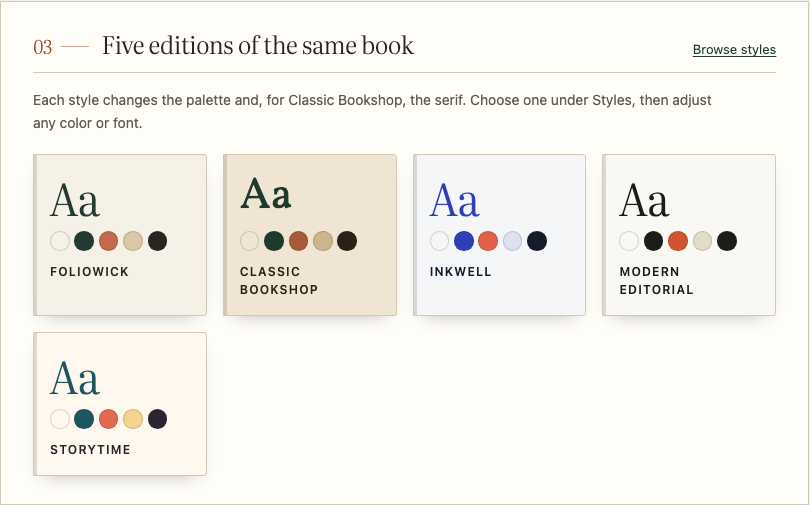
A style variation changes the whole palette, and for Classic Bookshop the heading font, in one click. Go to Appearance → Editor → Styles and pick one under Browse styles. Appearance → Foliowick shows a preview of each.
| Variation | Headings | Used by the demo store |
|---|---|---|
| Foliowick (default): paper cream, deep ink, forest green and terracotta | Literata | Independent bookshop |
| Modern Editorial | Literata | Independent press |
| Classic Bookshop | Vollkorn | Rare & secondhand |
| Storytime | Literata | Children’s bookshop |
| Inkwell | Literata | Ebooks & audiobooks |
Change colors and fonts
Go to Appearance → Editor → Styles → Colors or Typography. Every block that uses a palette color or font updates across the shop.
Foliowick uses Literata for headings and editorial text and Instrument Sans for the interface; Classic Bookshop uses Vollkorn for headings. All three are bundled with the theme, so no font loads from another service.
If you change colors, check that text stays easy to read on its background.
Motion
Cover lifts and the “page turn” as sections scroll into view switch off for visitors who have asked their device to reduce motion.