
Contract (Commercial) accounts close out their shipments on a manifest at the end of the day. Canada Post charges your account when the manifest is transmitted, and the driver or post office scans the manifest with your parcels.
Do I need manifests?
- Solutions for Small Business accounts never use manifests: each shipment is paid when it is created.
- Commercial accounts use manifests by default. Canada Post only allows No manifest for some shipping models, for example fewer than 50 parcels a day from several locations. Set this in Settings → Shipping defaults → Manifest workflow.
1. Review what is ready
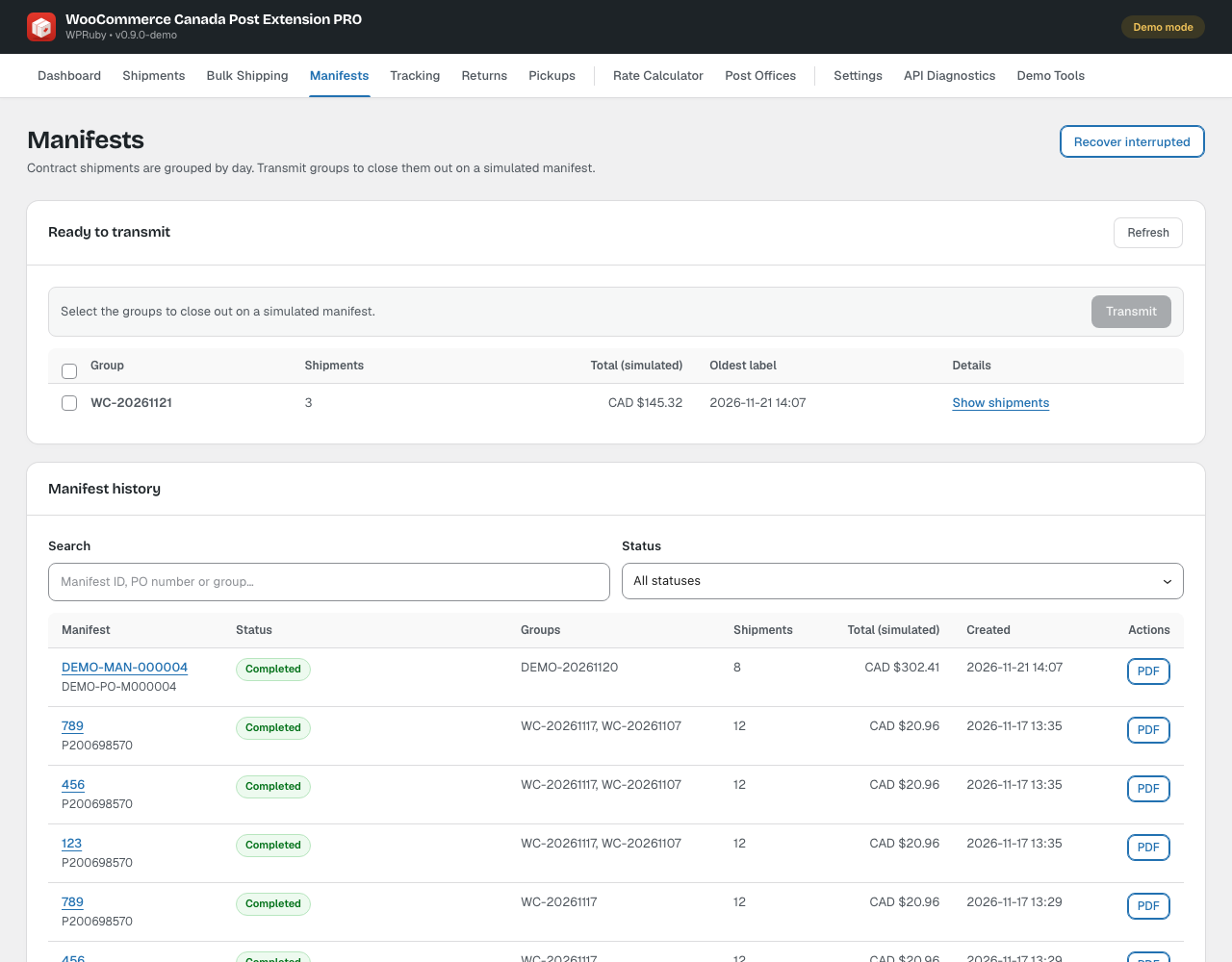
Go to Canada Post → Manifests. Ready to transmit lists today’s groups of shipments with their count and total. Groups older than the warning time are flagged.
2. Transmit
Select the groups and click Transmit, then confirm. Canada Post may take a moment to prepare the manifest; the plugin checks again automatically, or click Refresh. When the status is Completed, download the manifest PDF from Manifest history and print it for the driver.
- Once transmitted, the shipments in it can no longer be voided. Use Request refund instead.
- Recover interrupted completes a transmission that was cut off, for example by a timeout, without transmitting twice.
Note: If Canada Post collects your parcels, turn on Shipments are picked up by Canada Post in Settings → Shipping defaults before transmitting.