
A starter site fills your store with sample products, categories and pages so you can see Cartavera working before you add your own catalog. Three of the four starters also apply a matching design: a style variation, header, footer and homepage.
Starter sites are optional. They come with the Cartavera Blocks plugin and need WooCommerce.
The starters
| Starter | Catalog | Design it applies |
|---|---|---|
| Marketplace | Six departments (Electronics, Home & Kitchen, Fashion, Sports & Outdoors, Books, Beauty), 41 products | None. Keeps your current styles, header, footer and homepage |
| Electronics megastore | Computers, Phones & Tablets, Audio, Wearables, Cameras, Gaming: 24 products | Midnight (dark) style, two-row header with utility bar, Marketplace footer, “Homepage: Electronics megastore” |
| Fashion boutique | Women, Men, Shoes, Bags, Accessories, Beauty: 22 products with sizes and colours, and a size guide | Atelier style, centered light header and footer, “Homepage: Fashion boutique” |
| Grocery and fresh food | Fruit & Vegetables, Bakery, Dairy & Eggs, Pantry, Drinks, Snacks: 28 products | Orchard style, minimal header, footer with newsletter sign-up, “Homepage: Grocery and fresh food” |
| Electronics | Fashion | Grocery |
|---|---|---|
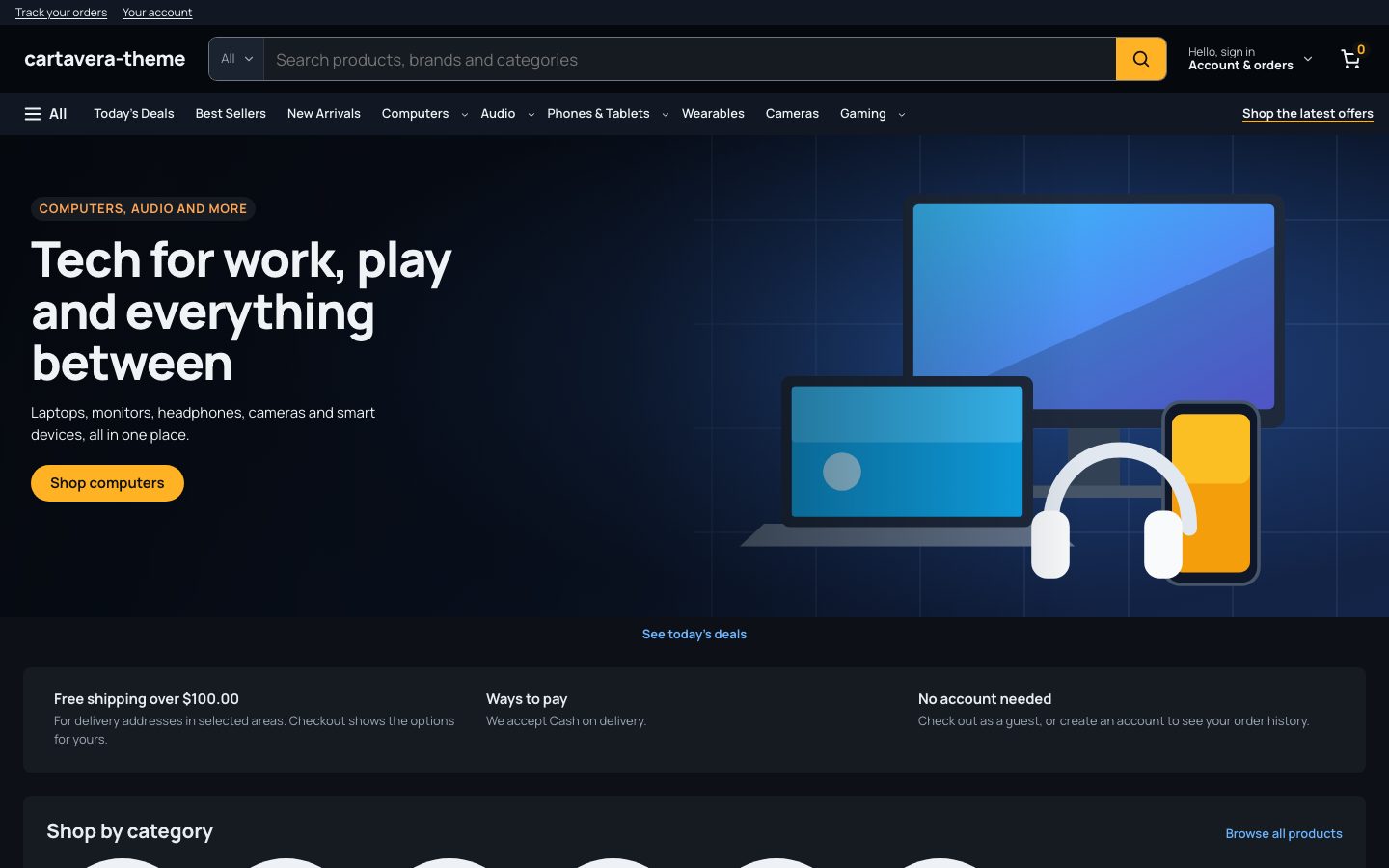 |
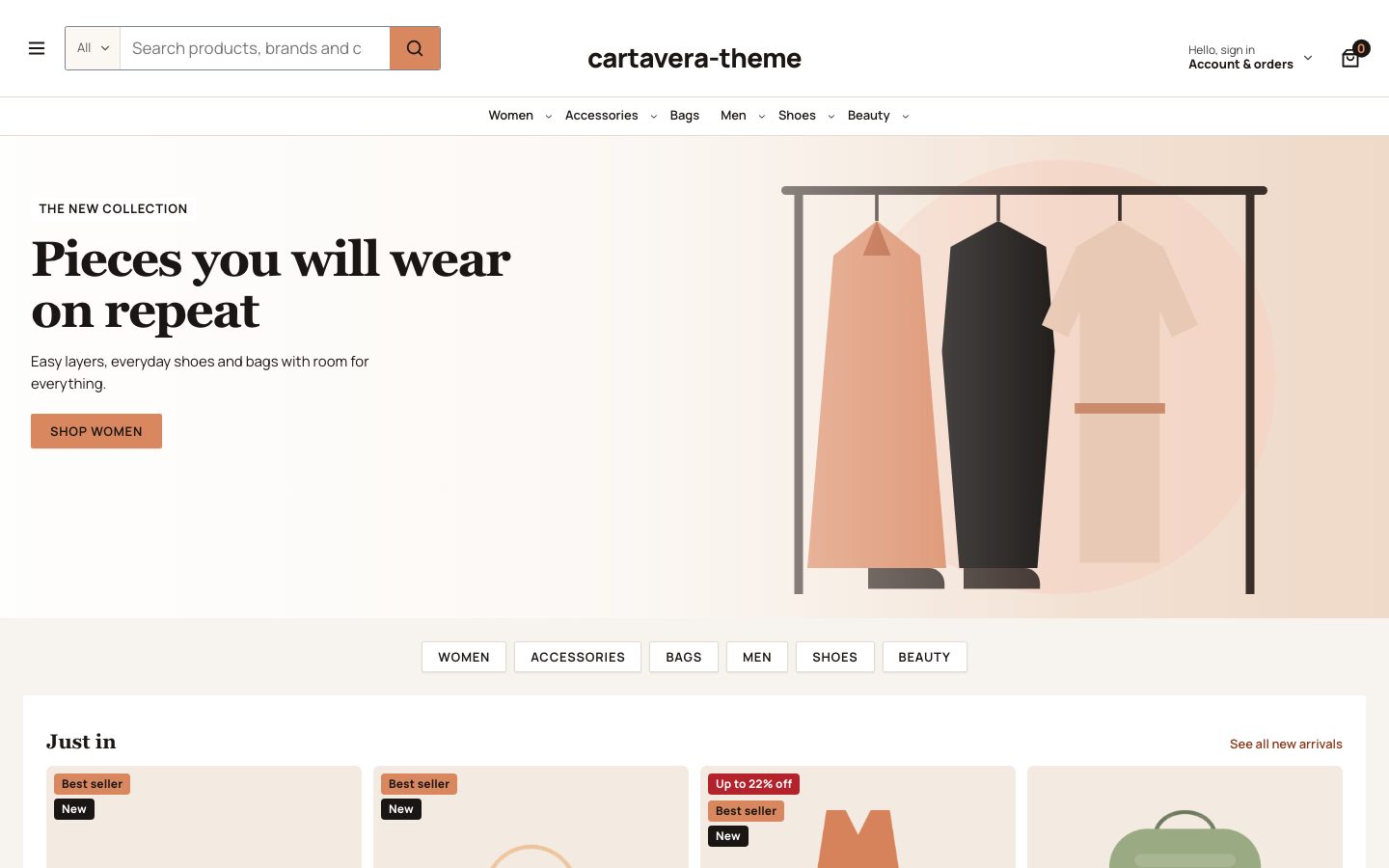 |
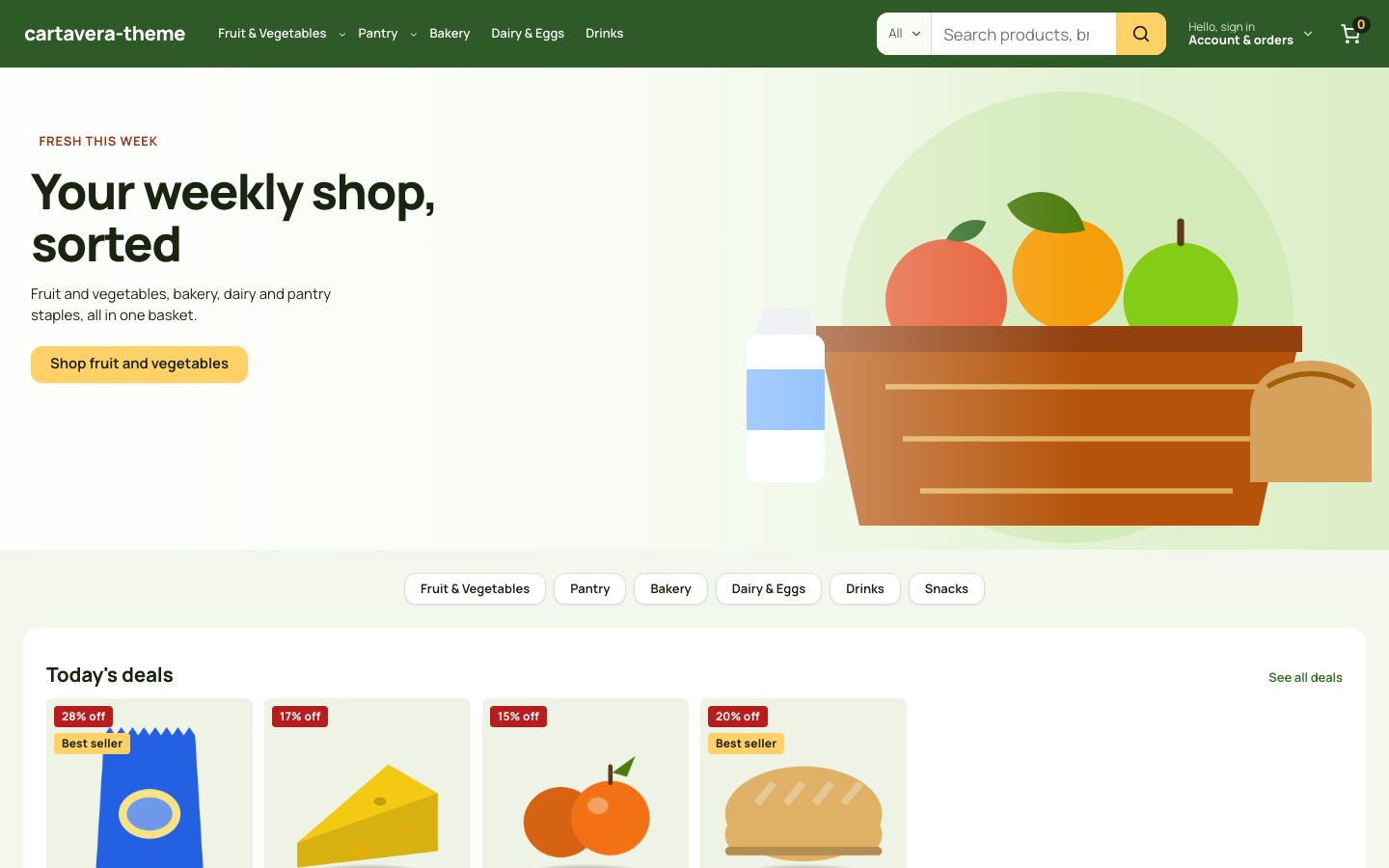 |
Every catalog has simple, variable, grouped, virtual and downloadable products, sale prices (some with an end date), and out-of-stock, low-stock and backorder items, so you can see how each case looks. The Marketplace starter also has external products, a sample10 coupon (10 % off) and a “Today’s Deals” page.
Sample data is fictional. Product names, prices, stock, brands, ratings and reviews are made up, and every product description and review says it’s a sample. Product and category images are drawn on your server when you import, so there is no stock photography to license.
Install a starter
- Go to Tools → Cartavera Sample Store.
- Choose a starter.
- Leave Also apply the starter’s design ticked to get its style, header, footer and homepage. Untick it to import only the products.
- Click Install starter site.
A progress bar shows each step. Products are imported six at a time, so the import keeps going on hosts with short time limits. A whole starter took 6–13 seconds in our tests; a slower host can take longer.
You need the manage_woocommerce capability (administrators and shop managers) to import products. Applying a design also needs edit_theme_options and manage_options, which only administrators have by default. A shop manager sees the design option turned off, with an explanation.
If an import stops part way, run it again. Products are matched by SKU (they start with CV-), so nothing is duplicated.
Only one at a time
You can have one starter installed. To switch, remove the current one first.
Remove a starter
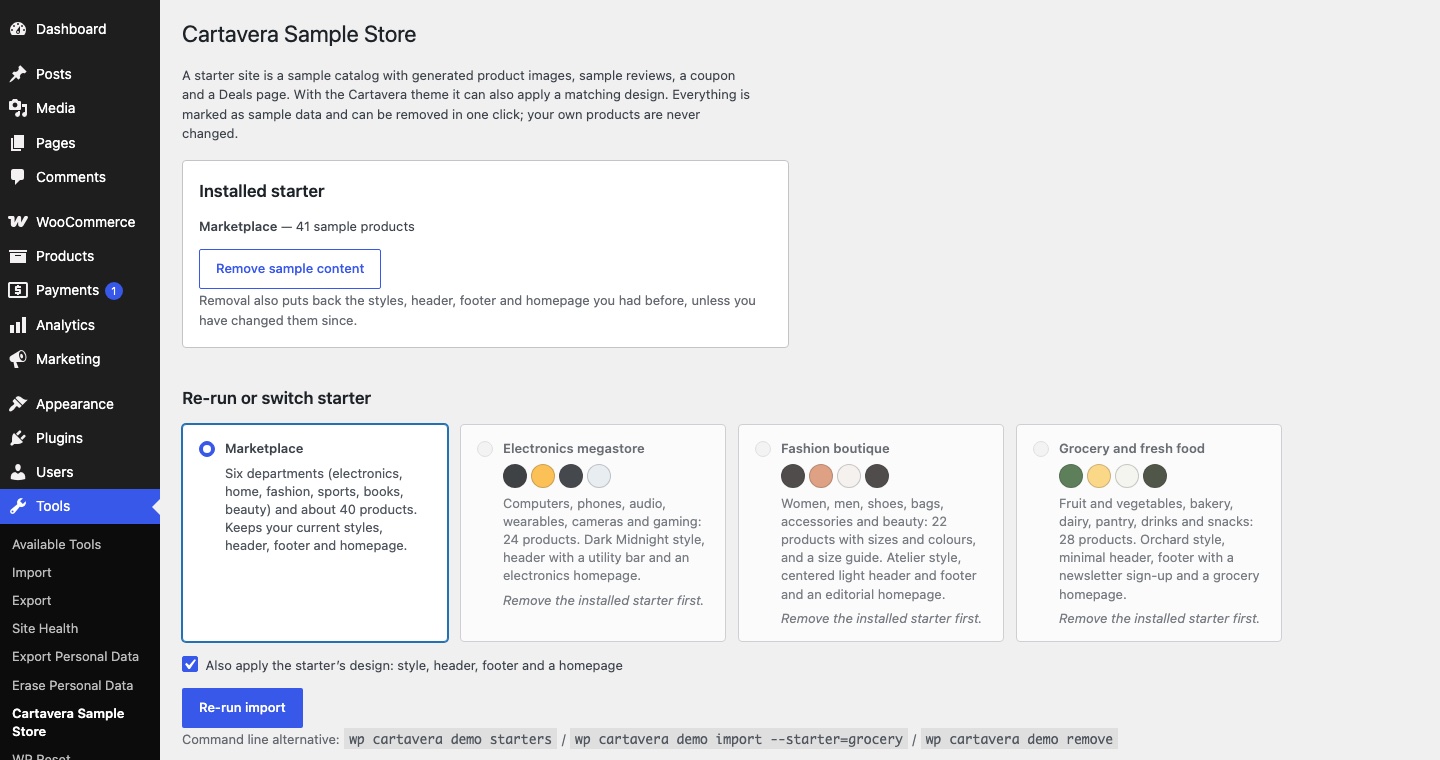
On Tools → Cartavera Sample Store, click Remove sample content. It removes:
- every product, image, category, attribute, coupon and page the starter created
- the header, footer and “Home” page it added
and puts back your previous style and homepage setting.
Removal only deletes what the importer created. Each of those items is tagged, and your own products are never touched.
Changes you made are kept. If you edited the styles, header or footer, or picked a different homepage after the import, removal leaves that as it is, and the screen lists what it kept (for example Kept because you changed them after the import: header).
A header or footer you’d already customized is never replaced. If you edited your header in the Site Editor before importing, the starter keeps your header and only changes the rest.
Things to know
- Shipping settings aren’t changed. The “Spend $X more for free shipping” message in the cart only shows once you add a Free Shipping method with a minimum order amount. See Cart and checkout.
- The homepage templates are yours to use. “Homepage: Electronics megastore”, “Homepage: Fashion boutique” and “Homepage: Grocery and fresh food” can be chosen for any page. When that page is your static homepage (Settings → Reading), its template is used.
- Don’t build your store on top of sample products. Add your own products alongside, then remove the starter before you launch.
WP-CLI
If you manage the site from the command line:
wp cartavera demo starterswp cartavera demo import --starter=fashionwp cartavera demo import --starter=grocery --skip-designwp cartavera demo statuswp cartavera demo remove --yeswp cartavera demo import with no --starter imports the Marketplace starter.