
Formafern shows a variable product’s options as swatches. They are WooCommerce’s own variations: the swatches only choose an option, and prices, images and stock still come from WooCommerce.
Set up a finish attribute
- Go to Products → Attributes and add a global attribute such as Finish, Upholstery, Colour, Glaze or Fabric.
- Click Configure terms and add its options, for example Natural oak, Smoked oak and Walnut.
- On the product, under Product data → Attributes, add the attribute, tick Used for variations, and create the variations.
Swatch colours
Each term can have a swatch colour:
- Go to Products → Attributes → Configure terms and edit a term.
- Under Swatch colour, untick No swatch colour (show the name) and pick the colour.
- Click Update.
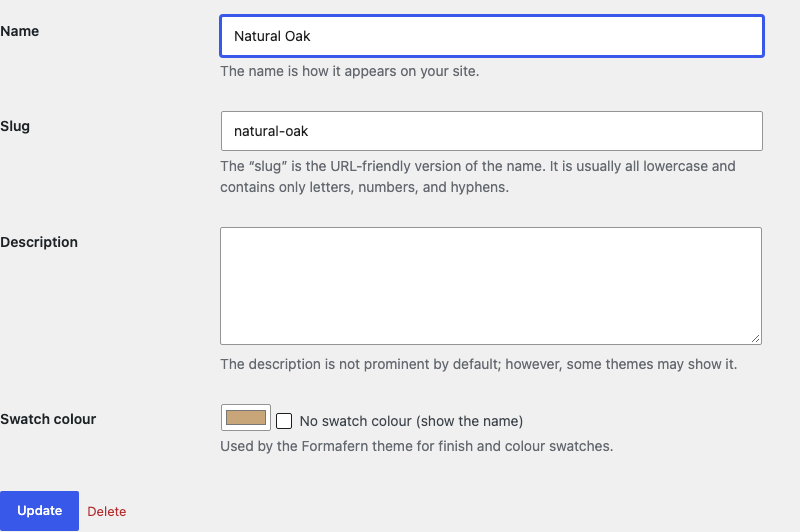
Terms without a colour show their name instead. The colour is stored on the term, so it stays with your store if you change themes.
On product cards
A variable product’s card shows the swatches of its finish options, under the price. Each swatch links to the product with that option already chosen. Cards show up to five; the rest show as +2, +3 and so on.
Cards use the first of these attributes that the product’s variations use, with at least two options: Finish, Wood finish, Upholstery, Fabric, Colour (or Color), Glaze, Leg colour (or Leg color) and Material. Developers can change the list with the formafern_swatch_attributes filter.
Products without such variations show no swatches.
On the product page
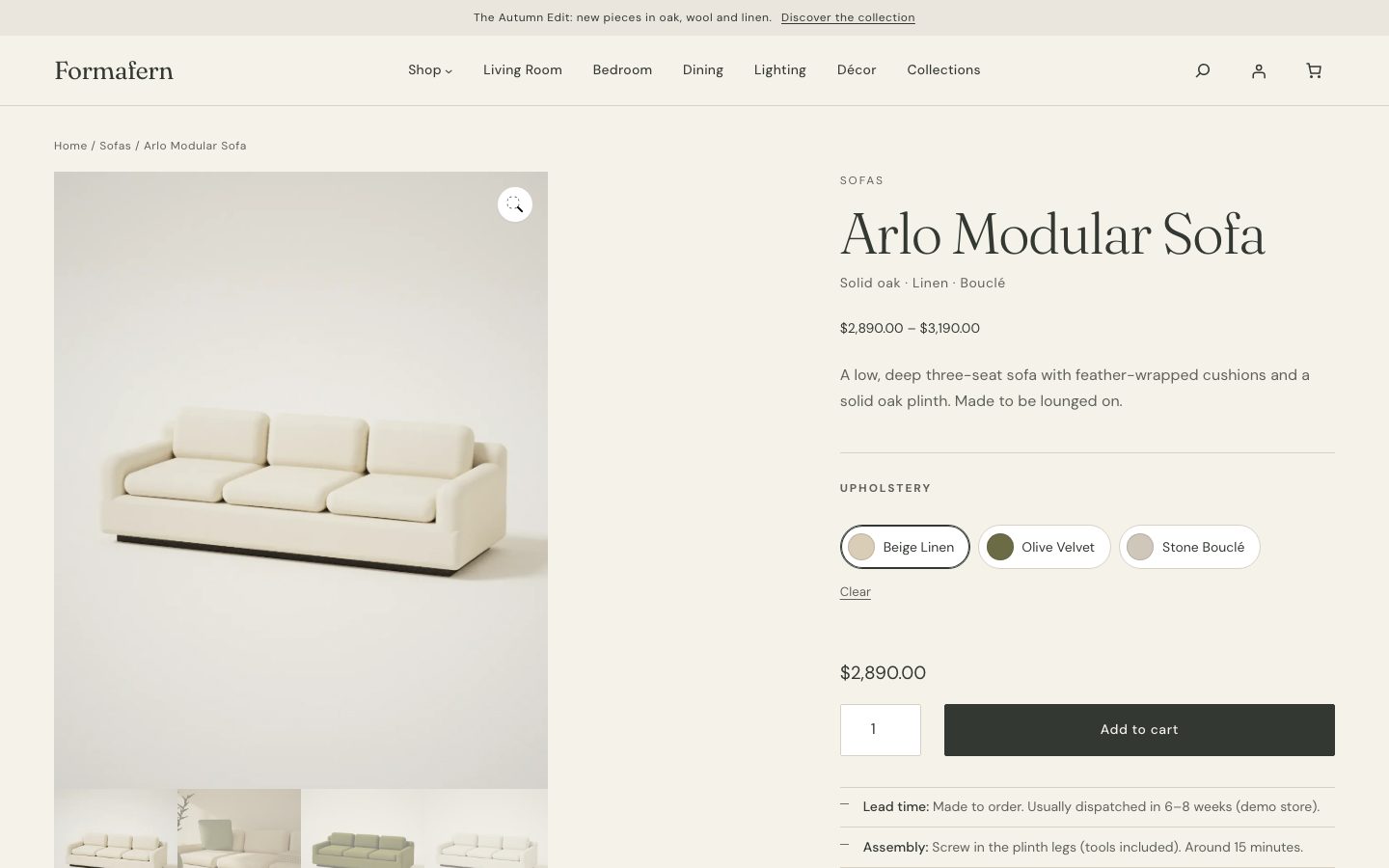
On the product page, every variation option list with 2 to 8 options becomes a row of buttons: a colour chip and the name when the term has a swatch colour, the name alone when it doesn’t. Longer lists stay as a dropdown. Options that aren’t available with the other choices are shown as unavailable. Choosing a button chooses the option in WooCommerce’s variation form, which updates the price, image, stock and dimensions.
The material line
Products with a Material attribute (a global attribute or a custom one called Material) show up to three of its values under the name, on product cards and the product page: for example Solid oak · Linen.