Book details
Format, language, age group, ISBN, publisher, page count and anything else you record about a book are ordinary product attributes. Add them under Products → Attributes, then to each book under Product data → Attributes.
Every attribute you add to a book appears in the Book details section of its page, and attributes your books use appear as filters on shop pages.
Editions
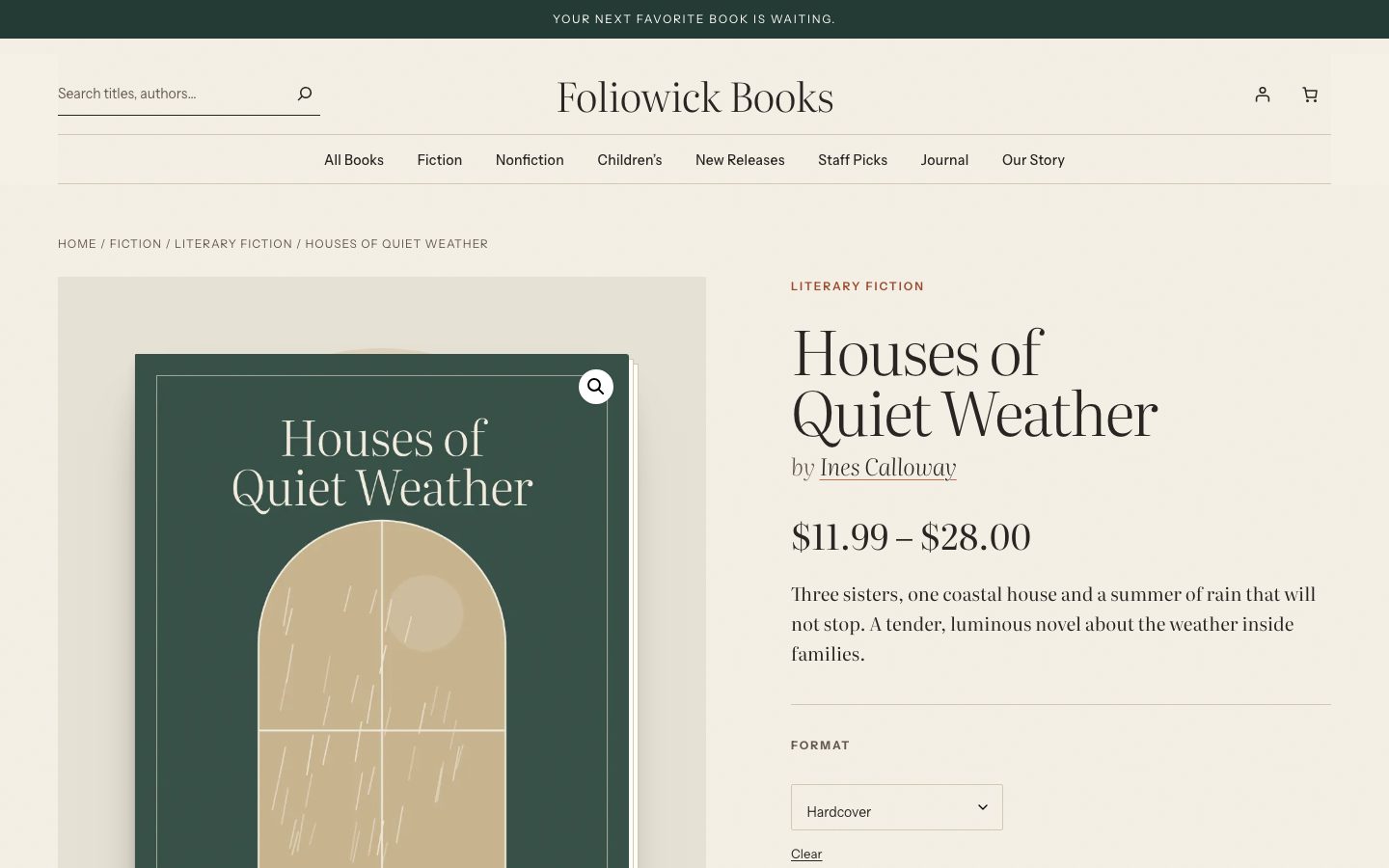
Sell hardcover, paperback, ebook and audiobook editions of the same book as variations:
- Create a Format attribute with the editions as terms.
- Make the book a Variable product, add Format with Used for variations ticked.
- Under Variations, create one variation per edition with its own price.
Shoppers choose the format on the book page before adding it to the cart.
Ebooks and audiobooks
Make an ebook or audiobook variation (or product) Virtual and Downloadable, and attach its file. Virtual editions need no shipping. The Ebooks & audiobooks demo store shows this setup, with a narrator attribute and format filters.
Covers
Cover images keep their own proportions instead of WooCommerce’s square crop, so no cover is cut. The theme stands covers on a shelf whatever their shape. Upload covers at the size you have; a portrait image around 2:3 looks most like a book.