
Shop and category pages
The shop and every category page open with a banner: the category’s name and description, and its thumbnail when it has one (Products → Categories → Thumbnail). Below it, the filters sit beside a three-column product grid with sorting and page numbers.
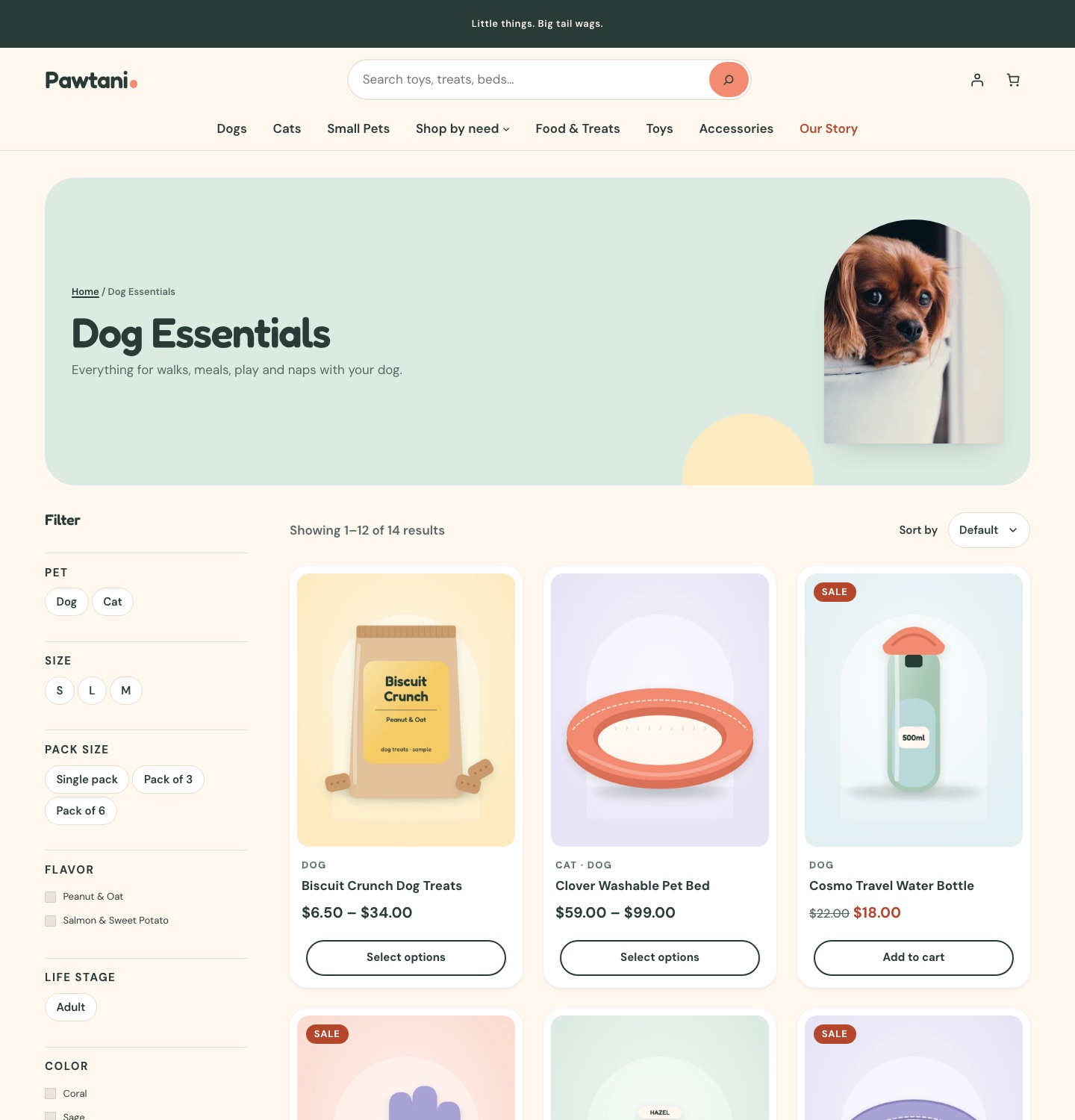
Filters
The filters are WooCommerce’s own Product Filters block, built from your data:
- Categories, except on a category page.
- Every product attribute your store uses. Pet, size, pack size, flavour and life stage come first. Pet, size, pack size and life stage show as chips; the rest as checkboxes.
- Price, rating and availability.
Attributes and values with no products don’t appear. Active filters show at the top with Clear filters.
On phones and tablets, the filters move into a drawer that opens from a Filter button.
Product cards
Each card shows the image (with a Sale badge), the pets it suits, the title, the rating when there are reviews, the price, stock status and WooCommerce’s own button: Add to cart, or Select options for products with options.
Product pages
- The gallery, with zoom, lightbox and thumbnails.
- Category, title, rating, price and short description.
- Product facts from the product’s attributes.
- Find the Right Fit, when the product has a size guide.
- A note for signed-in customers who have bought the product before. See Repeat purchases.
- Options and Add to cart.
- Delivery & returns, which says delivery options and costs are shown at checkout and links to your page with the slug
shipping-returnswhen you have one. - The description, Details & care and reviews.
- Pairs well with: the product’s Upsells (Product data → Linked Products).
- You may also like: related products.
The cart shows the products’ Cross-sells.
Cart, checkout and account
Cart, checkout, order confirmation and My account use WooCommerce’s own blocks and pages, styled to match. Checkout has its own quiet header and footer.