
GLS requires a pickup to collect your shipments. Pickups are requested from WooCommerce → GLS Canada Centre → Labels Orders.
1. Select the shipments
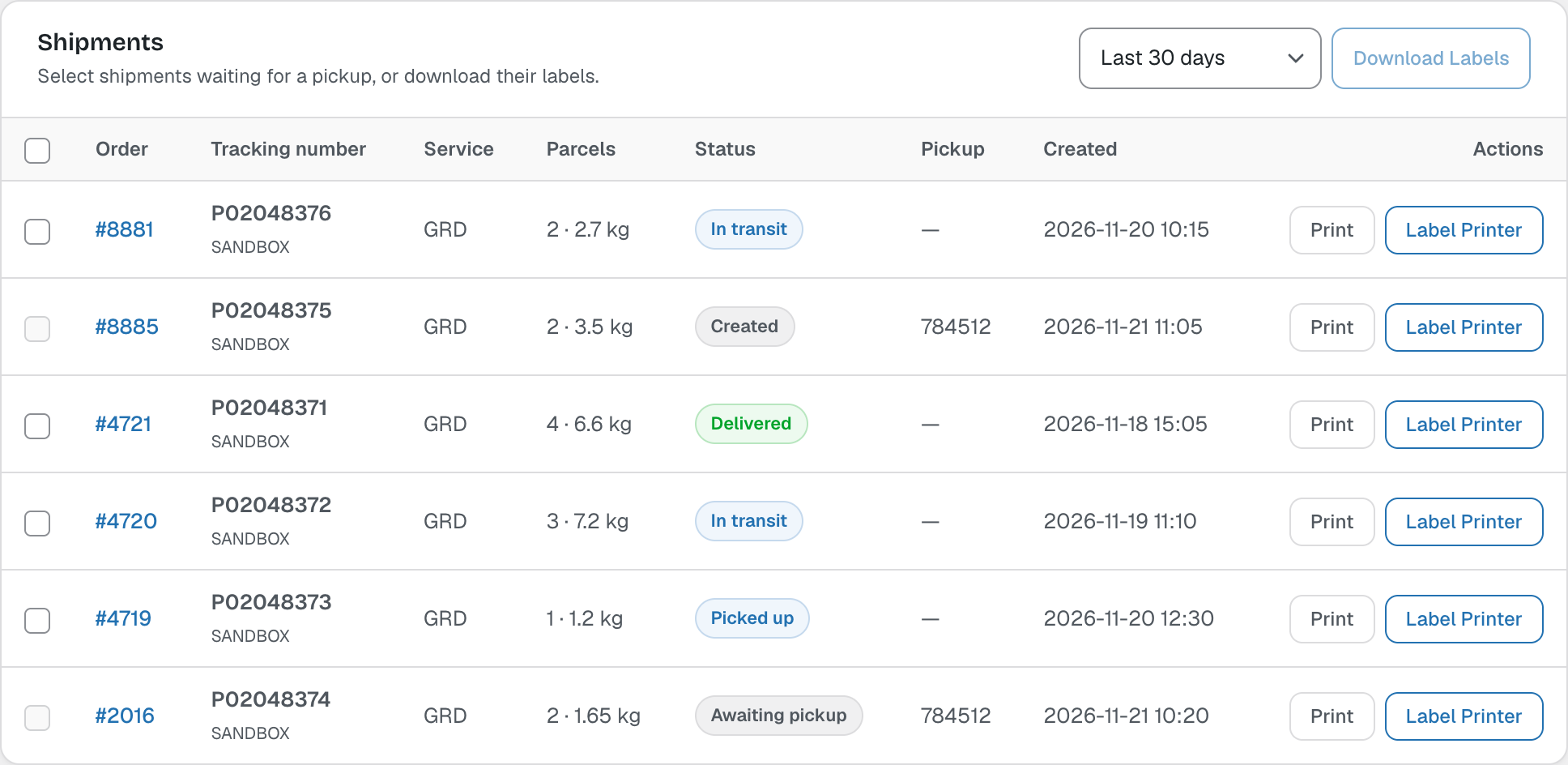
The Shipments table lists your GLS shipments with their status. Tick the shipments waiting for a pickup. You can also select shipments and click Download Labels.
2. Request the pickup
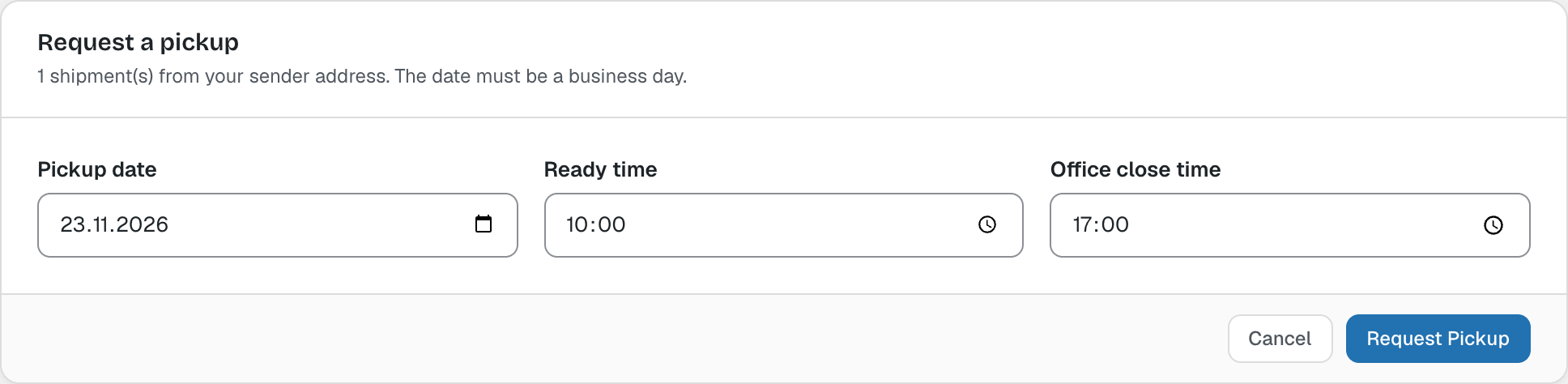
Click Request Pickup, choose a business day, the time the parcels are ready and your office close time, then click Request Pickup. The defaults come from the Pickups settings.
3. Manifest and changes
The pickup appears under Pickups. Click Manifest to print the pickup manifest (GLS only produces a manifest for pickups with more than one shipment), or Delete to cancel the pickup.

Note: If GLS answers “Pickup not guaranteed”, the request was accepted but GLS cannot guarantee it (for example late in the day). Call GLS Canada to confirm, or choose an earlier ready time or another day.