
Style variations
A style variation changes the palette, fonts and shapes in one click. Go to Appearance → Editor → Styles and pick one under Browse styles.
| Variation | Look | Headings | Used by the starter |
|---|---|---|---|
| Playful (default) | Cream, coral, sage, sunshine and lavender with forest-green text; rounded shapes and pill buttons | Fredoka | Everyday Pet Store |
| Natural | Warm beige, forest green and terracotta; smaller corners | Fraunces | Treat Kitchen |
| Modern Pet Studio | White, charcoal and lavender; small corners and uppercase buttons | DM Sans | Cat Studio |
Body text uses DM Sans in every variation.
| Playful | Natural | Modern Pet Studio |
|---|---|---|
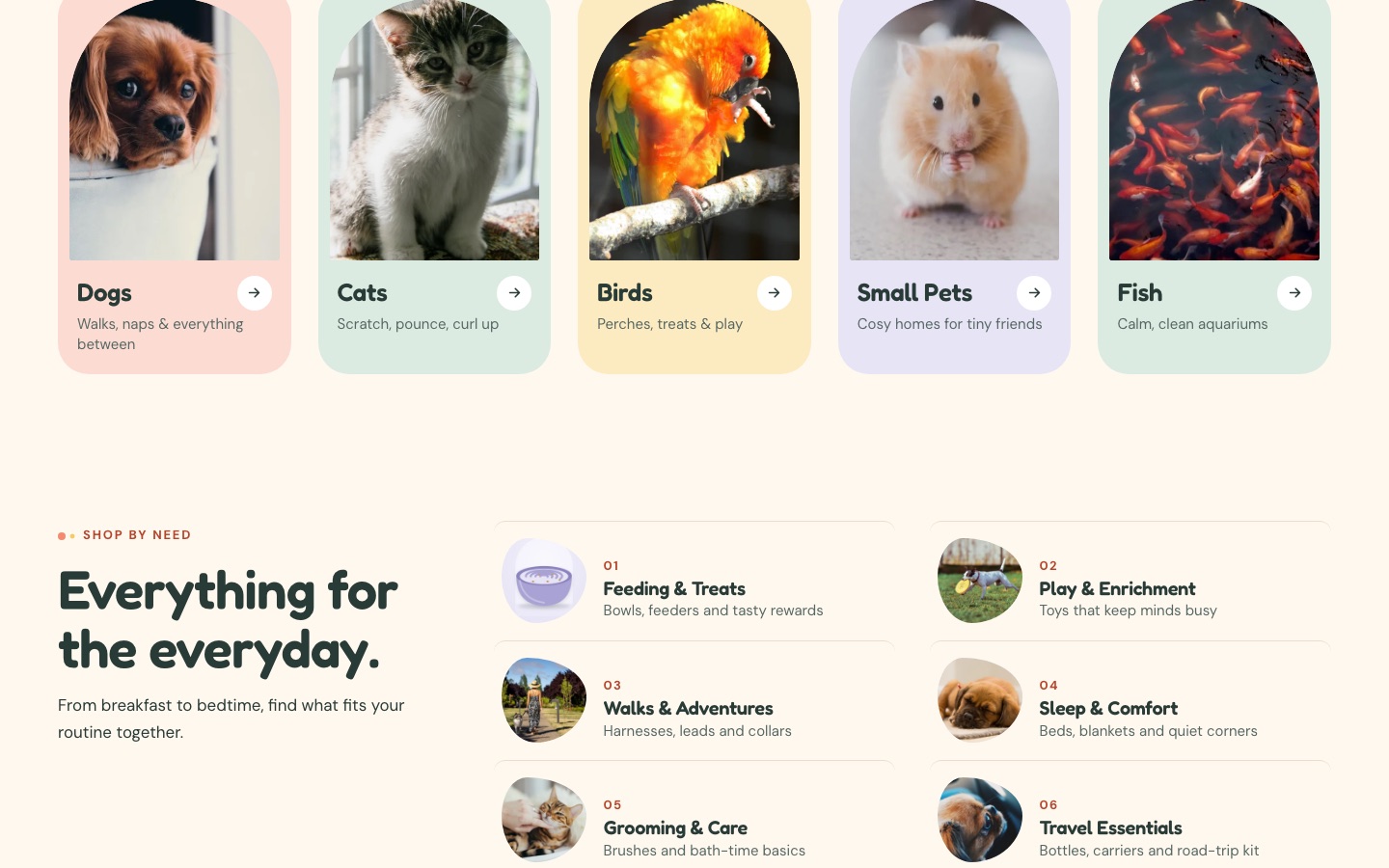 |
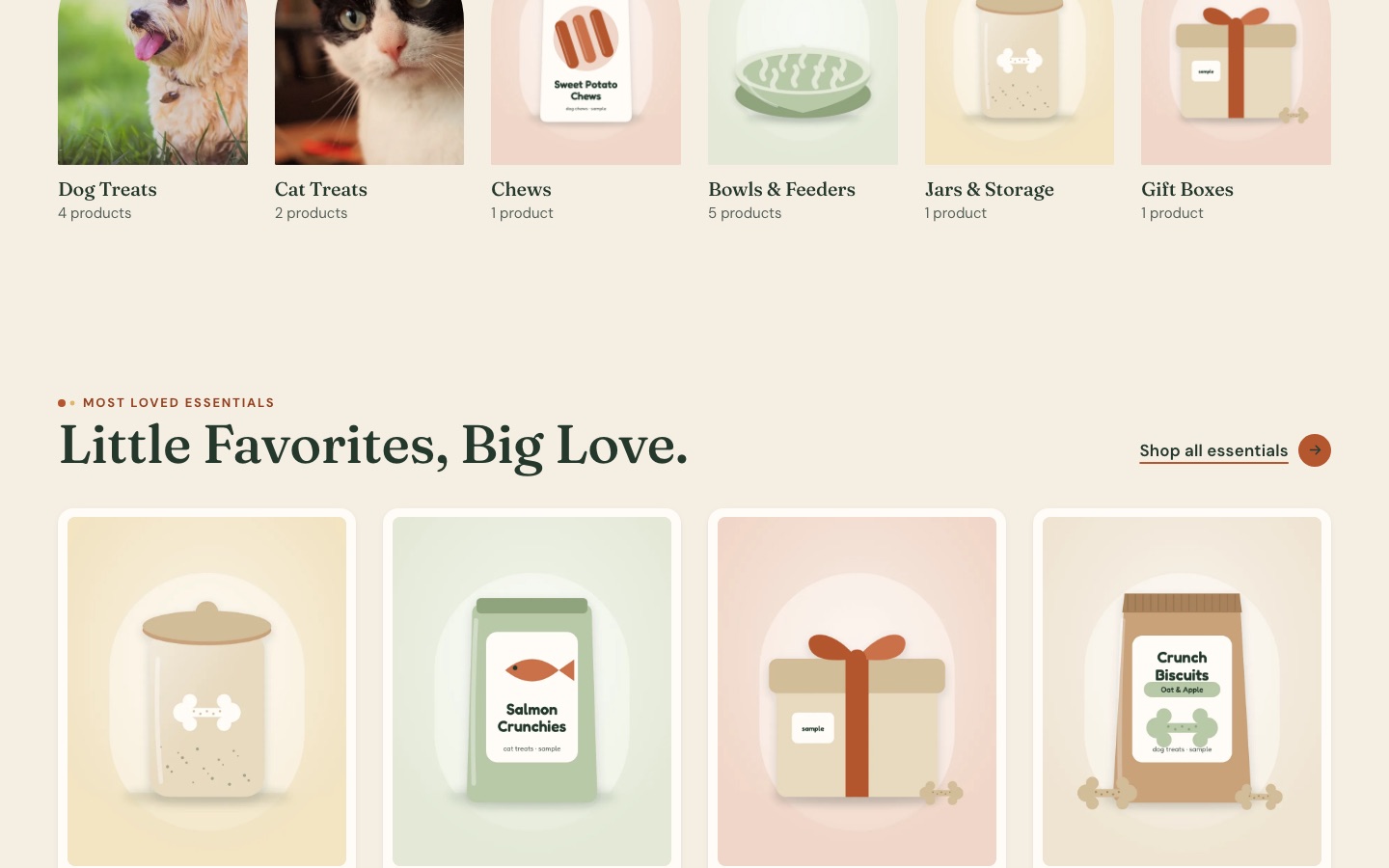 |
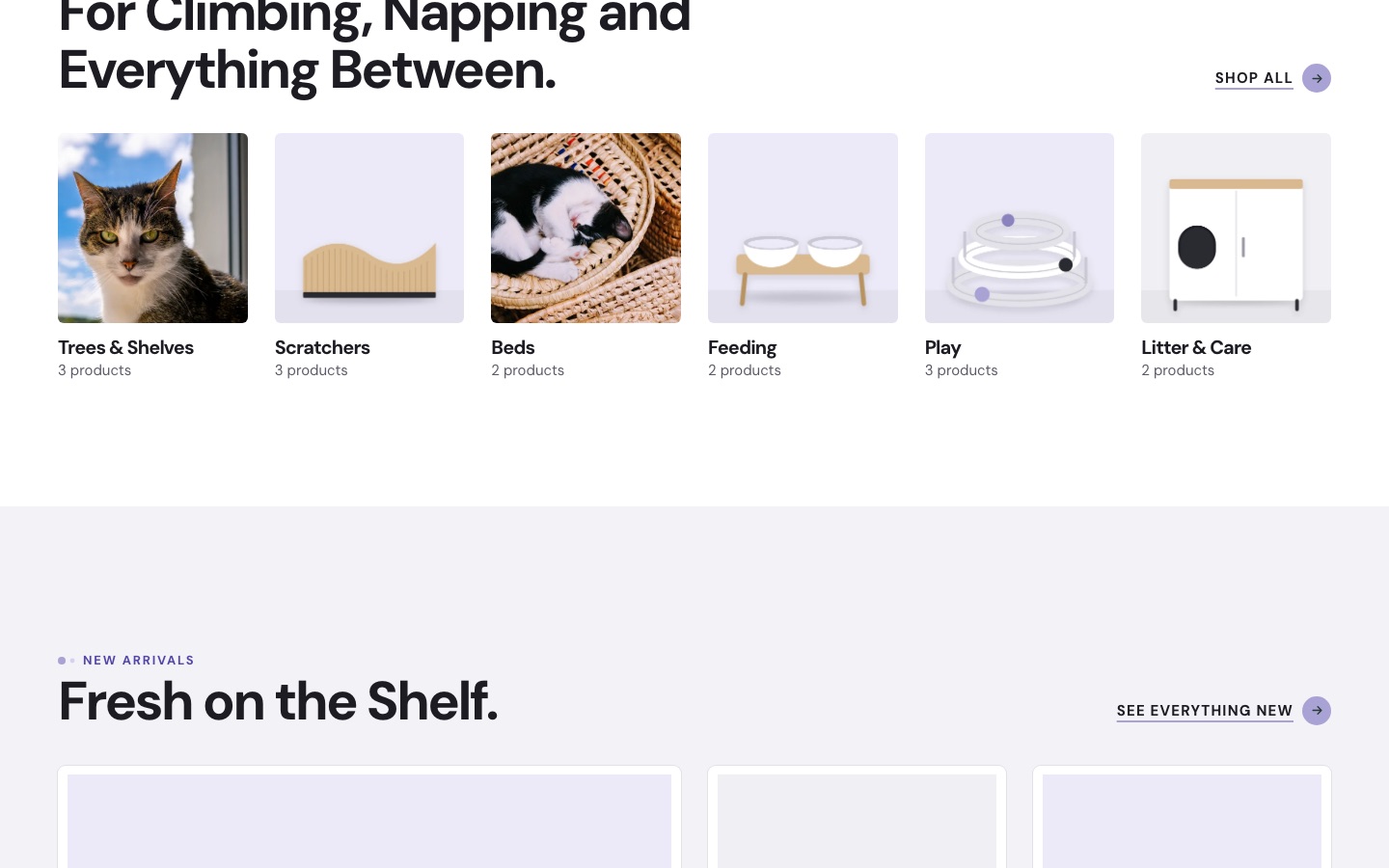 |
Change colors and fonts
Go to Appearance → Editor → Styles → Colors or Typography. Every block that uses a palette color or font updates across the store.
All the fonts are bundled with the theme, so nothing loads from font services.
If you change colors, check that text stays easy to read on its background.
Shapes
Pawtani adds a few block styles of its own. Select a block and pick one under Styles in the sidebar:
| Block | Styles |
|---|---|
| Image | Arch, Pebble, Soft frame |
| Group | Rounded panel, Scalloped edge |
| Paragraph | Eyebrow label |
| Heading | Underline accent |
| Button | Text with arrow |
Images
The homepage photographs are ordinary Image blocks. In the Site Editor, select one and choose Replace to use your own.
Motion
Sections rising into view as you scroll, the hero sticker and hover effects switch off for visitors who have asked their device to reduce motion.