
Book an on-demand Canada Post pickup instead of dropping your parcels off.
1. Schedule a pickup
Go to Canada Post → Pickups and fill in Schedule pickup:
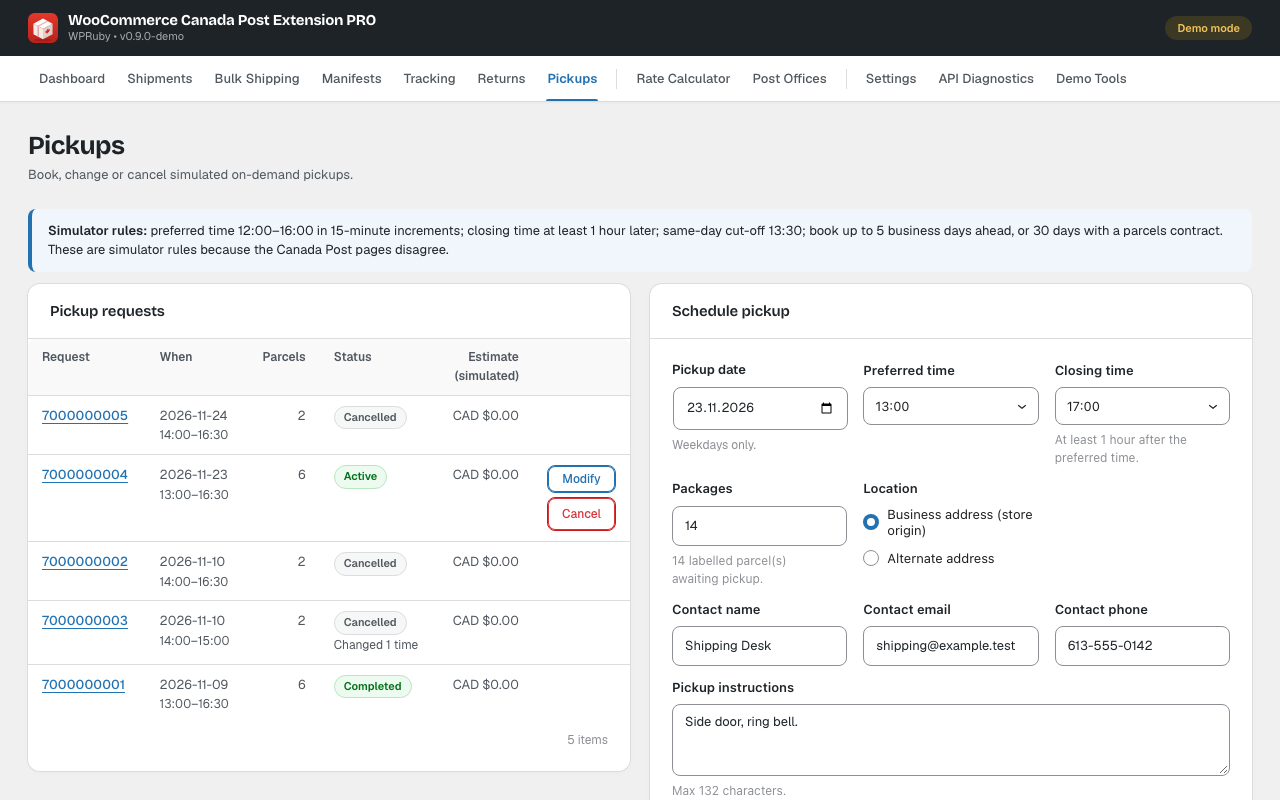
- Pickup date: a weekday.
- Preferred time and Closing time: the closing time must be at least an hour after the preferred time.
- Location: your business address or another address, the number of parcels and instructions for the driver.
Click Check availability and Estimate price, then Book pickup. Canada Post confirms the pickup with a request number.
2. Change or cancel
Under Pickup requests, click Modify to change the time or parcels, or Cancel. To change the location, cancel the pickup and book a new one.
Note: Defaults for new pickups (location, times and instructions) are in Settings → Pickup defaults. Canada Post limits how far ahead you can book and has a same-day cut-off; the form explains when a request does not fit.