
If you use WooCommerce Subscriptions, the Subscriptions report shows recurring revenue, churn and renewals. Without the extension, the sidebar shows Not installed next to this report.
Go to WooCommerce → Deep Insights → Subscriptions.
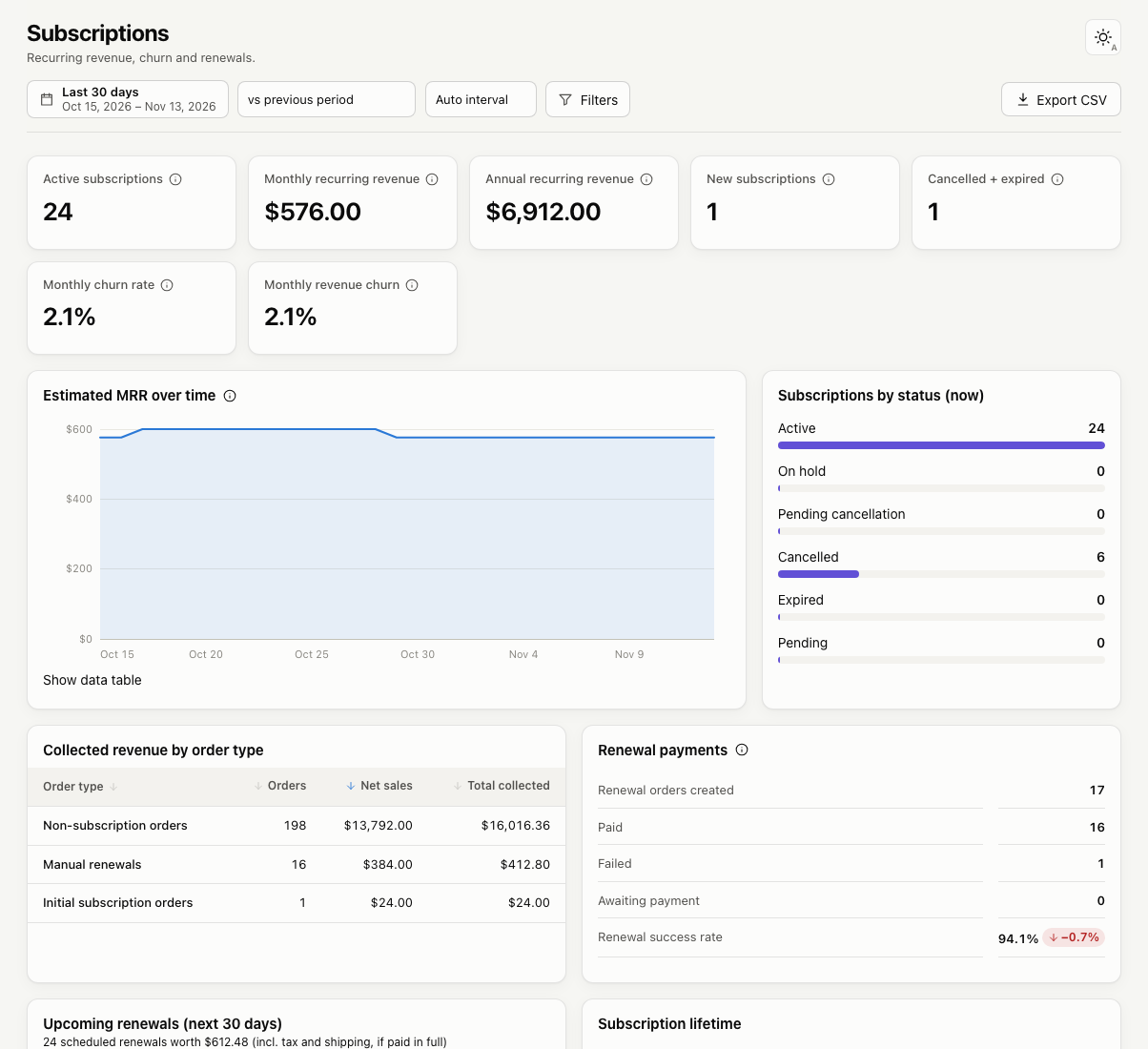
Metrics
- Active subscriptions: subscriptions active today.
- Monthly recurring revenue (MRR): the recurring amount of active subscriptions, excluding tax and shipping, converted to a monthly figure. A yearly $120 subscription adds $10.
- Annual recurring revenue (ARR): MRR × 12.
- New subscriptions and Cancelled + expired in the date range.
- Monthly churn rate: the share of subscriptions active at the start of each month that were cancelled or expired during it.
- Monthly revenue churn: the same calculation weighted by MRR.
Charts and tables
- Estimated MRR over time
- Subscriptions by status (now): active, on hold, pending cancellation, cancelled, expired and pending.
- Collected revenue by order type: initial orders, automatic renewals, manual renewals, switches and resubscribes, plus non-subscription orders. Each order is counted once, so renewals are never double counted.
- Renewal payments: renewal orders created, paid, failed and awaiting payment, and the renewal success rate.
- Upcoming renewals in the next 30 days.
- Subscription lifetime: the average lifetime of ended subscriptions and the average age of active ones.
- Subscription retention by start month: the share of subscriptions started each month that were still running after N months.
Limitations
WooCommerce Subscriptions does not keep a full history of status changes. For the period before you installed Deep Insights, past MRR is rebuilt from start, cancellation and end dates using current prices; on-hold periods and old price changes can’t be reconstructed. From activation onward, Deep Insights records every status change, so later history is exact.
“Manual” vs “automatic” renewals use each subscription’s current renewal setting.