
Style variations
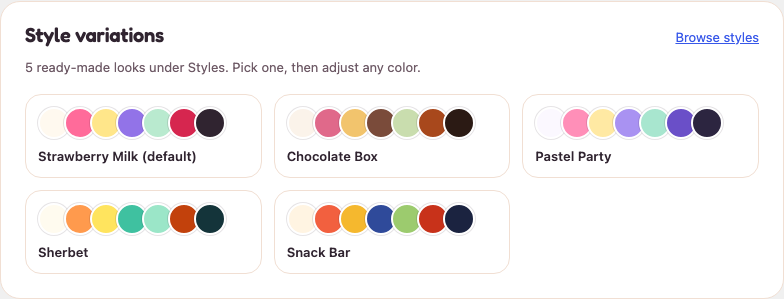
A style variation changes the whole palette in one click. Go to Appearance → Editor → Styles and pick one under Browse styles. Appearance → Candy Shop shows a preview of each.
| Variation | Used by the starter |
|---|---|
| Strawberry Milk (default) | Sweet Shop |
| Chocolate Box | Chocolatier |
| Pastel Party | Retro Sweet Shop |
| Sherbet | Pick & Mix |
| Snack Bar | Snacks & Treats |
Change colors
Go to Appearance → Editor → Styles → Colors. The palette has strawberry, butter, grape, mint, cherry and cocoa, with lighter tints of each. Change a color there and every block that uses it updates across the store.
If you change colors, check that text stays easy to read on its background.
Change fonts
Candy Shop uses Fredoka for headings and Figtree for text. Both are bundled with the theme, so no font loads from another service. Change them under Appearance → Editor → Styles → Typography.
Images
The hero and section images are ordinary Image blocks. In the Site Editor, select one and choose Replace to use your own photo.
Motion
The floating sweets in the hero, card lifts and scroll reveals switch off for visitors who have asked their device to reduce motion.