
The Affiliate Butler → Import / Export screen moves your links between sites, lets you edit many links at once in a spreadsheet, and downloads your clicks.
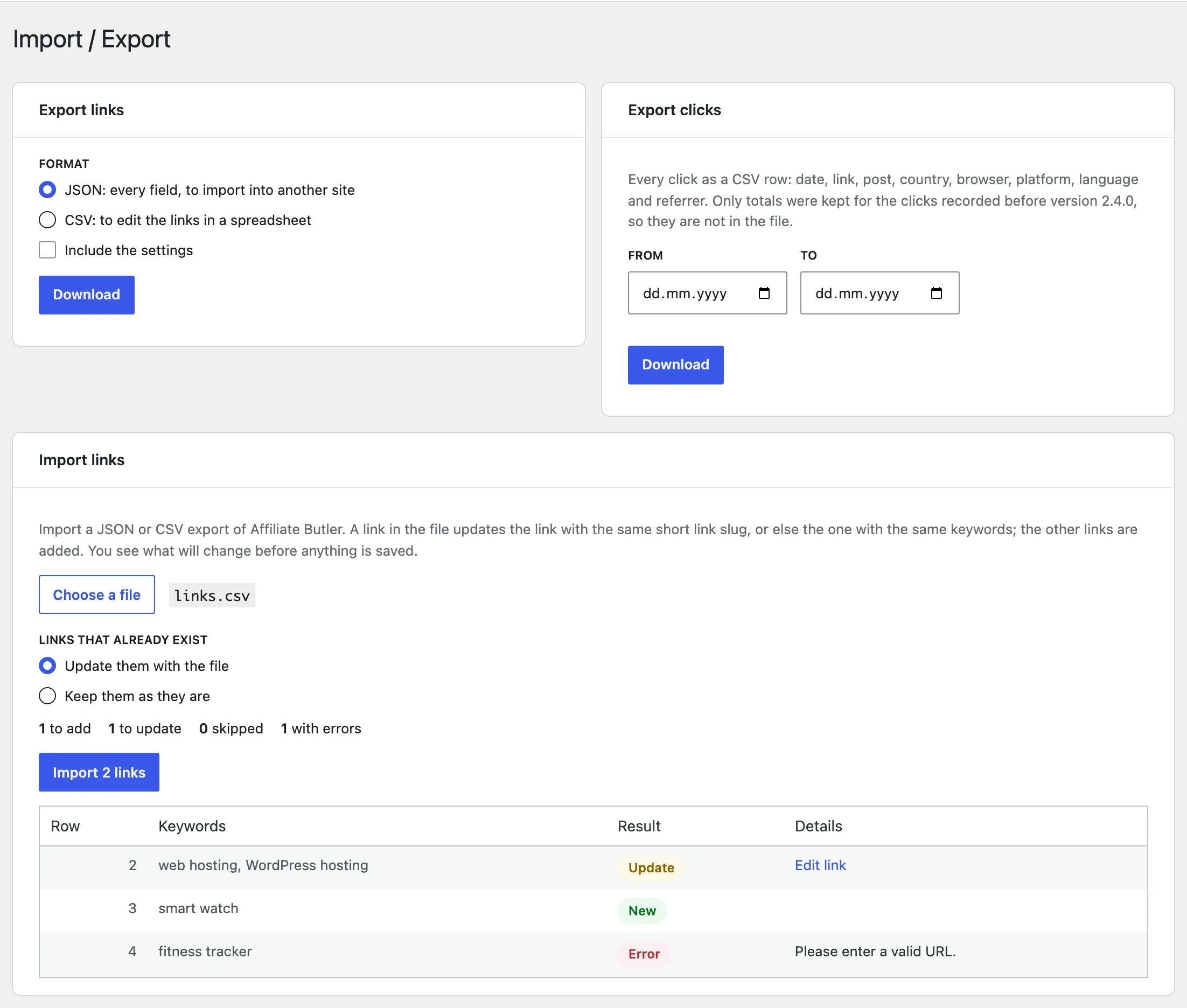
Export links
- Choose the Format:
- JSON has every field of every link. Use it to copy your links to another site or to keep a backup. Tick Include the settings to add your plugin settings to the file.
- CSV opens in Excel, Numbers or Google Sheets, with one link per row.
- Click Download.
Published links and drafts are exported; links in the Trash aren’t. Click stats aren’t part of the links file.
Import links
- Click Choose a file and pick a JSON or CSV file.
- Choose what to do with Links that already exist: Update them with the file, or Keep them as they are.
- Check the preview. Nothing is saved yet: every row shows New, Update, Skip or Error, with the reason of each error.
- If the file has settings, tick Also import the settings in the file to apply them too.
- Click Import.
A row of the file updates the existing link with the same short link slug or, when there is none, the link with exactly the same keywords. The other rows add new links. Rows with an error (a missing or invalid URL, a keyword already used by another link, or repeated in the file…) are left out; fix them in the file and import it again.
Internal links find their post or page on the new site by its address, so they keep working when the post IDs differ. You can import up to 1,000 links per file.
CSV columns
The easiest way to get the format right is to export your links as CSV and edit that file. The first row must name the columns, and only keywords is required. Columns you leave out use the new link defaults, or keep the current value of a link that is updated.
| Column | Value |
|---|---|
keywords |
The keywords, separated by |, e.g. web hosting | WordPress hosting |
type |
external, internal, popup, popup_image, popup_gallery, popup_video, popup_map or url_share |
target_url |
The URL of an external link |
slug |
The short link slug, empty for no short link |
redirect_type |
301, 302 or 307, empty for the default |
forward_params, nofollow, sponsored, case_sensitive |
yes or no |
rotation |
The URLs and weights of a rotating link, e.g. https://example.com/a 60 | https://example.org/b 40 |
internal_path |
The address of the post or page of an internal link, e.g. /contact/ |
open_in |
_blank (new window) or _self |
status |
publish or draft |
title, categories |
The link title, and the categories separated by | |
popup_content, popup_image, popup_gallery, video_url, map_url, shared_url, shared_text |
The content of the other link types (image URLs for popup_gallery separated by |) |
Export clicks
Choose a date range, or leave both dates empty for all the clicks, and click Download. The CSV file has one row per click: the date (in your site’s timezone), the link, the post it was clicked in, the country, the browser, the platform, the language, the referrer and, for rotating links, the URL the visitor was sent to.
Clicks recorded before version 2.4 were kept as totals only, so they aren’t in the file.