
Tracking starts as soon as a shipment is created. The tracking number is saved on the order and the plugin refreshes the status in the background.
For you
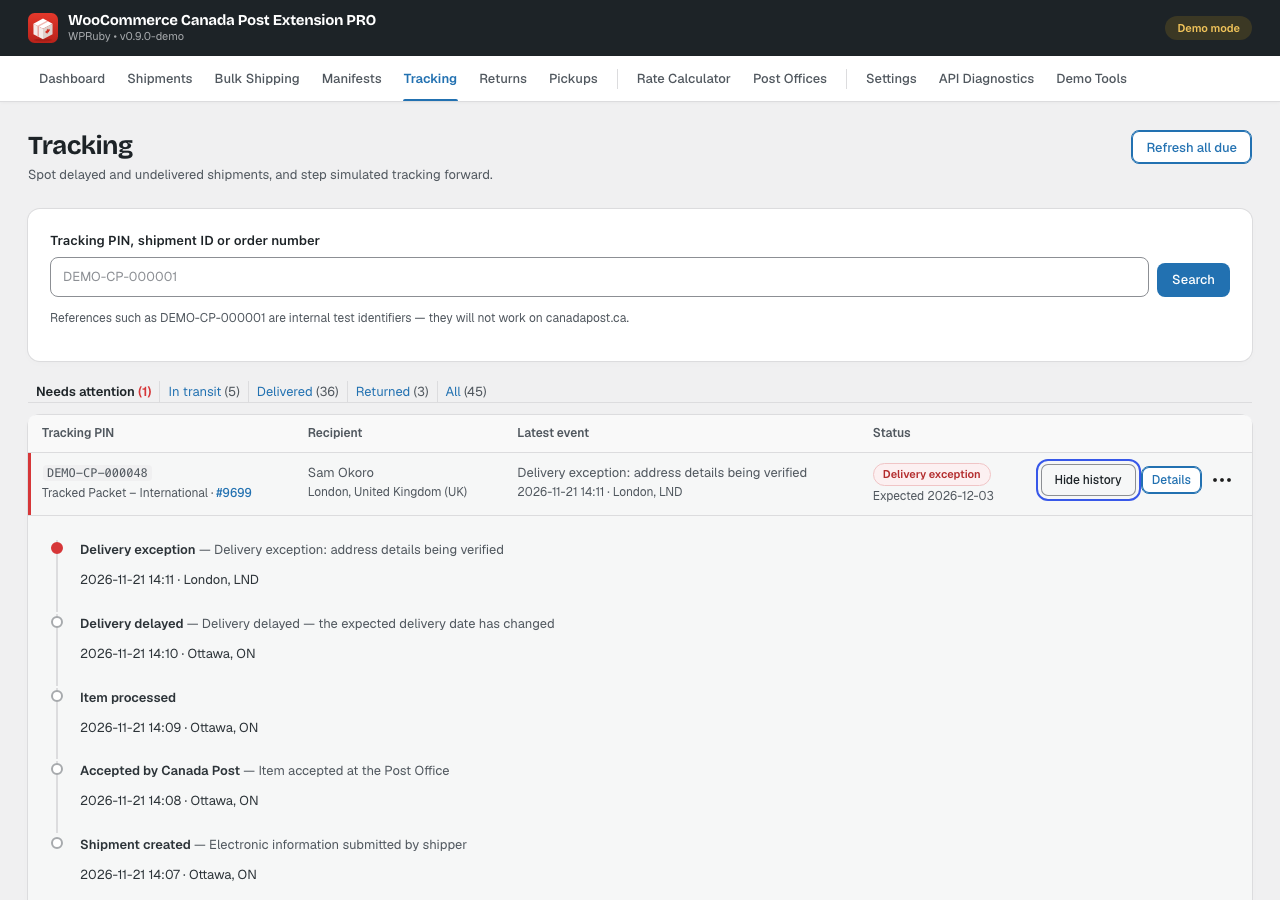
Canada Post → Tracking lists your shipments by status. Needs attention shows delays, failed delivery attempts, held parcels and returns to sender. Search by tracking number, shipment or order number, open a shipment’s History, or click Refresh all due.
- Tracking changes are added as order notes.
- When every parcel of an order is delivered, the order can be marked Completed automatically (Settings → Shipping defaults).
- Set the refresh interval in Settings → Tracking.
- Delivered shipments with Signature or Delivery Confirmation offer a delivery certificate.
For your customers
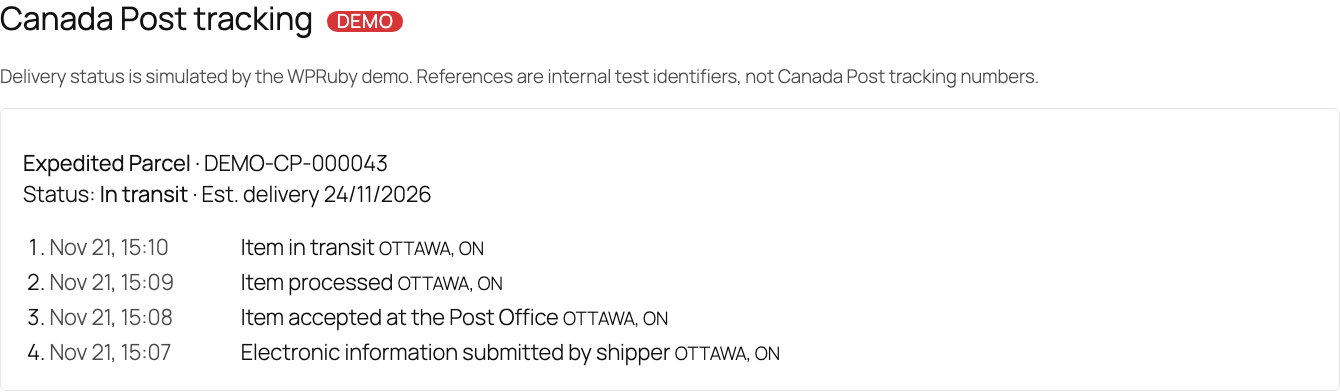
With Show tracking on the customer’s My Account page turned on, customers see the service, current status, estimated delivery and full timeline on their order page.
Canada Post can also email your customers when the parcel ships, has a delivery issue or is delivered. Set this in Settings → Notifications.