
A demo store fills your shop with a fictional bookshop so you can see Foliowick working before you add your own books: books with original cover art, genres, reading lists, authors, journal articles, pages and a menu. The four starters also apply their own design: a style variation, header, footer and homepage.
Demo stores are optional and need WooCommerce.
The demo stores
| Demo store | Books | Design it applies |
|---|---|---|
| Independent bookshop | 25 books: fiction, nonfiction and children’s books | None. Keeps your current design |
| Children’s bookshop | 14 books by age band, with read-aloud lists | Storytime style, minimal header, newsletter footer and a children’s homepage |
| Rare & secondhand | 14 single copies with condition, binding, edition and date, and “Sold out” plates on sold copies | Classic Bookshop style, bookplate header, colophon footer and a rare-books homepage |
| Independent press | 14 titles in four series, with author bookplates and forthcoming titles to pre-order | Modern Editorial style, library bar header, colophon footer and a press homepage |
| Ebooks & audiobooks | 14 ebook and audiobook editions, virtual and downloadable, with narrators and format filters | Inkwell style, minimal footer and a digital homepage |
| Independent bookshop | Children’s bookshop | Rare & secondhand |
|---|---|---|
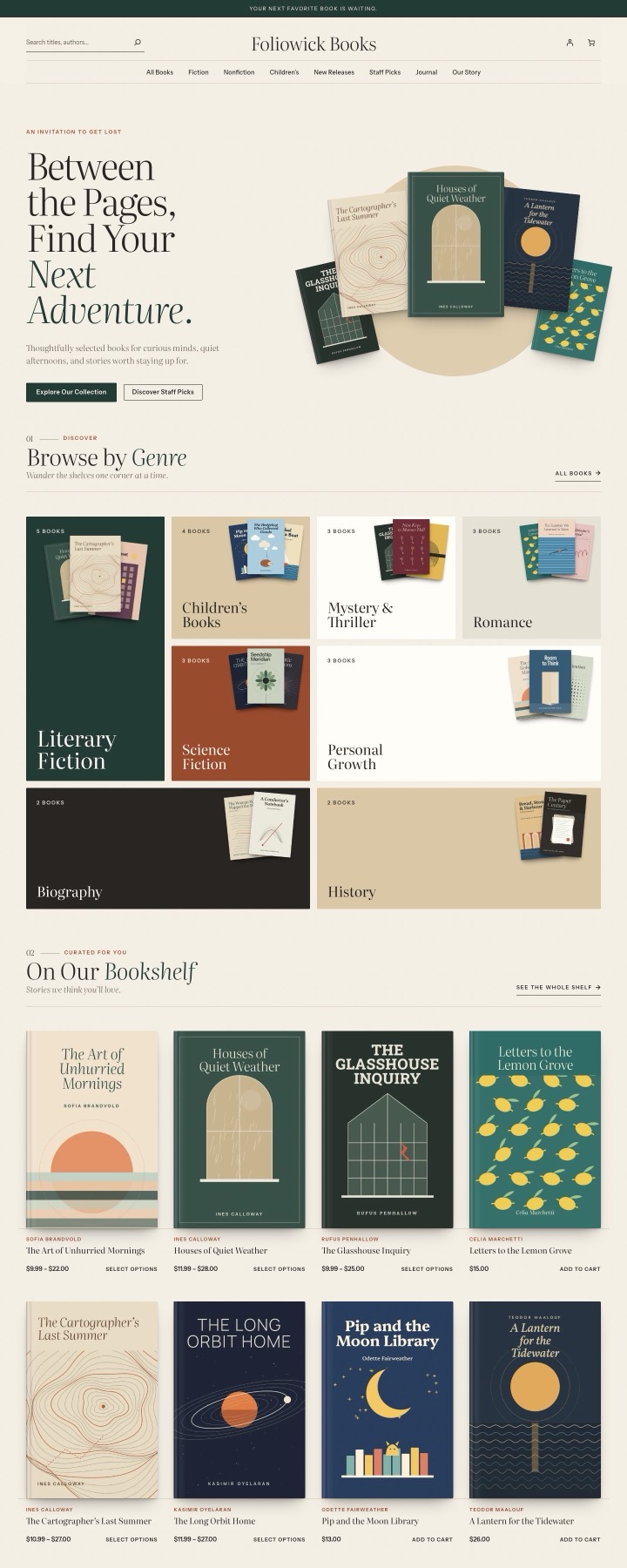 |
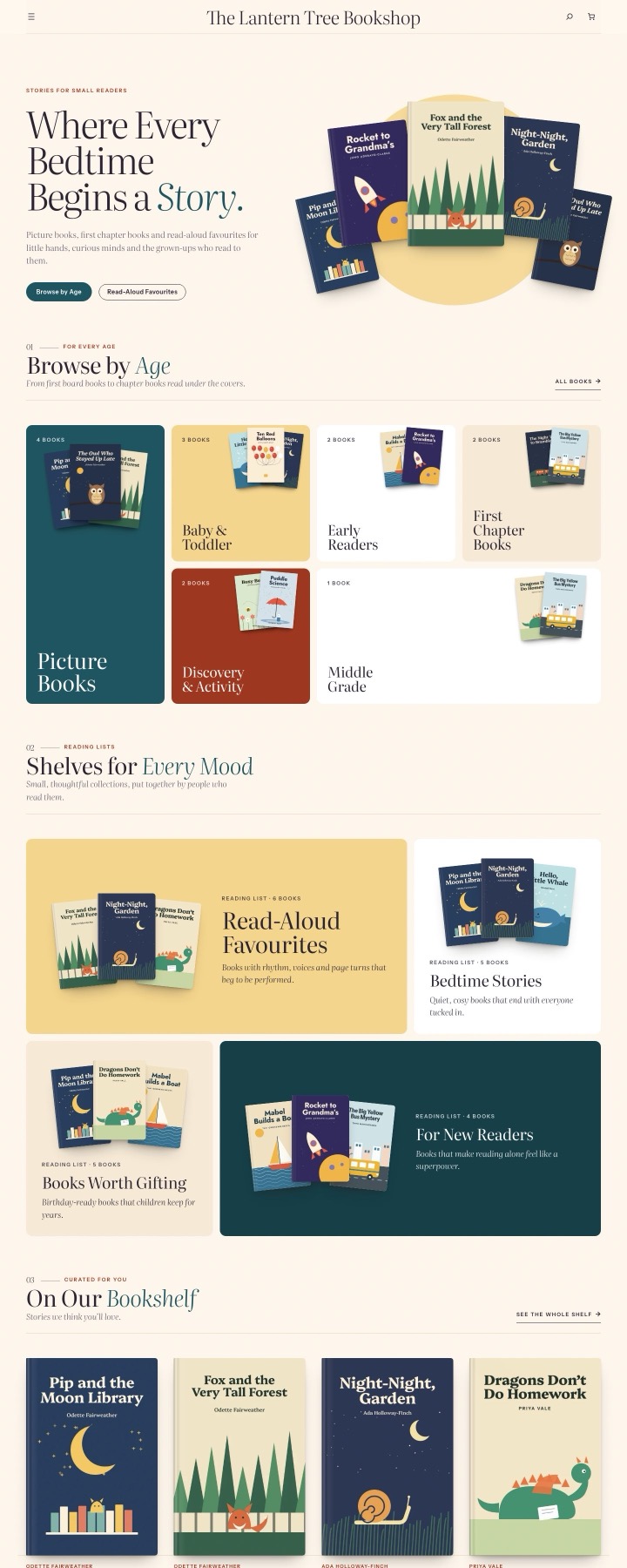 |
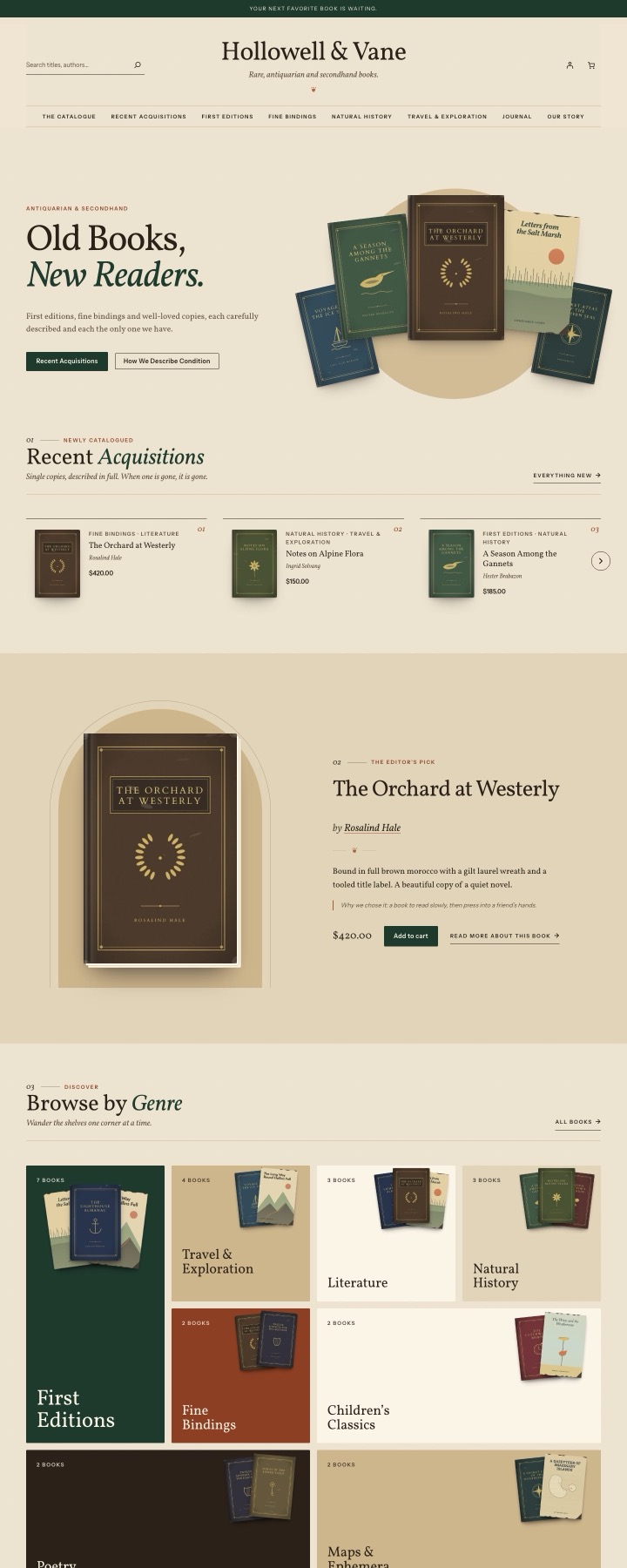 |
| Independent press | Ebooks & audiobooks | |
|---|---|---|
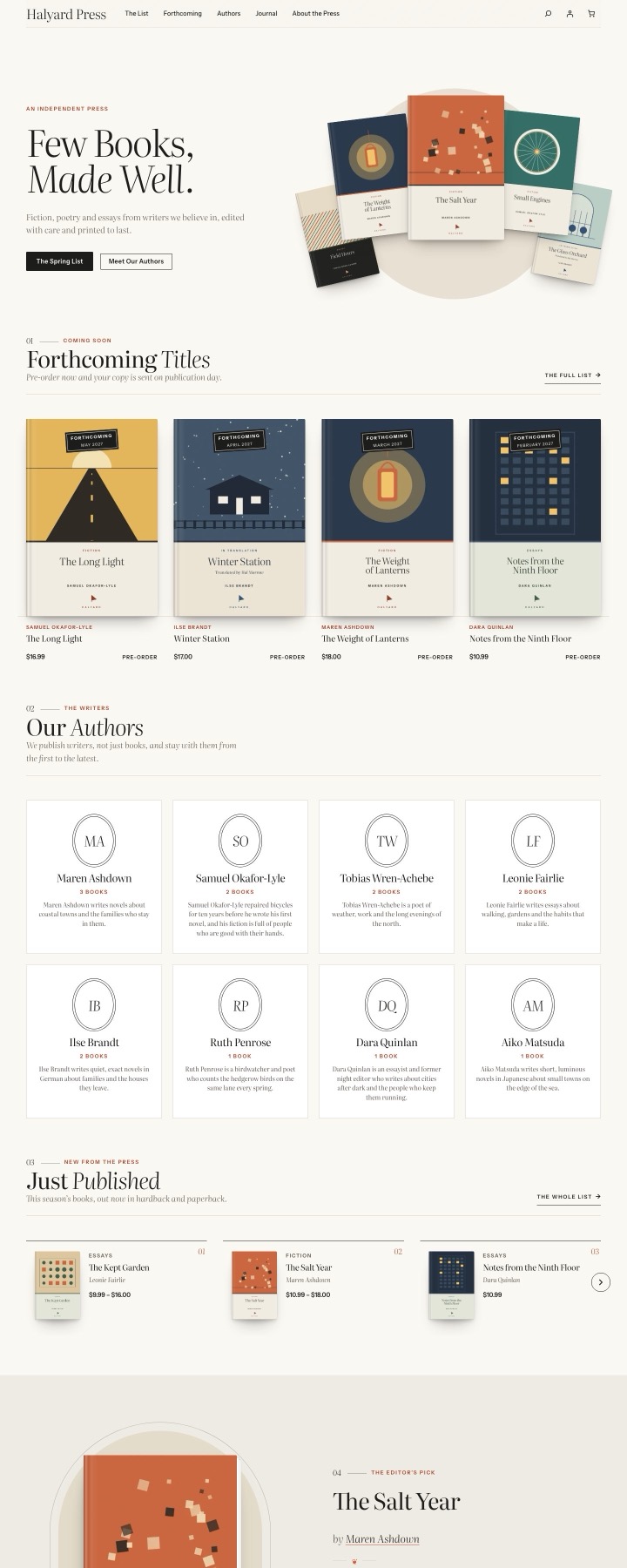 |
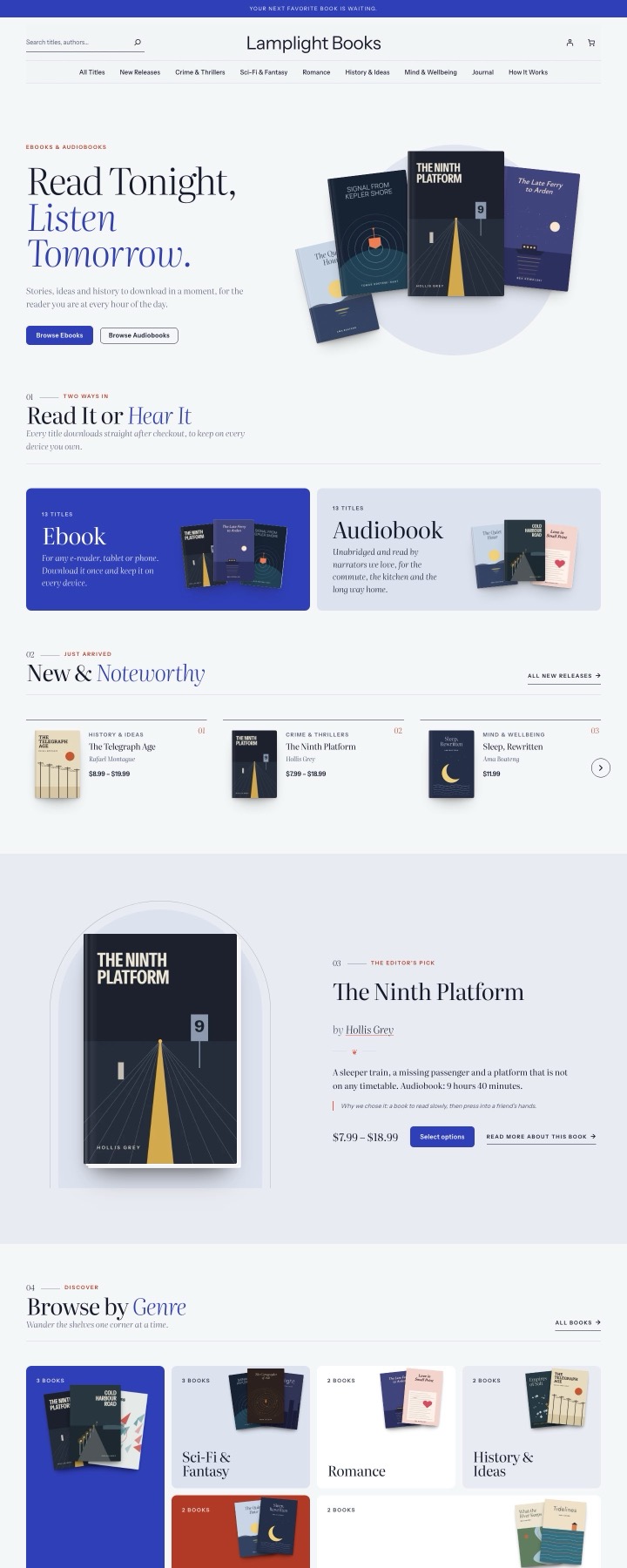 |
You can see each one live on the Foliowick page.
Every book is fictional. Titles, authors, descriptions and prices are sample content, and each demo book says so on its page. The cover art is original artwork made for Foliowick.
Import a demo store
- Go to Appearance → Foliowick and find The demo bookshop.
- Choose a demo store.
- Tick any options you want:
- Set the site title and tagline to the demo store’s
- Use the demo Home page as the front page and The Journal for posts
- Move my other products to drafts (restorable), so only the demo books show
- Move WordPress’s “Hello world!” post and Sample Page to the trash
- Click Import the demo bookshop (Import again once a demo is on the site).
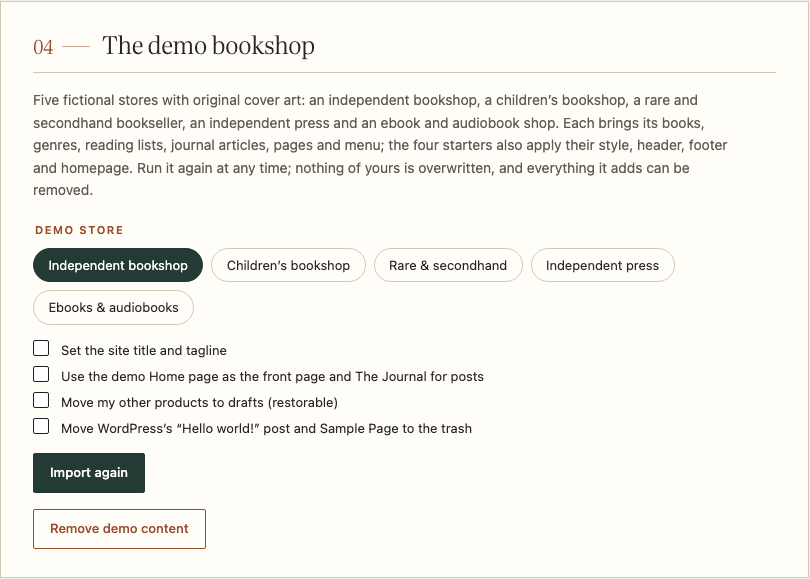
You can import again at any time: books and terms are matched by slug and updated, and nothing of yours is overwritten. A header, footer or homepage you’d already customized in the Site Editor is kept, and the import says so.
Only administrators can import and remove demo content.
Remove demo content
Click Remove demo content and confirm. It deletes every book, article, page, image and term the import created, and nothing else, then puts back the styles, header, footer and homepage you had before.
If you moved your own products to drafts, Republish my products publishes them again.
From the command line
With WP-CLI:
wp foliowick demo import --starter=rare --reading-settings
wp foliowick demo remove
wp foliowick demo restore
--starter takes bookshop (the default), childrens, rare, press or digital. import also takes --site-identity, --reading-settings, --hide-other-products and --remove-sample-content, the same options as the screen. restore republishes products that --hide-other-products moved to drafts.