
Candy Shop uses ordinary WooCommerce products. A few things make them look their best: product attributes named Flavor and Dietary, a product weight, the best-seller tag and food information.
Flavor and Dietary attributes
Attributes power two things: the filters on shop pages and the highlights on product pages.
- Go to Products → Attributes.
- Add an attribute named Flavor (slug
flavor), and one named Dietary (slugdietary). - Click Configure terms and add values, for example Strawberry, Sour apple or Vegan, Gluten free.
- Edit a product → Product data → Attributes, add Flavor and Dietary and pick the values that apply.
Only state dietary values you can back up from your packaging and suppliers.
You can add more attributes too, such as Occasion: every attribute you create becomes a filter on shop pages.
Product highlights
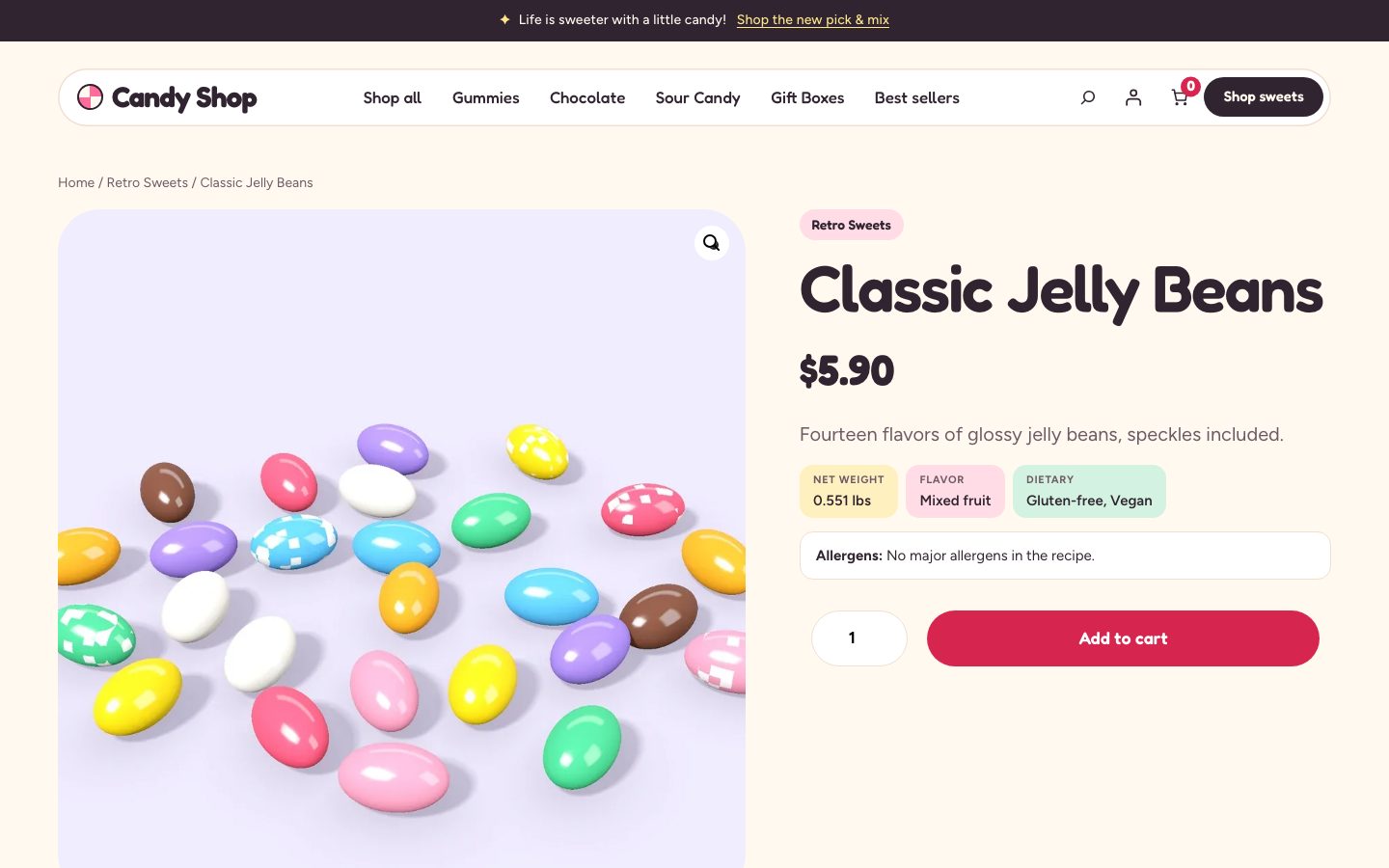
Under the short description, product pages show small highlights when the product has the data:
- Net weight, from Product data → Shipping → Weight. For variable products, WooCommerce shows each variation’s weight once one is chosen.
- Flavor and Dietary, from those attributes.
The allergen statement from food information appears with them, next to the Add to cart button.
Badges
Product cards in grids can show:
| Badge | Where it comes from |
|---|---|
| Sale | WooCommerce’s sale price |
| Best seller | The product tag best-seller. Add it under Products → Tags, or in the product’s Product tags box |
| New | Products published in the last 30 days |
Developers can change the 30 days with the candy_shop_new_badge_days filter (see Hooks and filters).
The product page
A product page has a large gallery with four thumbnails per row, the title, price and short description, the highlights, the add-to-cart form and tabs: the description, Ingredients & allergens (when the product has food information), additional information and reviews.
To change the layout, go to Appearance → Editor → Templates → Single Product.