Your contract prices
Checkout uses prices returned for your eParcel account, not public retail rates.
Australia Post eParcel + WooCommerce
Connect your eParcel contract to WooCommerce. Show your contract rates at checkout, generate eParcel labels from the order screen or in bulk, create the day’s shipping order and keep tracking on every order.
30-day money-back guarantee · 1 year of updates and support
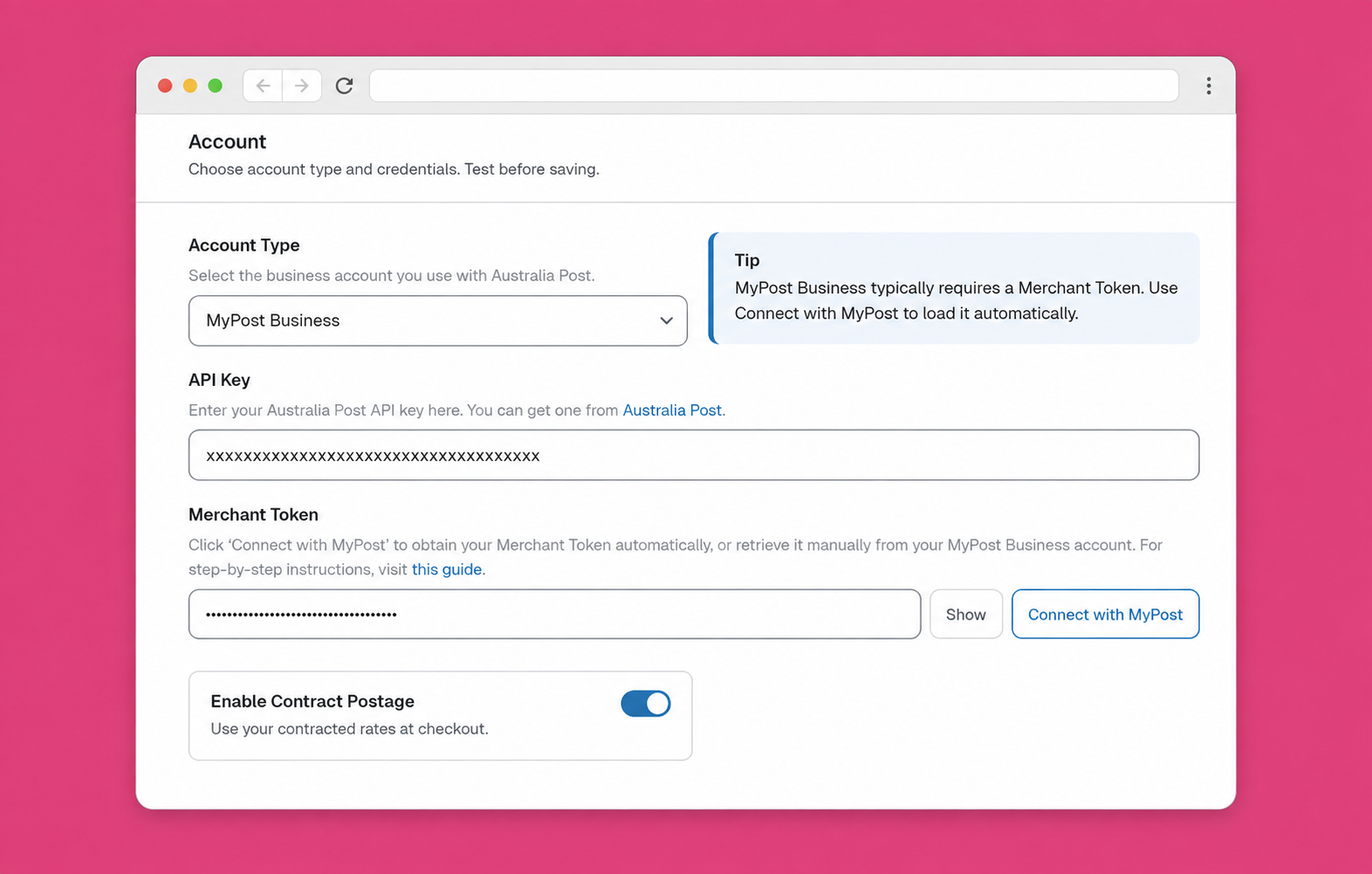
Connect with your Shipping & Tracking API credentials.
Show your eParcel prices at checkout.
Generate eParcel labels one order at a time or in bulk.
Create the shipping order and keep tracking on each order.
The order details are already in WooCommerce. Labels Pro sends them to your eParcel account, so nobody retypes addresses, weights or customs details.
Enter your account number, API key and API password in Australia Post Centre and test the connection.
Optionally offer the eParcel services you choose at checkout, priced from your contract.
Create shipments and labels from the order screen, or for many orders at once with Bulk Fulfillment.
Group the day’s shipments into a shipping order, download its Order Summary and keep tracking on each WooCommerce order.
Labels Pro works with both Australia Post business accounts. They differ in who they suit and in a few workflow steps.
| Topic | MyPost Business | eParcel |
|---|---|---|
| Typical volume (Australia Post’s guide) | Under about 2,000 domestic parcels a year | More than about 2,000 domestic parcels a year |
| Account | Free sign-up, no contract | Contract with negotiated pricing |
| Connecting to WooCommerce | Authorise the account in Australia Post Centre | Account number, API key and API password |
| Paying for labels | Buy Label(s) in Labels Orders | Generate Label, charged to your contract |
| End of day | Request a pickup from Labels Orders | Create a shipping order and download its Order Summary |
| Return labels in the plugin | Not available | Domestic Australian returns only |
Not on eParcel yet? Compare MyPost Business and eParcel or see MyPost Business for WooCommerce.
Account connection
Labels Pro talks to your eParcel account through Australia Post’s Shipping & Tracking API. You need three details: your account number, an API key and an API password.
Turn on Enable Contract Postage and customers see the eParcel services you choose, priced from your contract. What each customer pays depends on your agreement with Australia Post.
Checkout uses prices returned for your eParcel account, not public retail rates.
Under Enabled Contract Options, pick which eParcel services customers can choose.
Contract postage at checkout is separate from labels. You can print eParcel labels with it turned off.
For packaging, handling fees and delivery-time settings, see Australia Post shipping rates for WooCommerce.
Open an order, check the parcel, click Generate Label. The shipment is created in your eParcel account and the label is ready to download.
The Australia Post Labels Printer box on each order: review shipments, calculate prices, generate labels, download.
Generate Label creates the shipment in your Australia Post account and returns the label PDF.
Add another shipment to the same order when it ships in more than one package.
Add Signature on Delivery or Extra Cover to a shipment where the service allows it.
Print one to four labels per A4 page, or thermal A6 labels.
Add customs items, HS tariff codes, country of origin and who pays landed costs, where your contract includes international services.
More on layouts and the full label workflow: Australia Post shipping labels, or the label printing guide.
eParcel is built for volume. Print the day’s labels in one batch, then group the shipments into a shipping order without leaving WordPress.
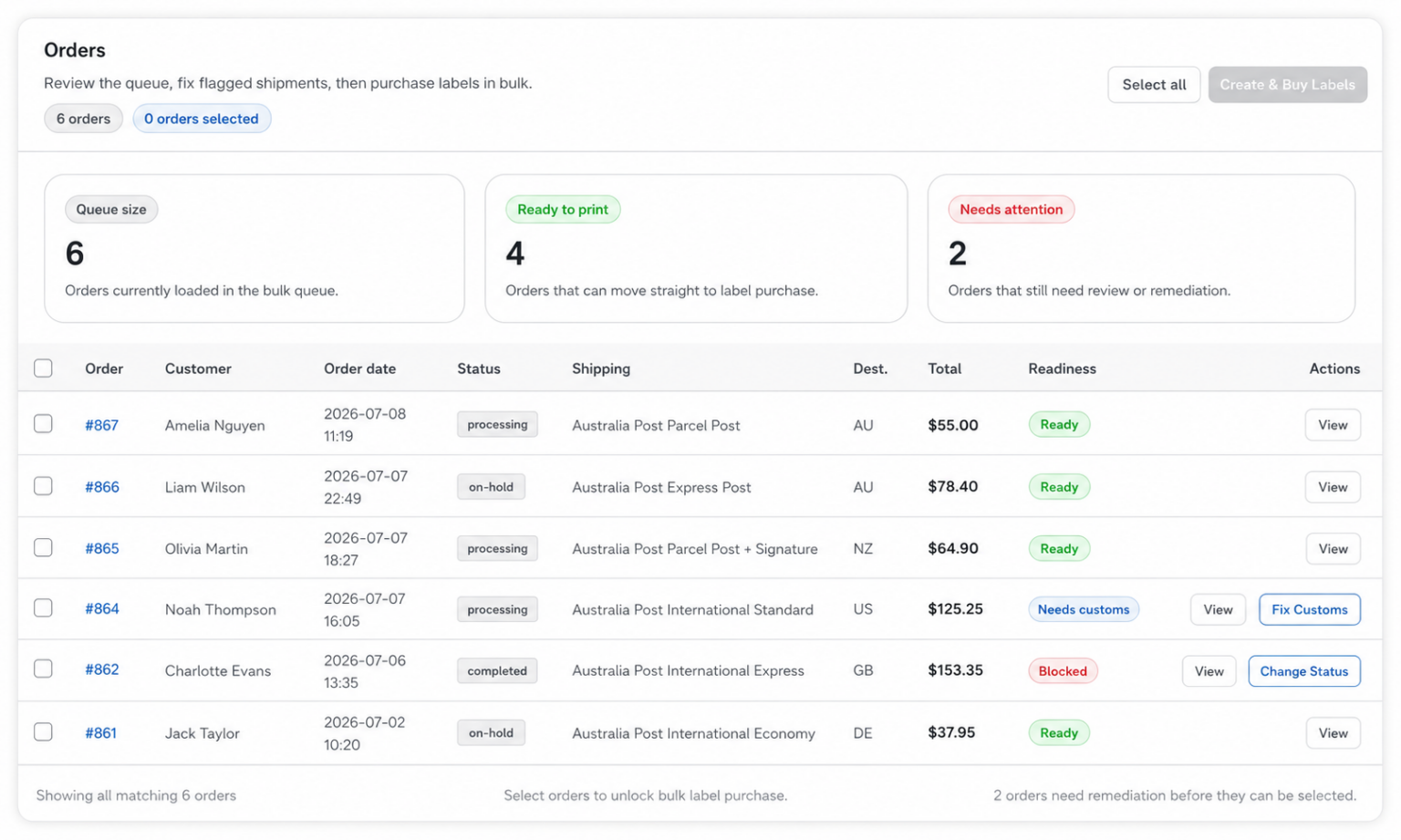
Filter orders by status and date, select a batch, fix missing details and download one combined label PDF.
In Labels Orders, pick a date range (Today, Yesterday, This Month) and click Load Shipments.
Select the shipments and create the eParcel shipping order in one click.
Download labels and the Order Summary for the new order, or for any past order on the same page.
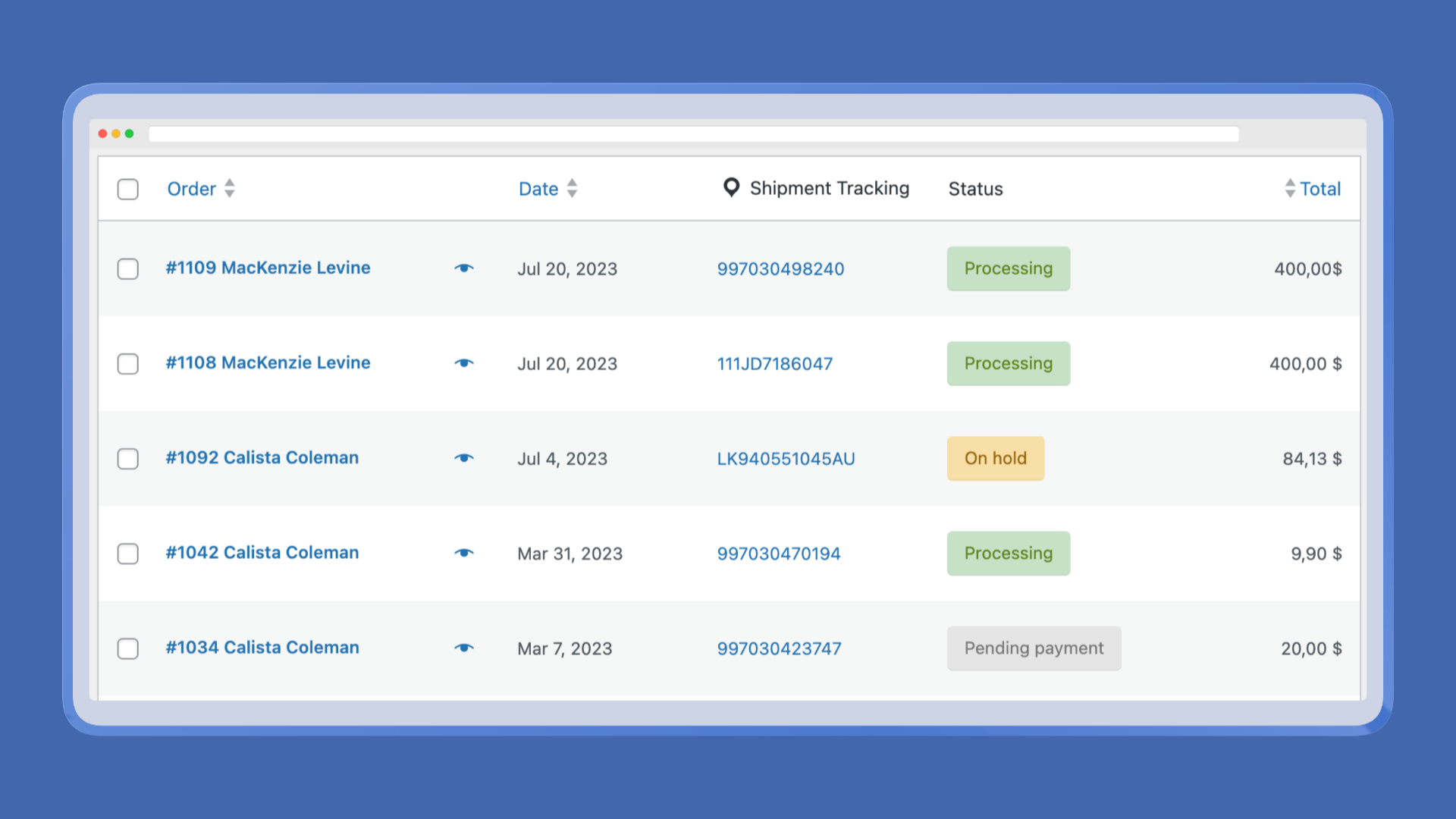
The consignment number from each eParcel label is saved on the WooCommerce order. It shows in the admin orders list, can be added to order emails, and customers get a Track link to Australia Post.
Customers follow the parcel on the Australia Post site. The plugin does not show a live scan-event timeline in the customer account.
A quick check before you buy Labels Pro for eParcel.
Comparing eParcel plugins? WPRuby vs ELEX or WPRuby vs the WooCommerce extension.
eParcel needs Australia Post Labels Pro. Pro covers public checkout rates only. Labels Pro adds the eParcel connection, contract rates, labels and shipping orders.
Best for stores that need live Australia Post rates at checkout.
$79 USD/year
Choose ProBest for stores that need rates, bulk labels, shipment management, and tracking.
$129 USD/year
Choose Labels ProLabels Pro adds the fulfilment workflow: create shipments, print labels, and return tracking details to WooCommerce.
Unless specified as a lifetime license, billing is annual. An expired annual license can continue running, but updates, new features, and support require an active license. Lifetime licenses include ongoing updates and support.
Try our WordPress plugins risk-free! We’re confident you’ll love the functionality and performance our plugins bring to your site. If you’re not completely satisfied, just reach out to us within 30 days, and we’ll provide a full refund—no questions asked. Enjoy the peace of mind knowing you have nothing to lose!
Connection, contract rates, labels, shipping orders and what Labels Pro includes.
Contract rates at checkout, eParcel labels in bulk, shipping orders and tracking on every WooCommerce order.
30-day money-back guarantee · 1 year of updates and support
