Most Canadian WooCommerce stores ship with Canada Post, but very few manage it inside WooCommerce. Rates come from a flat table that’s never quite right, labels are typed into a separate website, and tracking numbers are copied back into orders by hand. Every step lives somewhere else.
Today we’re releasing WooCommerce Canada Post Extension PRO, a plugin that brings the whole Canada Post workflow into WooCommerce: live rates at checkout, shipping labels, bulk printing, manifests, pickups, tracking and customer returns, using your own Canada Post account.
Canada Post rates at checkout
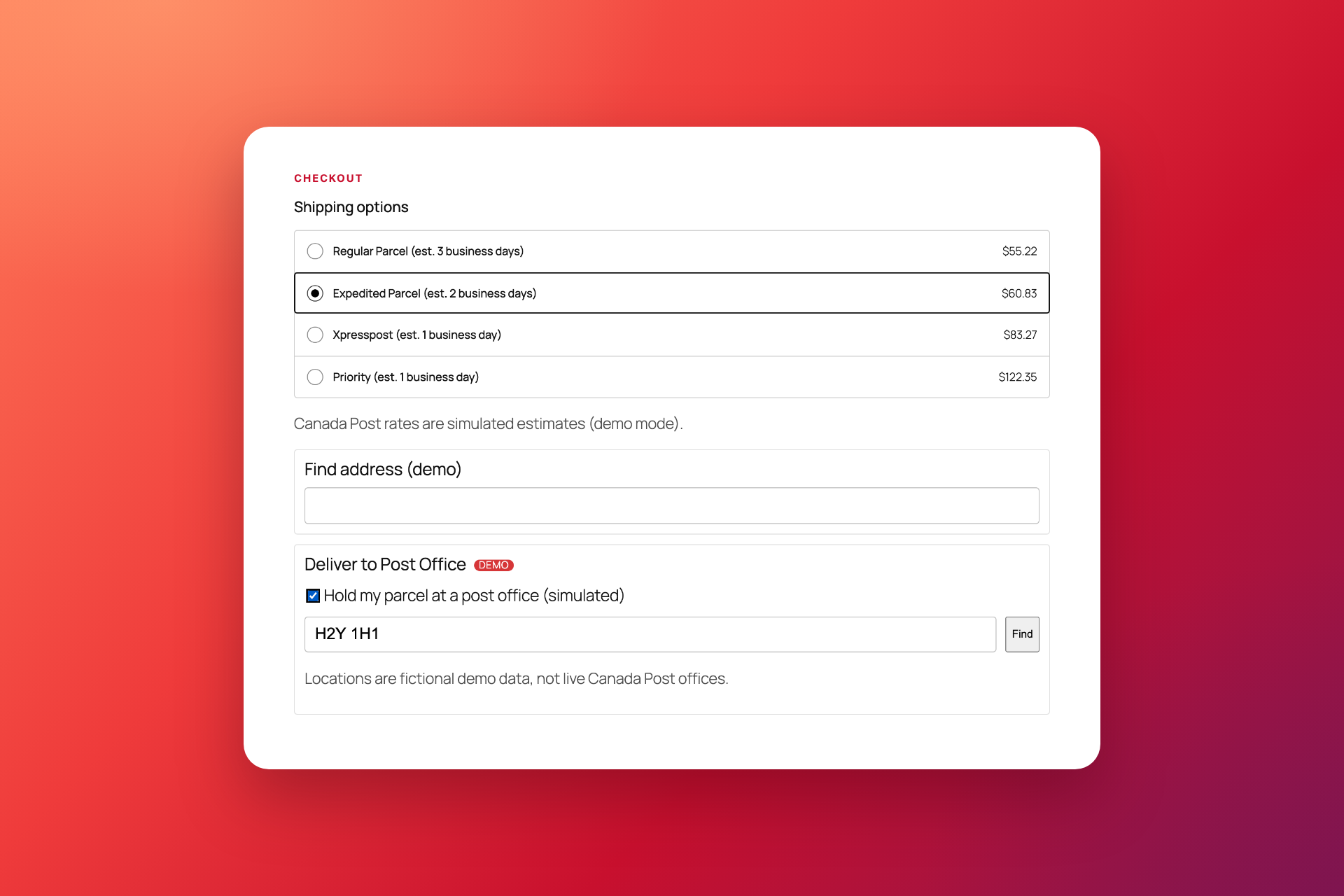
Customers see real Canada Post services and prices as soon as they enter a shipping address, on both the WooCommerce Checkout block and the classic checkout.
- Domestic, U.S. and international services, including Regular Parcel, Expedited Parcel, Xpresspost and Priority.
- Delivery estimates next to each service, for example “Expedited Parcel (est. 2 business days)”.
- Your own rates: quote your contract (commercial) rates or retail counter rates.
- Your own pricing rules: rename services, add handling fees or discounts, and offer free shipping once the cart reaches an amount you choose.
- Deliver to Post Office: customers who choose Expedited Parcel or Xpresspost can pick a post office, and it’s saved on the order.
- 3D box packing: items are packed into your own boxes in three dimensions, so every quote uses realistic parcels.
Create shipping labels in a few clicks
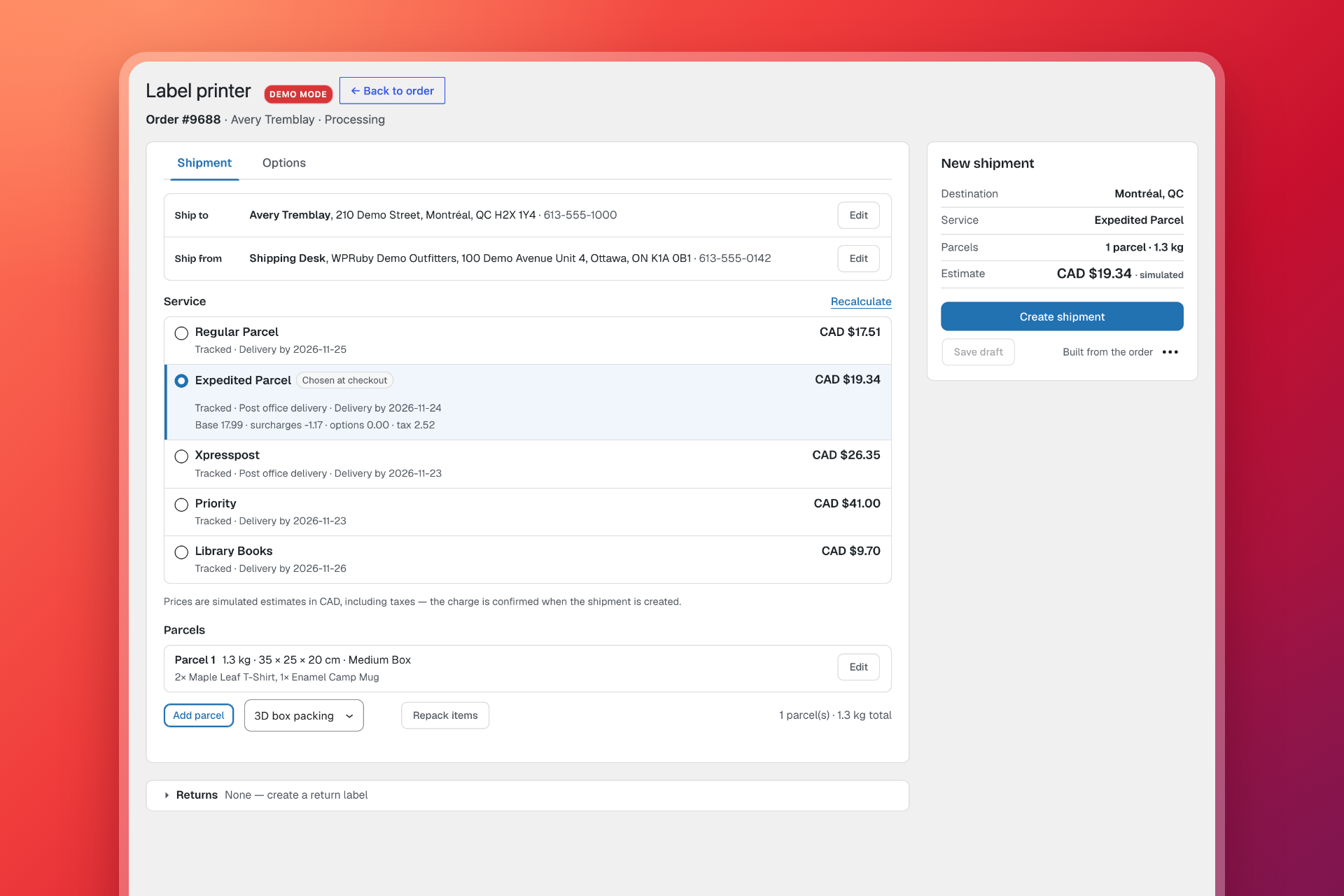
Open any order and click Open label printer. Every available service is listed side by side with its price and delivery date, and the service the customer chose at checkout is marked. Review the ship-to and ship-from addresses, adjust the parcels if you need to, then click Create shipment.
The plugin saves the tracking number on the order, adds an order note and gives you the label as a PDF (or ZPL for thermal printers), plus a packing slip if you want one.
- Options made simple: signature, proof of age, coverage and collect on delivery, with options that can’t be combined disabled for you.
- Customs built in: HS codes and countries of origin come from your products, so U.S. and international declarations take seconds.
- No double charges: a shipment is never created twice for the same request, even if you click again or the connection drops.
Bulk labels, manifests and pickups
Busy fulfilment days are where the time savings add up.
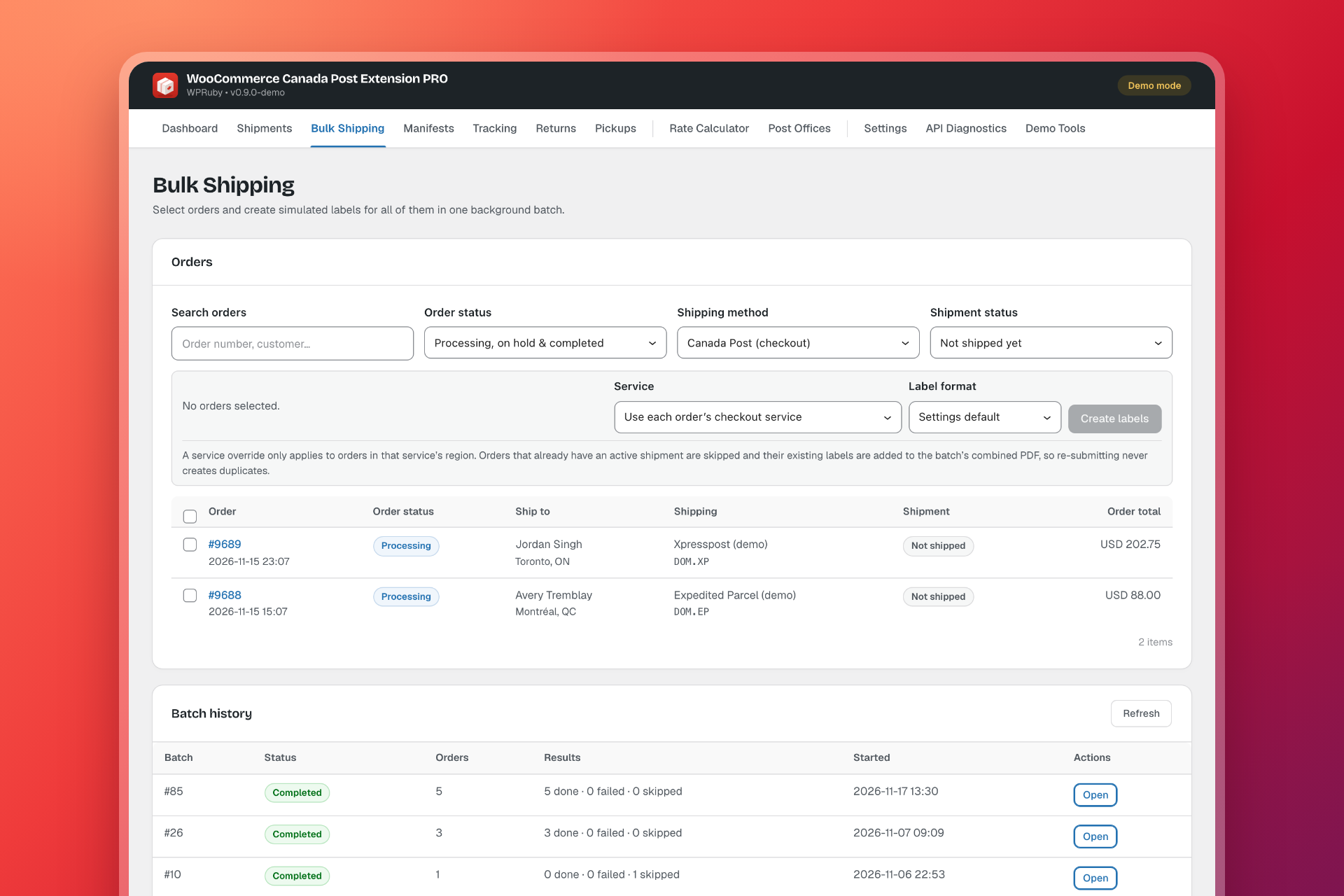
- Bulk Shipping creates labels for the orders you select in a background batch. Failed orders show their error, can be retried without duplicates and never stop the rest. When the batch finishes, print every label from one combined PDF.
- End-of-day manifests for Commercial (contract) accounts: transmit the day’s shipments by group and download the manifest for the driver.
- On-demand pickups: check availability, estimate the price, then book, change or cancel a Canada Post pickup.
Tracking and returns your customers can follow
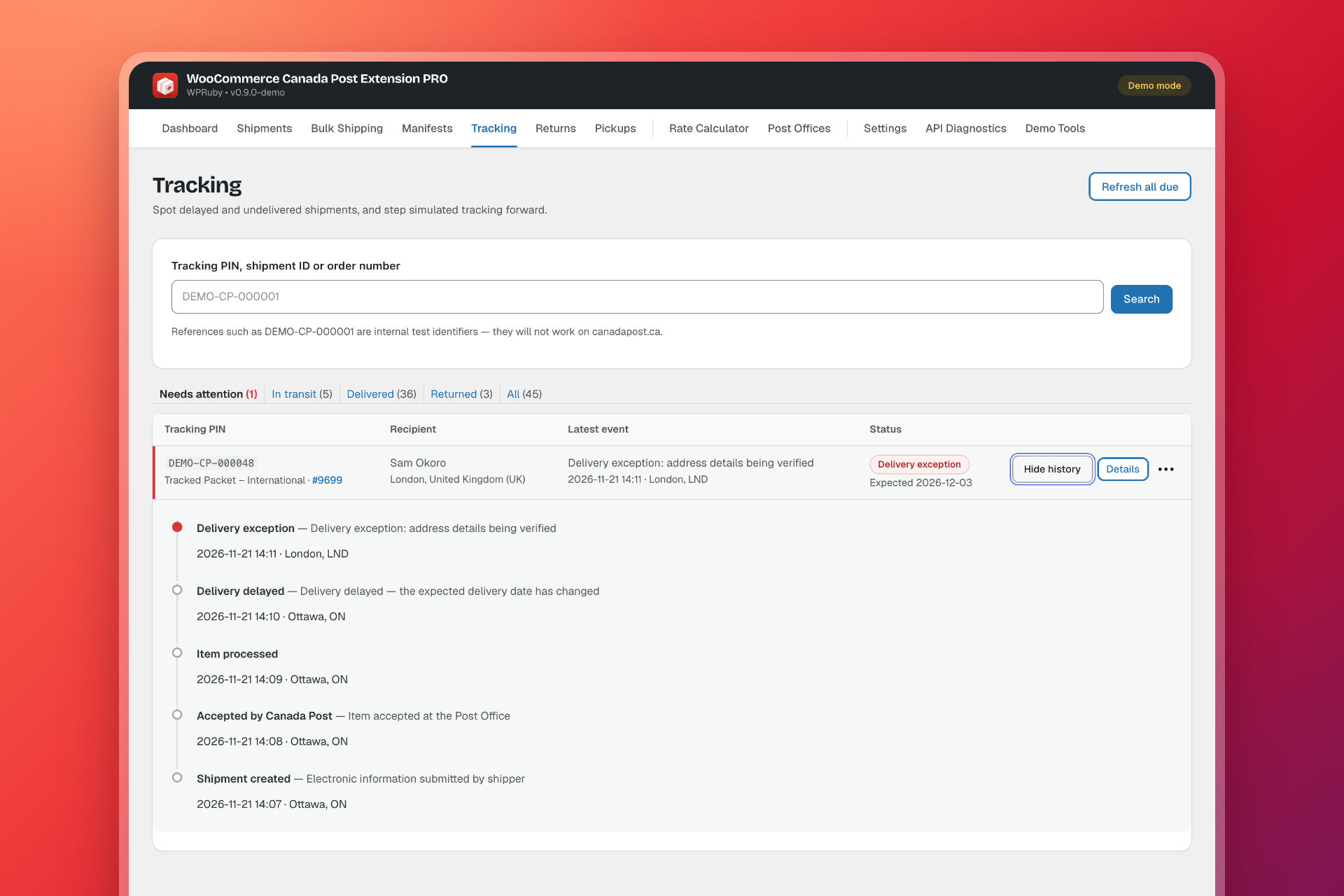
Tracking numbers and Canada Post scan events are saved on the order and refreshed in the background. Customers follow the same timeline from their My Account page, and you can mark orders completed automatically when the parcel is delivered.
Delays, failed delivery attempts and returns to sender are flagged so you can act before the customer gets in touch. When something does need to come back, customers can create a printable or QR code return from My Account within your return window, or you can create the return for them.
Built for Canadian stores
- Works with Solutions for Small Business and Commercial (contract) accounts.
- Fully translated into Canadian French, using Canada Post’s official terms for services, options and statuses.
- Compatible with High-Performance Order Storage (HPOS) and the WooCommerce Checkout block.
- Secure by design: API secrets are encrypted, labels are stored privately and logs are redacted.
- A Simple and Advanced interface, so each team member sees only the screens they need.
Try every screen before you connect
The plugin has three operating modes, so you can learn it without spending anything on postage:
- Demo mode (the default): a built-in simulator answers every request. No request leaves your site, nothing is billed, and every label is marked as a sample.
- Test API mode: real requests to the Canada Post test environment with your own Test app. It checks your credentials and account setup, and nothing is billed.
- Production mode: your real Canada Post rates at checkout and real postage on every label, paid for or billed to your Canada Post account.
In Demo and Test API modes, Canada Post rates are only shown to store managers, so your customers never see sample prices.
Requirements and pricing
You need WordPress 6.4 or newer, WooCommerce 8.5 or newer and PHP 8.1 or newer. To connect to Canada Post, you also need a Canada Post business account and an app in the Canada Post Developer Portal. The plugin always uses your own account, rates and billing.
Plans start at US$59 a year for one site, and lifetime licences are also available. See all plans on the product page.
Get started
Get WooCommerce Canada Post Extension PRO, install it and explore every screen in Demo mode. When you’re ready, the documentation walks you through each step:
- How to connect your Canada Post account
- Adding Canada Post to a shipping zone
- How to create a Canada Post shipment and print the label
Have a question about your setup? Get in touch with our team. We build and support the plugin ourselves.