Shipping and payment rules start simple: hide bank transfer for small orders, or turn off free shipping for heavy parcels. Then the exceptions arrive. Free shipping, but not for bulky items going to remote postcodes. Cash on delivery, but only for customers you already know.
WooCommerce Restricted Shipping and Payment Pro version 5 is built for those exceptions.
The release brings a new rule builder with AND/OR groups, a way to offer a method only to the carts you choose, a checkout debugger that explains every decision, and full support for the WooCommerce block Cart and Checkout. It also adds new rules for dates, returning customers and specific products, and a faster way to manage your conditions.
Build rules in AND/OR groups
Until now, a condition could match when all of its rules matched or when any of them did. Real stores need both at once.
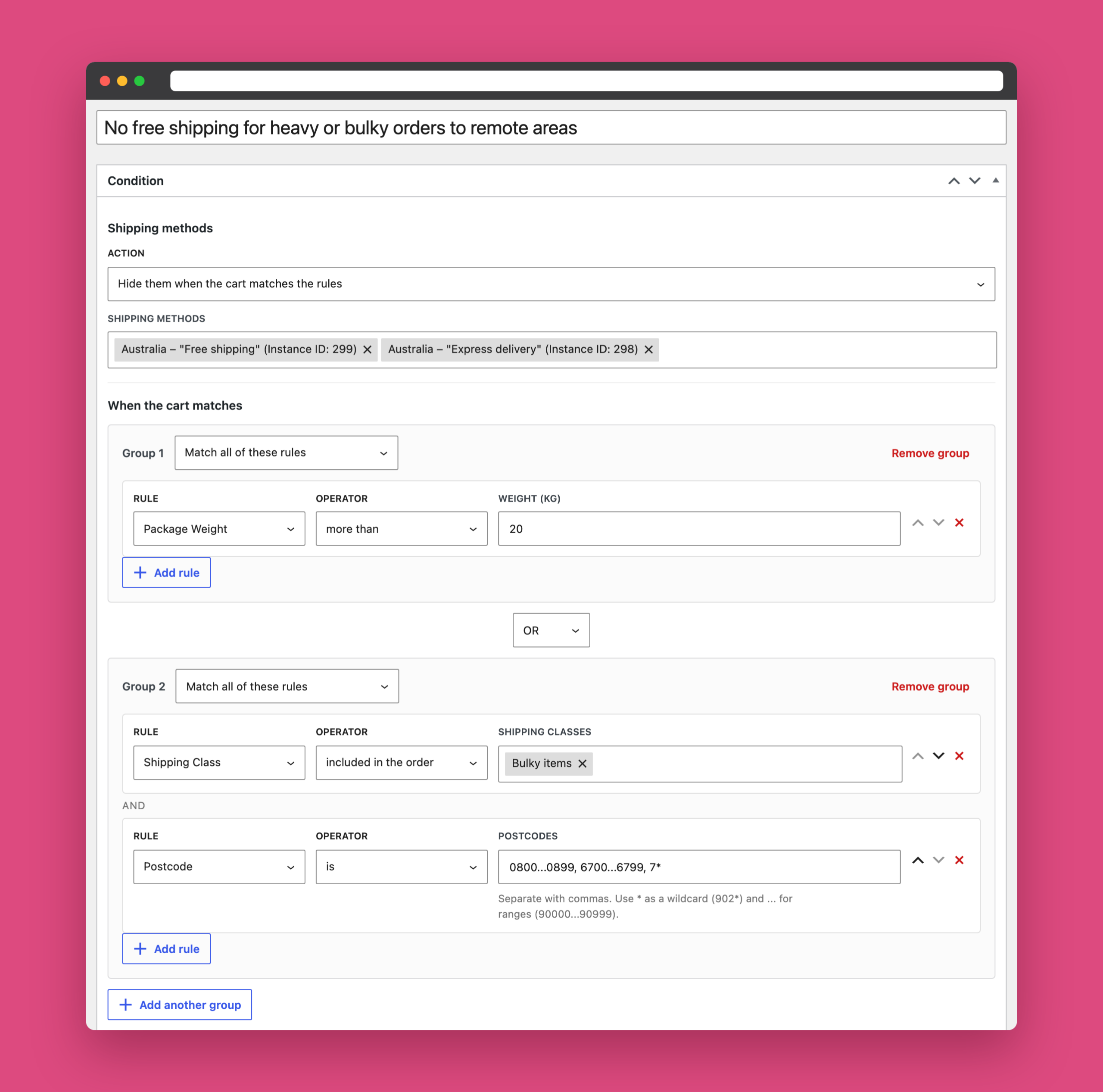
Version 5 puts rules into groups. Each group can require all or any of its rules, and a condition can match when all or any of its groups match. That makes rules like these possible in a single condition:
- (Shipping country is United States AND cart total is more than $100) OR customer role is Wholesale
- Package weight is more than 20 kg OR (shipping class is Bulky items AND postcode is in a remote range)
The new editor shows every rule as a single row with its type, operator and value, and checks your values before you save, so a missing postcode or an invalid email is caught in the editor instead of at checkout.
Show a method only when the cart matches
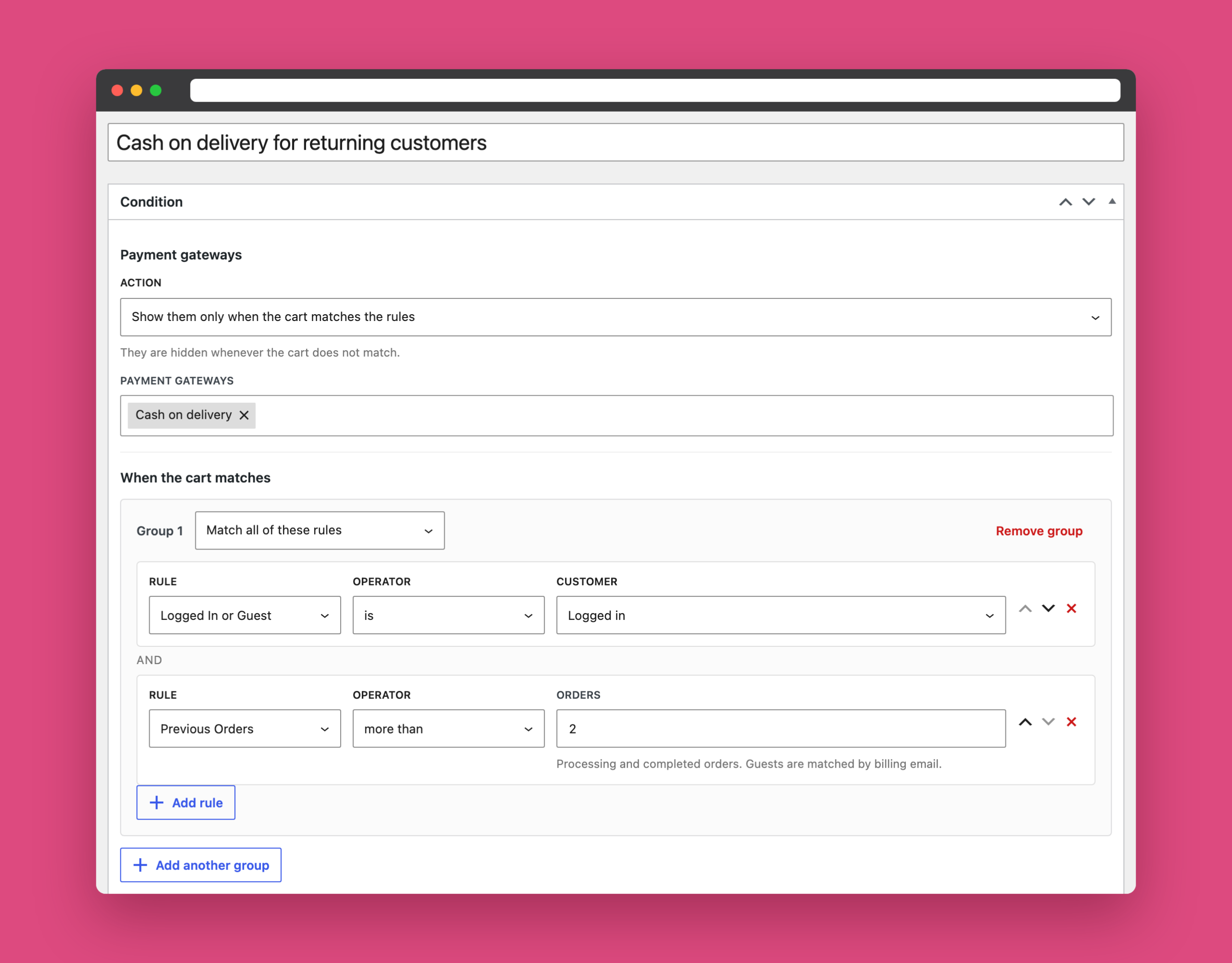
Conditions used to work one way: hide the selected methods when the rules match. Some rules are much easier to describe the other way round.
Each condition now has an action. Choose Show them only when the cart matches the rules, and the selected methods or gateways are hidden for every cart that does not match. For example, you can offer cash on delivery only to logged-in customers with more than two previous orders, or keep “Pick up in store” for local postcodes only.
See exactly why a method is hidden
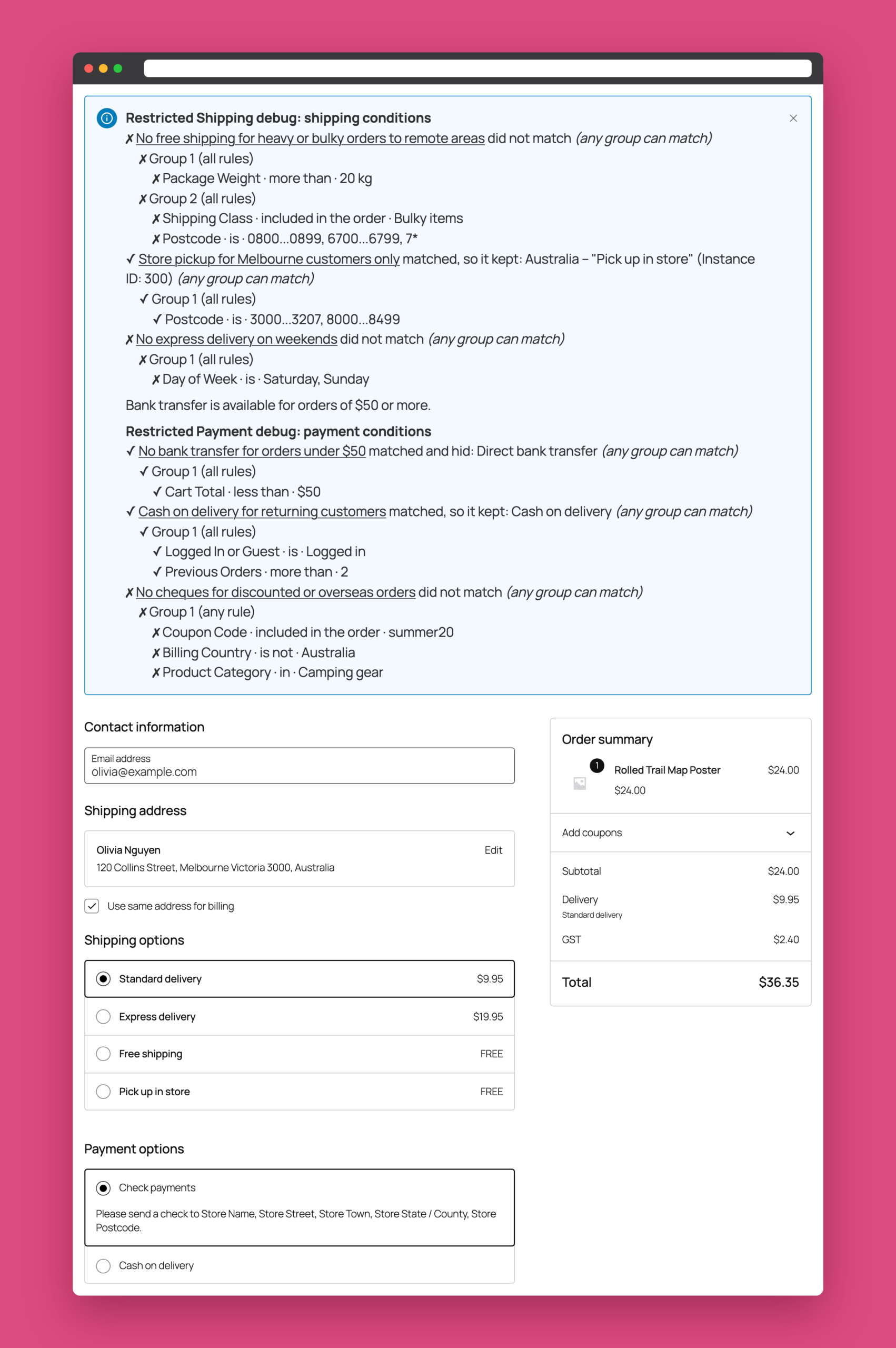
“Why can’t my customer see free shipping?” is the most common question about any restriction plugin. Version 5 answers it for you.
Turn on Debug mode under WooCommerce → Settings → Shipping, then open your cart or checkout as a store manager. A report lists every shipping and payment condition, whether each group and rule matched, and which methods it hid or kept. Conditions that were skipped, for example because none of their methods apply to the customer’s address, are listed too.
Customers never see the report. It is only shown to users who can manage WooCommerce.
Ready for the block Cart and Checkout
Version 5 supports both the classic and the block-based Cart and Checkout. Shipping methods and payment gateways are filtered the same way in both, and your condition messages appear in the block checkout as the customer changes their address, shipping method or payment method.
The plugin is also compatible with WooCommerce High-Performance Order Storage (HPOS).
New rules for dates, customers and products
Version 5 adds five rule types and makes the location rules more flexible:
- Day of Week: turn off express delivery at weekends.
- Date: set a date range, such as a holiday cut-off. Leave either end open for “from” or “until” dates.
- Previous Orders: target new or returning customers by their number of paid orders. Guests are matched by billing email.
- Product: match specific products in the cart. Choosing a variable product matches all of its variations.
- Logged In or Guest: treat signed-in customers and guests differently.
- Postcode now accepts lists, wildcards (
902*) and ranges (3000...3207), just like WooCommerce shipping zones. City accepts a list of cities.
Developers can also register their own rule types with the new rspw_rule_types filter.
Manage your conditions faster
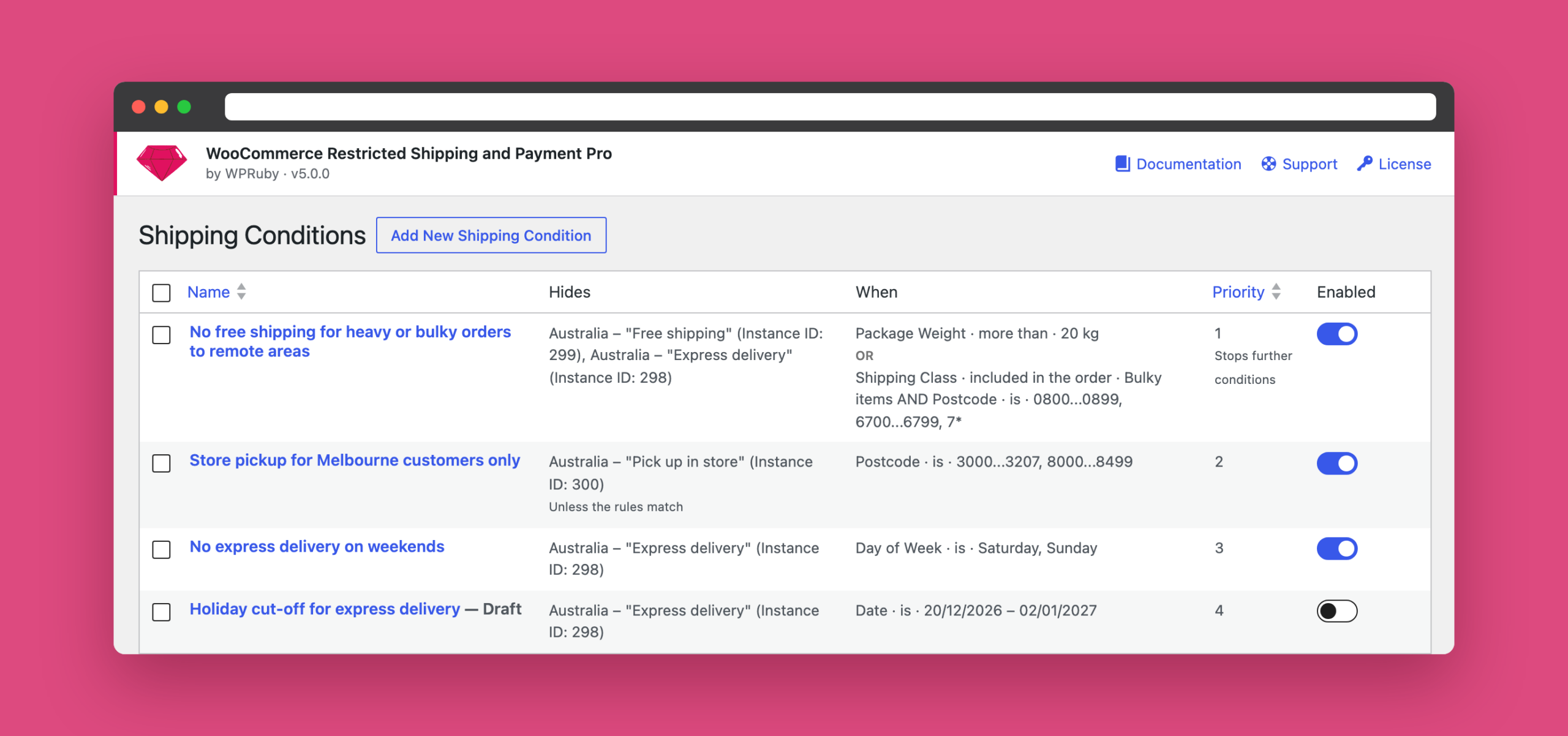
The conditions list now shows what each condition hides and a summary of its rules, so you can see your whole setup without opening each one. From the list you can:
- Turn a condition on or off with a switch.
- Duplicate a condition to use it as a starting point.
- Set a priority, and stop checking lower-priority conditions once one of them hides something.
Before you update
Your existing conditions are converted to the new rule format automatically when you update, and the original data is kept. A few things work differently in version 5:
- Version 5 requires WordPress 6.2, WooCommerce 7.0 and PHP 7.4 or later.
- Only administrators and shop managers can edit conditions. Editors no longer can.
- The Billing Country rule returned the opposite result in earlier versions. If you used “is not” to work around it, switch those rules back to “is”.
- The Shipping Method rule now matches the selected method only, not every method of the same type.
Version 5 also fixes several older issues, including payment conditions that ignored some location and cart rules, and rules that were skipped when WooCommerce served cached shipping rates. The full list is in the changelog.
Get version 5
If you have an active license, version 5 is available now from Dashboard → Updates in your WordPress admin.
New to the plugin? Explore what it can do for your checkout.