
Customers do not only want to know how much shipping costs. They also want a clear answer to a more practical question: When will my order arrive?
WooCommerce does not provide a complete estimated delivery date system out of the box. A suitable plugin can calculate a realistic arrival date or range using your processing time, shipping method, destination, cutoff time, working days, holidays, and product availability—and show it before the customer places an order.
However, WooCommerce “delivery date” plugins fall into two different categories:
- Estimated delivery date plugins calculate and display when an order is likely to arrive.
- Delivery date pickers let customers choose a preferred date or time slot.
This comparison focuses mainly on automatic delivery estimates. We have also included one scheduling plugin for stores that need customers to choose a delivery or pickup date.
The best WooCommerce estimated delivery date plugins at a glance
| Plugin | Best for | Standout capability | Starting price* |
|---|---|---|---|
| Delivery Promise for WooCommerce + ParcelPace Free | Best overall product family, from simple to advanced estimates | Free product-page estimates; Pro adds cutoff countdowns, advanced rules, and saved order promises | Free; Pro from $79/year |
| PH Estimated Delivery Date Manager | Stores with complex shipping configurations | Rules based on shipping classes, zones, methods, cart conditions, and destinations | $69/year |
| WPC Estimated Delivery Date | Best established free option | Free core plugin with global, product, shipping-method, and address-aware estimates | Free; Pro from $29 |
| Estimated Delivery Date & Time | Stores that quote by city or state | Customer-facing delivery-time lookup by city or state | $49/year |
| Estimated Order Delivery and Pickup Date | Value-focused stores needing country and zone rules | Cutoff-aware rules for products, shipping methods, zones, and countries | $49/year |
| WooCommerce Lead Time | Made-to-order and backordered products | Fine-grained static or availability-based lead-time messages | From $79/year |
| Order Delivery for WooCommerce | Delivery and pickup scheduling | Date and time-slot selection, capacity limits, fees, and pickup support | $149/year |
*Prices were checked in August 2026 and may change. Prices shown are for the lowest single-site paid option where available.
Disclosure: WPRuby develops Delivery Promise for WooCommerce and its free alternative, ParcelPace Delivery Estimates for WooCommerce. To keep the article useful, we have included their limitations and linked every competitor to its official product page or WordPress.org listing.
How we compared the plugins
A useful delivery estimate must reflect the way a store actually fulfils orders. We therefore looked beyond whether a plugin can add a number of days to today’s date. The main comparison criteria were:
- processing and transit-time controls;
- shipping-method, destination, product, and stock-based rules;
- order cutoffs, weekends, holidays, and closure dates;
- support for different lead times by product or variation;
- display on product, cart, checkout, email, and order pages;
- behaviour after the customer changes their shipping method or address;
- whether the plugin calculates a date or asks the customer to choose one;
- price and suitability for different store types.
The best option depends on your fulfilment model. A store shipping stocked products through standard and express services needs different logic from a furniture maker, florist, restaurant, or local grocery store.
1. Delivery Promise for WooCommerce — best overall for rule-based delivery promises
Delivery Promise for WooCommerce is designed for stores that need the estimate to reflect more than one basic handling-time setting. It calculates delivery windows from processing time, transit time, cutoff time, working days, holidays, stock status, destination, and the selected WooCommerce shipping method.
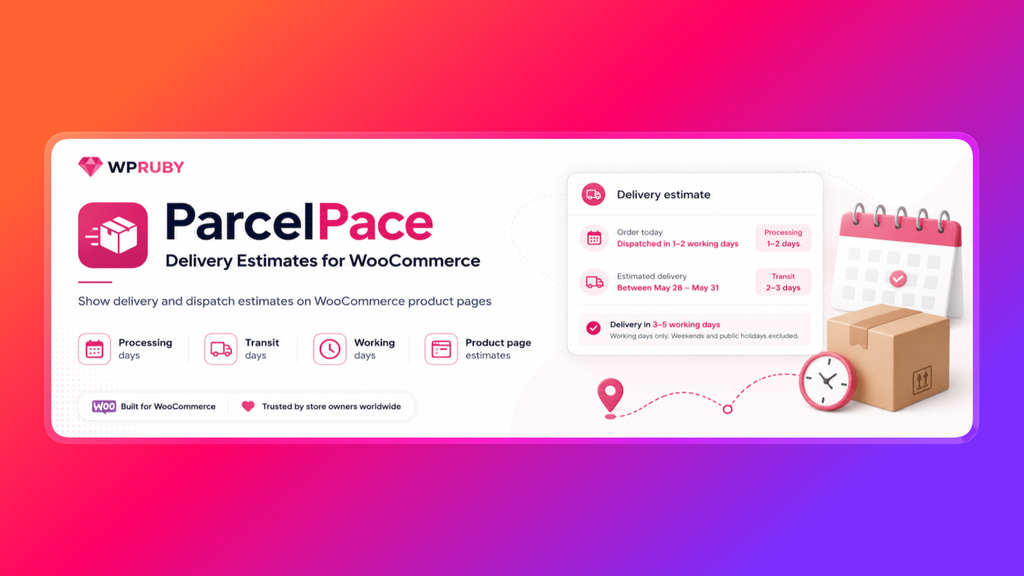
Stores with simpler requirements can start with ParcelPace Delivery Estimates for WooCommerce, the free plugin from WPRuby. ParcelPace displays delivery or dispatch estimates on product pages using processing days, transit days, working days, an optional cutoff time, and excluded holiday or closure dates. Its calculations run locally, with no external API or license key required.
You can create different rules for standard shipping, express services, international orders, local pickup, backorders, freight, product categories, or individual products and variations. On the product page, the plugin can show a date range and an Amazon-style message such as “Order within 3 hours 24 minutes for dispatch today.”
The estimate can appear on product pages, the cart, checkout, thank-you page, customer emails, and the WooCommerce order screen. At cart and checkout, it responds to the selected shipping method, destination, cart contents, and the longest applicable product lead time.
One particularly useful detail is that the calculated promise is saved with the order. If a store owner changes a rule or adds a holiday after the purchase, the order continues to show the estimate that the customer originally saw.
Key features
- Free ParcelPace plugin for straightforward product-page delivery estimates
- Delivery rules by product, category, variation, shipping method, country, stock status, and backorder status
- Separate processing and transit windows
- Same-day dispatch cutoff with an optional live countdown
- Working-day, weekend, holiday, and warehouse-closure calendars
- Custom lead times for products, variations, backorders, and made-to-order items
- Estimates for standard, express, international, freight, and local-pickup methods
- Product, cart, checkout, email, thank-you, and order-admin display
- Multiple display styles, including minimal text, a compact badge, a trust box, and an urgency layout
- Delivery Promise Tester that explains which rule, calendar, cutoff, and product settings produced an estimate
- Preserves the original promise on the order after checkout
Where it falls short
The free ParcelPace plugin deliberately focuses on simple product-page estimates. It does not include a live countdown interface, advanced conditional rules, cart and checkout estimates, or saved delivery promises. Those capabilities require Delivery Promise Pro. The product family is also newer than several alternatives in this list.
Neither version lets customers select a preferred delivery date or reserve a time slot. They are estimation tools, not delivery-booking calendars.
Best for
Start with ParcelPace when you need a simple free estimate on product pages. Use Delivery Promise Pro when you offer multiple shipping speeds, ship internationally, have products with different preparation times, or want to display realistic same-day dispatch urgency without making promises your fulfilment team cannot keep.
Price: ParcelPace is free on WordPress.org. Delivery Promise Pro starts at $79 per year for one site, including updates and email support. A 30-day money-back guarantee is available for Pro.
Download ParcelPace Free or view Delivery Promise Pro.
2. PH Estimated Delivery Date Manager — best for complex shipping configurations
PH Estimated Delivery Date Manager for WooCommerce by PluginHive creates delivery rules from real shipping and fulfilment factors. Its rules can use processing time, shipping methods, shipping classes, shipping zones, cart totals, destinations, products, and categories.
The plugin can exclude holidays and non-working days, then display the resulting date across the shop, product page, cart, checkout, order details, and customer emails. This broad display coverage makes it suitable for stores that want a consistent estimate throughout the buying journey.
Key features
- Rules based on shipping methods, classes, zones, destinations, products, categories, and cart conditions
- Working-day and holiday exclusions
- Multiple rules for different customer groups and shipping scenarios
- Product, shop, cart, checkout, order, and email display
- Customizable messages and date formats
- No-code configuration
Where it falls short
At the time of this review, the WooCommerce Marketplace listing was at version 1.0.1, so this particular Manager product is still relatively new. Its public feature list also does not advertise a live product-page cutoff countdown or an estimate-debugging tool.
Best for
Choose it when your delivery times are closely tied to WooCommerce shipping classes, methods, and zones, and you want a rule-driven plugin from a shipping-focused developer.
Price: $69 per year for one site.
3. WPC Estimated Delivery Date — best established free option
WPC Estimated Delivery Date for WooCommerce by WPClever offers a capable free version and an inexpensive premium upgrade. It can show the earliest date, latest date, or a delivery range, with estimates configured globally or individually for products.
Global rules can target products, tags, categories, attributes, brands, and shipping classes. The date can also update when a customer changes the shipping method or address in the cart. For mixed carts, the plugin can show one general estimated date instead of a separate line for every item.
Key features
- Free version available on WordPress.org
- Minimum and maximum delivery days
- Global and per-product estimates
- Rules for products, categories, tags, attributes, brands, and shipping classes
- Recalculation after shipping-method or address changes
- Weekend, holiday, and vacation exclusions
- Product, archive, and cart display, plus a shortcode for custom placement
- Premium skipped-date picker and an extra post-cutoff processing day
Where it falls short
Some calendar and post-cutoff controls require the premium version. Compared with the most advanced options, its public feature set is more focused on date ranges than on modelling separate processing and transit stages or explaining complex rule matches.
Best for
It is a strong first choice for small stores that want useful delivery estimates without committing to an annual subscription.
Price: Free. The premium single-site license starts at $29.
4. Estimated Delivery Date & Time — best for estimates by city or state
Estimated Delivery Date & Time for WooCommerce by Plugify stands out because shoppers can check an estimate for a city or state. That can be useful for regional sellers whose delivery times vary by local service area rather than only by broad WooCommerce shipping zones.
Rules can apply storewide or to selected products, variations, and categories. The plugin can also show different messages for in-stock, out-of-stock, and backordered products.
Key features
- City- and state-specific delivery times
- Customer-facing city or state estimate checker
- Rules for the whole store, products, variations, and categories
- Different estimates for in-stock, out-of-stock, and backordered items
- Shop, product, cart, and checkout display
- Custom message colors and styling
- WooCommerce Cart and Checkout block support
Where it falls short
The official feature list emphasizes location lookup and product rules, but it does not advertise the same depth of cutoff, holiday-calendar, or shipping-method logic as some alternatives. Check whether its location model matches your checkout fields if you sell across countries with inconsistent city and state formats.
Best for
Use it for local or regional delivery businesses where city- or state-level estimates are the main requirement.
Price: $49 per year for one site.
5. Estimated Order Delivery and Pickup Date — best value for country and zone rules
Despite its name, Estimated Order Delivery and Pickup Date for WooCommerce by Smartenizer is primarily a rule-based estimated-date plugin. It can target specific products, categories, shipping methods, shipping zones, or countries.
Each rule can have minimum and maximum processing days, a daily cutoff, excluded weekdays, and custom blackout dates. Product-based rules can show different messages for in-stock, out-of-stock, and backordered items.
Key features
- Rules by product, category, shipping method, zone, or country
- Minimum and maximum delivery days
- Daily order cutoff
- Excluded weekdays, holidays, and closure dates
- Separate stock-status messages
- Shop, product, cart, checkout, and thank-you-page display
- Custom date formats, message text, colors, and placement
Where it falls short
The public documentation describes a single matched rule being applied, so stores with highly layered fulfilment logic should confirm how overlapping product and shipping conditions are prioritized. It also does not advertise a live cutoff countdown.
Best for
This is a competitively priced option for stores that mainly need destination, shipping-method, cutoff, and stock-aware delivery ranges.
Price: $49 per year for one site.
6. WooCommerce Lead Time — best for made-to-order and backordered products
WooCommerce Lead Time by Barn2 focuses on how long a product takes to become available or ready, rather than building a complete carrier-aware arrival estimate.
You can add static messages such as “Made to order in 14 days,” or set a future availability date and let the displayed waiting time count down. Lead times can be configured globally and overridden by category, product, variation, or stock status. They can appear on shop, product, cart, checkout, order, and email screens.
Key features
- Static or availability-date-based lead times
- Different messages for in-stock, out-of-stock, and backordered products
- Global, category, product, and variation controls
- Shop, category, product, cart, checkout, order, and email display
- Shortcode and block for custom placement
- Compatibility with WPML, Weglot, and TranslatePress
Where it falls short
Barn2 explains that its dynamic lead time counts down to a fixed availability date; it does not calculate an arrival date relative to when each customer orders. Combining product preparation time with selectable delivery dates requires an additional compatible scheduling plugin.
Best for
Choose it when the main question is “How long before this product is ready?” This is especially relevant for custom furniture, personalized goods, pre-orders, incoming stock, and backorders.
Price: Paid plans start from $79 per year.
7. Order Delivery for WooCommerce — best for customer-selected dates and time slots
Order Delivery for WooCommerce by Kestrel is the outlier in this list. It can display estimated dates, but its strongest feature is allowing the customer to select a delivery or pickup date and an optional time window at checkout.
Store owners can set preparation lead times, cutoffs, working days, holidays, slot capacity, and fees. Delivery ranges can be assigned to shipping methods, while separate schedules can be configured for delivery and collection.
Key features
- Estimated dates or customer-selected dates and time frames
- Separate delivery and local-pickup schedules
- Preparation time, cutoffs, working days, and holidays
- Capacity limits that hide fully booked slots
- Additional fees for premium dates or time windows
- Shipping-method-specific delivery ranges
- WooCommerce Subscriptions and Checkout block support
- Delivery details in emails, customer accounts, and order administration
Where it falls short
It is the most expensive plugin in this comparison and may be excessive if you only want to show an automatic arrival estimate on product pages. Its main customer interaction occurs at checkout, whereas a dedicated promise plugin is built to answer the delivery question earlier in the buying journey.
Best for
Use it for florists, bakeries, grocery delivery, local retailers, service bookings, and other businesses where customers must reserve an available delivery or pickup window.
Price: $149 per year for one site.
Which estimated delivery date plugin should you choose?
There is no universal winner for every WooCommerce store. The right choice depends on what must influence the date:
- Choose ParcelPace Delivery Estimates if you want a free, straightforward product-page estimate based on processing days, transit days, working days, a cutoff, and excluded dates.
- Choose Delivery Promise for WooCommerce Pro if you want a comprehensive rule engine, multiple shipping speeds, cutoff countdowns, product lead times, and the original promise preserved after checkout.
- Choose PH Estimated Delivery Date Manager if shipping classes, methods, zones, and cart conditions are central to your configuration.
- Choose WPC Estimated Delivery Date if you want to start free or prefer an inexpensive one-time premium license.
- Choose Estimated Delivery Date & Time by Plugify if shoppers need to check delivery times by city or state.
- Choose Estimated Order Delivery and Pickup Date by Smartenizer if you want an affordable cutoff- and destination-aware rule system.
- Choose WooCommerce Lead Time by Barn2 if your challenge is communicating production, backorder, or availability time rather than calculating the final arrival date.
- Choose Order Delivery for WooCommerce if customers need to select and reserve delivery or pickup slots.
For a conventional ecommerce store offering standard and express shipping, the most important features are usually shipping-method-specific transit times, order cutoffs, non-working days, product preparation times, and post-purchase consistency. Avoid choosing solely by the number of display locations: a prominently displayed estimate is only useful when the calculation behind it reflects your actual operation.
What to check before installing a WooCommerce delivery date plugin
1. Can it separate processing time from transit time?
A product may require two working days to prepare and another three days in transit. Treating this as a generic five-day delay can create incorrect results around weekends, holidays, and carrier schedules.
2. Does it react to the selected shipping method and destination?
Standard, express, domestic, and international services should not all show the same date. Check when the shopper’s location becomes known and whether the estimate updates after an address or shipping-method change.
3. Can it handle the slowest product in a mixed cart?
If one product ships today and another requires a week of preparation, the order-level estimate should not promise the earlier date unless you fulfil them separately.
4. Does it understand your cutoff and calendar?
A Friday order placed after your warehouse cutoff should not be treated like a Friday morning order. Look for working-day controls, recurring non-working days, public holidays, and temporary closure dates.
5. What happens after checkout?
Ideally, the customer, support team, and warehouse should all see the same promise. A recalculated estimate can change when rules are edited, so saving the original date with the order is safer than generating it again later.
6. Do you need an estimate or a reservation?
Do not buy a complex date-picker plugin when customers only need an expected arrival window. Conversely, an estimated date alone cannot manage delivery-slot capacity for a bakery, florist, or local courier operation.
Frequently asked questions
What is an estimated delivery date in WooCommerce?
An estimated delivery date is the day or date range in which an order is expected to arrive. A plugin calculates it from settings such as processing time, shipping transit time, destination, cutoff time, working days, holidays, stock status, and product lead time.
What is the difference between a delivery estimate and a delivery date picker?
A delivery estimate is calculated automatically and shown to the customer. A date picker asks the customer to select from available delivery dates or time slots. Stores that ship parcels through carriers usually need an estimate; local scheduled-delivery businesses often need a picker.
Can I show an estimated delivery date on the WooCommerce product page?
Yes. All the estimation-focused plugins in this comparison can display delivery or lead-time information on product pages. Some can also show estimates on shop archives, the cart, checkout, emails, and order pages.
Can the date change when a customer selects express shipping?
Yes, provided the plugin supports shipping-method-specific rules. Delivery Promise, PH Estimated Delivery Date Manager, WPC Estimated Delivery Date, Estimated Order Delivery and Pickup Date, and Order Delivery for WooCommerce all advertise some form of shipping-method-aware calculation or configuration.
Can I exclude weekends and public holidays?
Most full estimated-delivery plugins let you exclude non-working weekdays and specific holidays. Check whether the calendar is global or can vary by rule, warehouse, shipping method, or destination.
Can I show an “Order within” countdown in WooCommerce?
Yes. Delivery Promise for WooCommerce can show a live same-day dispatch countdown based on the actual order cutoff and working calendar. A countdown should only be displayed when the store can still fulfil the stated promise.
Which WooCommerce estimated delivery date plugin is best?
Delivery Promise for WooCommerce is the strongest all-round option in this comparison for stores that need rule-based estimates, cutoff countdowns, product lead times, multiple shipping methods, holiday calendars, and a promise that remains attached to the order. ParcelPace Delivery Estimates is the simplest free starting point for product-page estimates, while WPC Estimated Delivery Date offers broader established free controls. Order Delivery for WooCommerce is better when customers must choose a delivery slot.
Final recommendation
For most parcel-shipping stores, start by documenting your real fulfilment logic: preparation times, daily cutoff, dispatch days, carrier transit ranges, public holidays, destination differences, and exceptional products. Then choose the plugin that can model those rules without relying on vague, storewide estimates.
If you want to calculate and display realistic dates throughout the purchase journey, test complex scenarios before publishing them—especially Friday cutoffs, holidays, backorders, mixed carts, express shipping, and international destinations.
ParcelPace Delivery Estimates provides a free starting point for simple product-page estimates. For more complex stores, Delivery Promise for WooCommerce includes a built-in tester for difficult scenarios while carrying the calculated promise from the product and checkout experience into customer emails and the order record.