WooCommerce Address Guard Pro
Prevent failed deliveries before the order is placed.
Protect Your WooCommerce Checkout from Bad Addresses
-
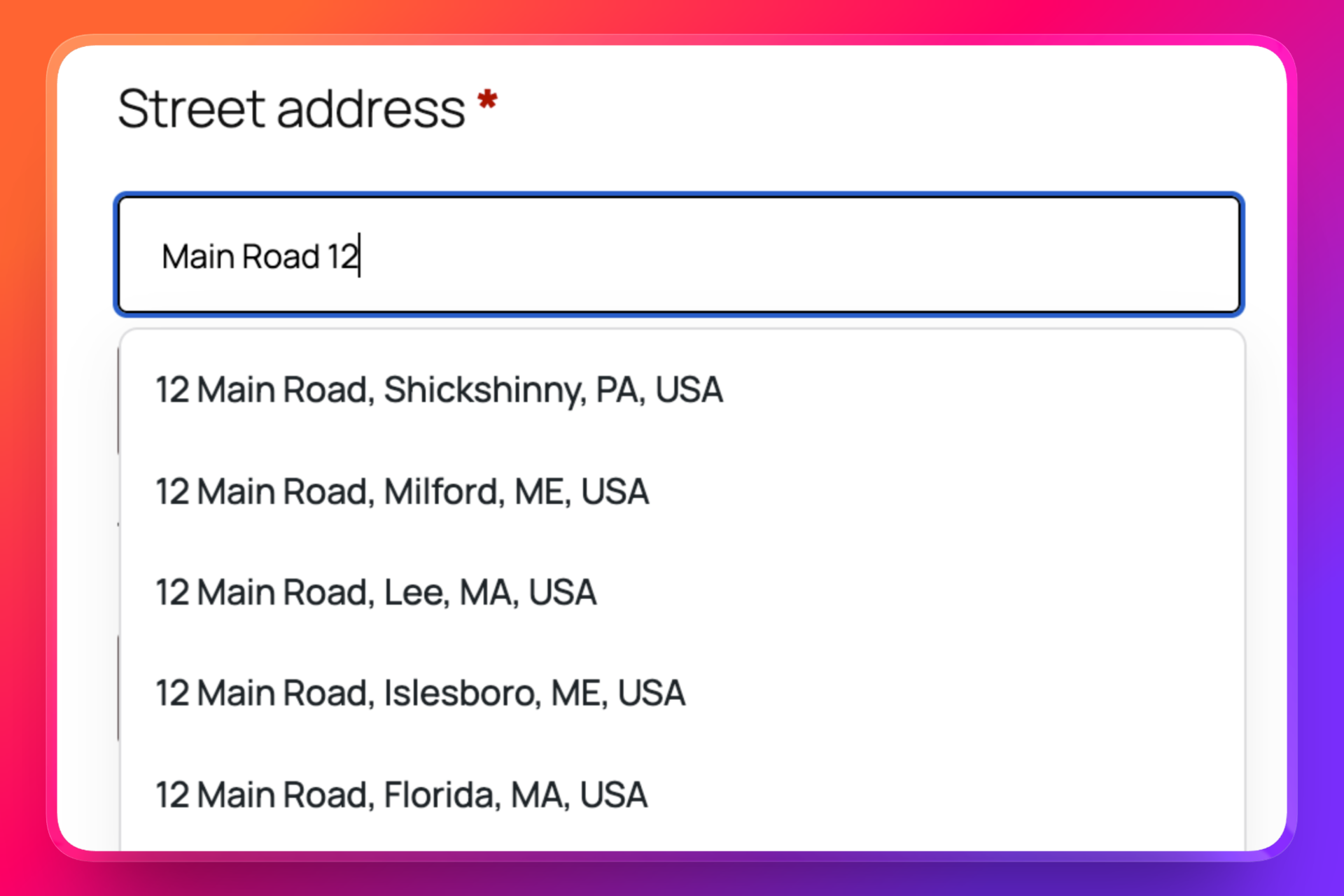
Address Autocomplete
- Help customers enter their address faster with provider-powered autocomplete suggestions directly inside checkout.
-
Address Validation
- Check addresses before checkout is completed and catch missing house numbers, invalid postcodes, unsupported countries, and incomplete addresses.
-
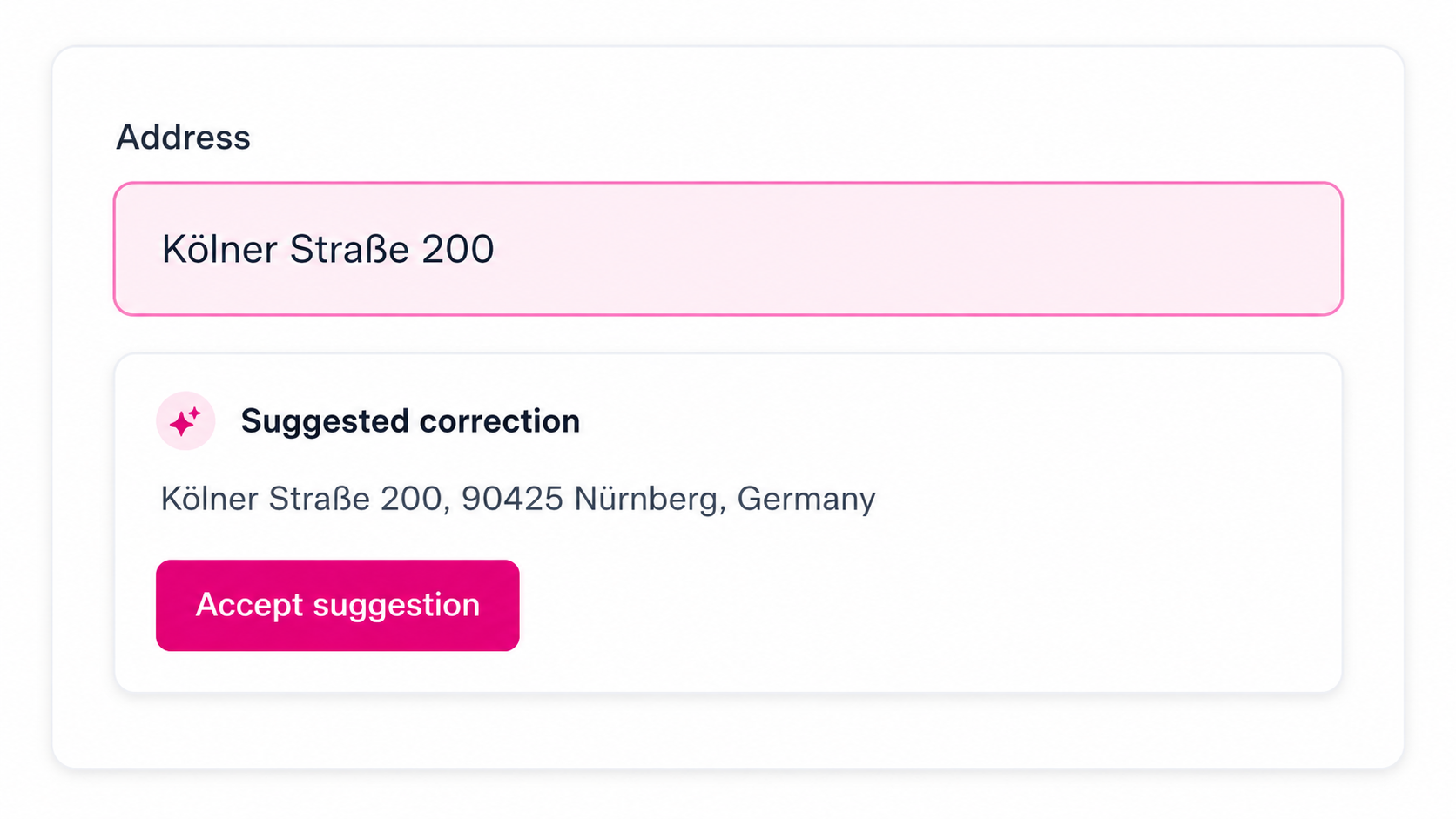
Correction Suggestions
- Show customers a corrected or standardized version of their address and let them accept it before placing the order.
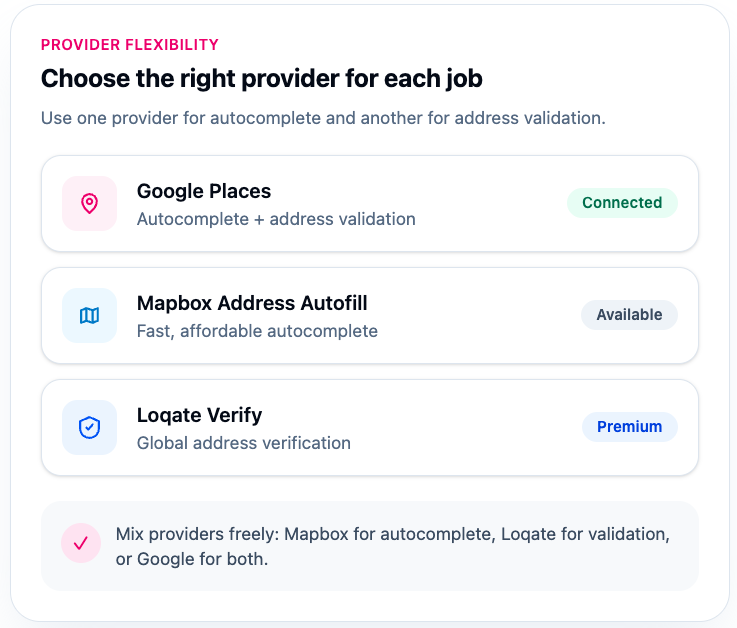
Flexible Provider Support for Real-World Stores
-
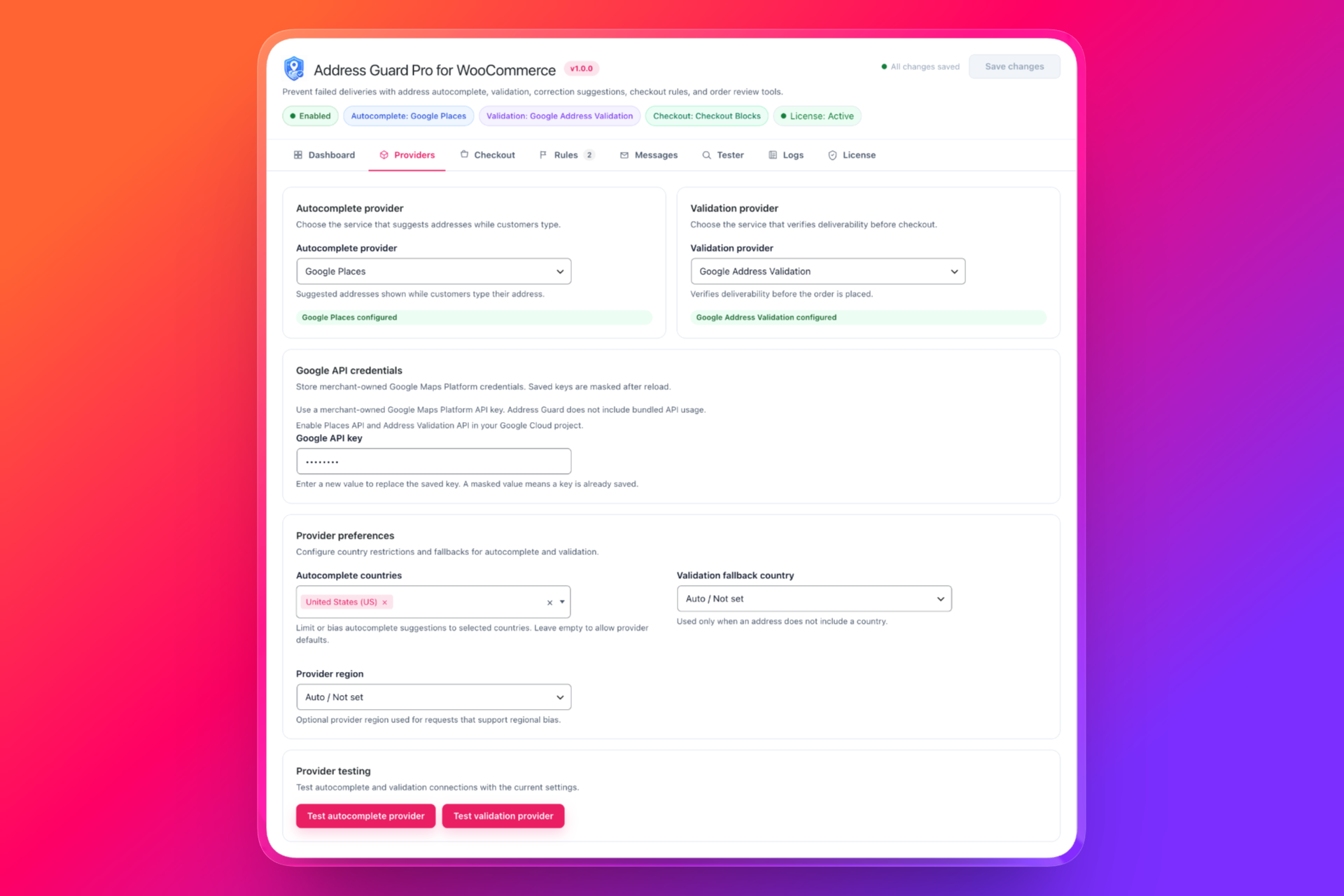
Google Places & Address Validation
- Use Google for address autocomplete and validation with merchant-owned Google Maps Platform credentials.
-
Mapbox Address Autofill
- Use Mapbox as an affordable autocomplete provider for fast address suggestions during checkout.
-
Loqate Address Capture & Verify
- Use Loqate for global address capture and address verification when you need a dedicated address data provider.
Checkout Rules That Match Your Shipping Workflow
-
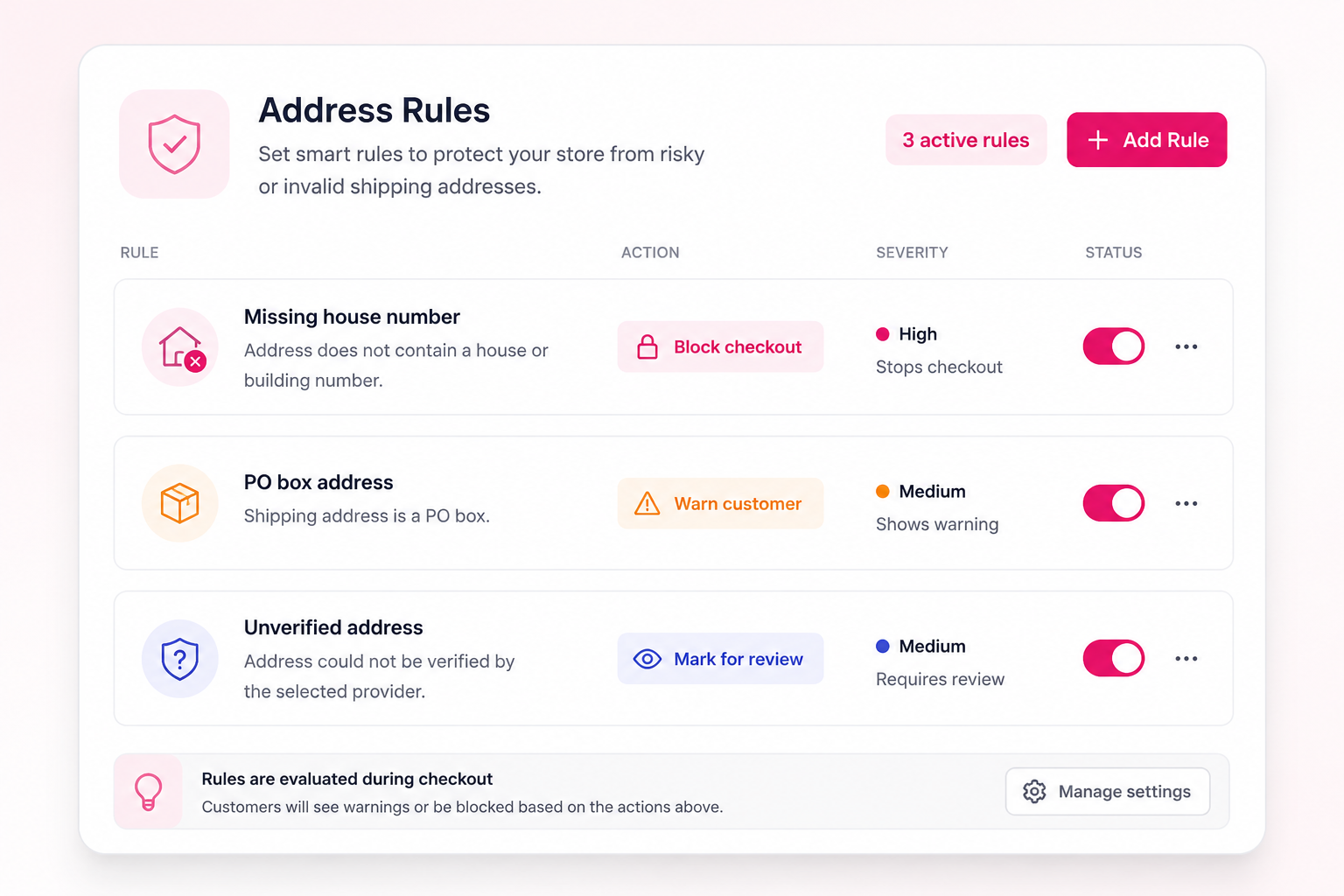
Warn or Block Checkout
- Choose whether customers can continue after an address warning or whether checkout should be blocked until the issue is fixed.
-
Detect Risky Address Patterns
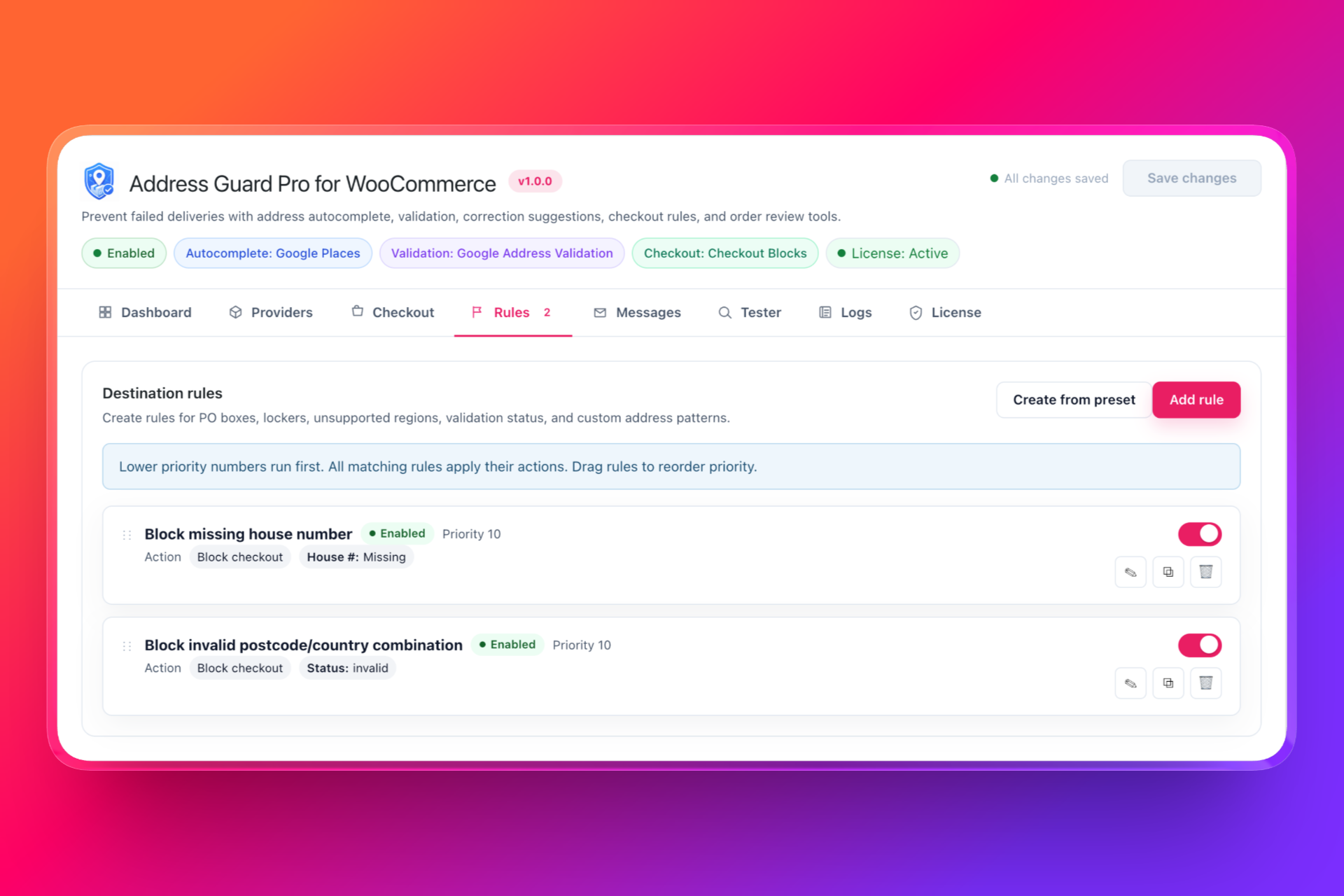
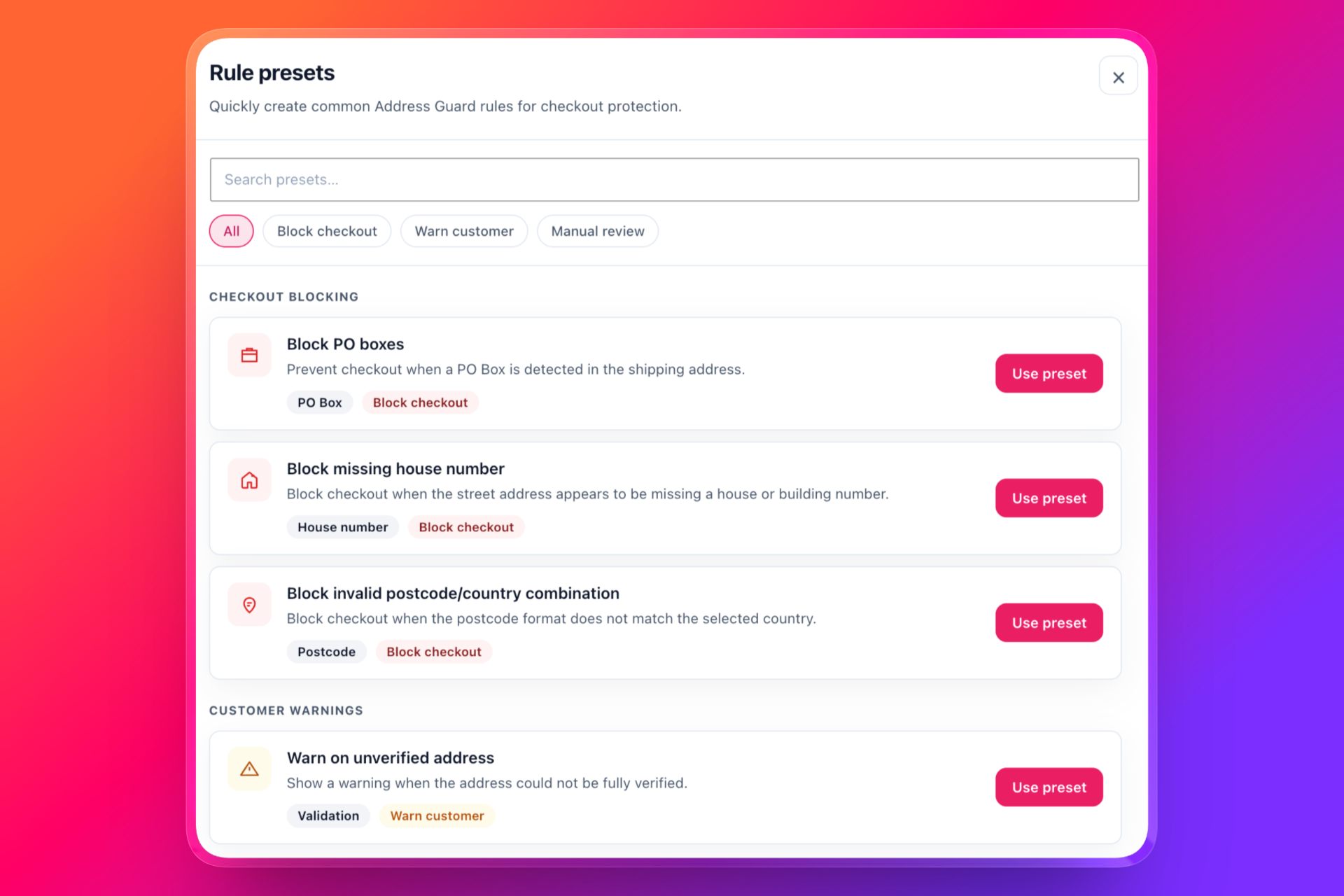
- Catch common address issues such as missing house numbers, PO boxes, incomplete addresses, invalid postcodes, and unsupported destinations.
-
Require Manual Review
- Mark orders for review when the address is suspicious, corrected, or not fully verified.
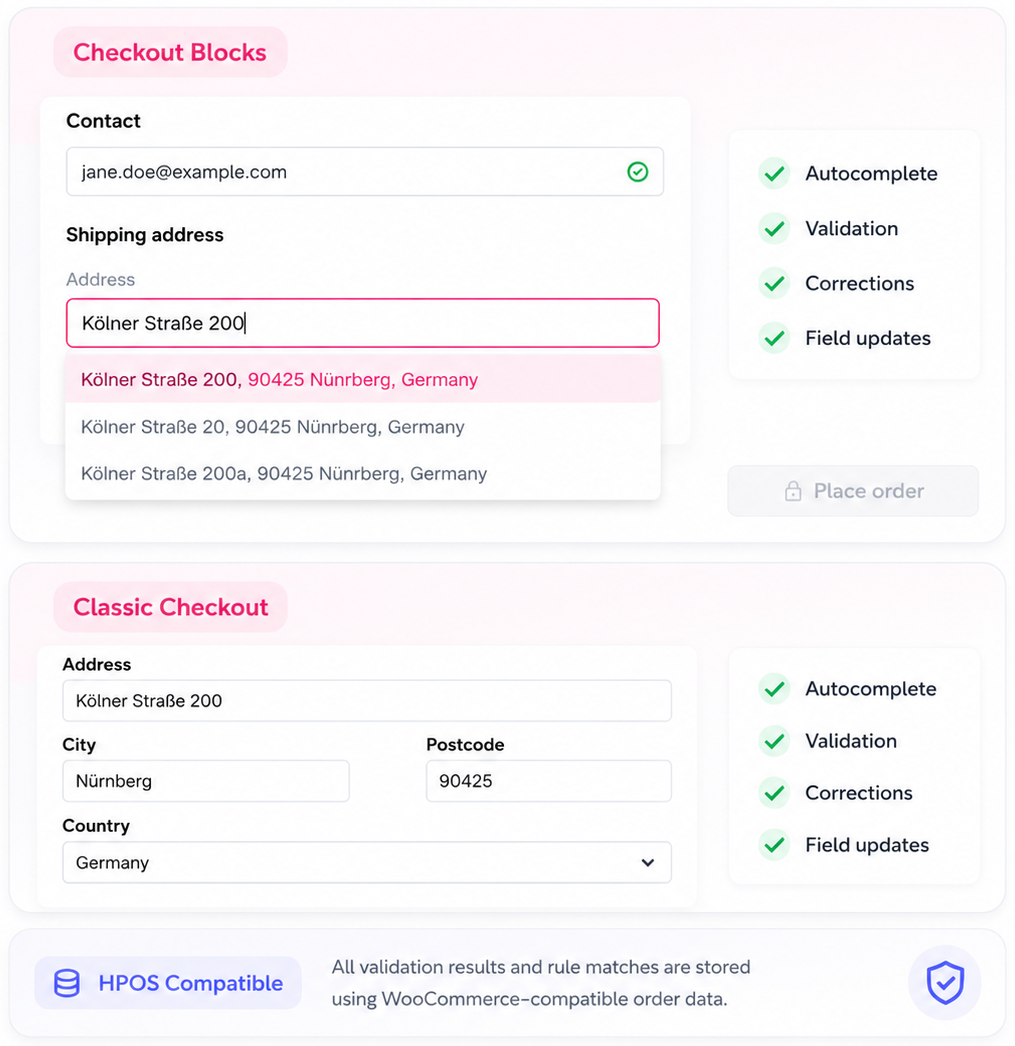
Works with Checkout Blocks and Classic Checkout
-
Checkout Blocks Support
- Autocomplete, validation, correction suggestions, and field updates are designed to work with WooCommerce Checkout Blocks.
-
Classic Checkout Support
- Stores using the traditional WooCommerce checkout can still use Address Guard Pro without rebuilding their checkout.
-
HPOS-Compatible Order Data
- Validation results, suggested corrections, matched rules, and review flags are saved using WooCommerce-compatible order data methods.
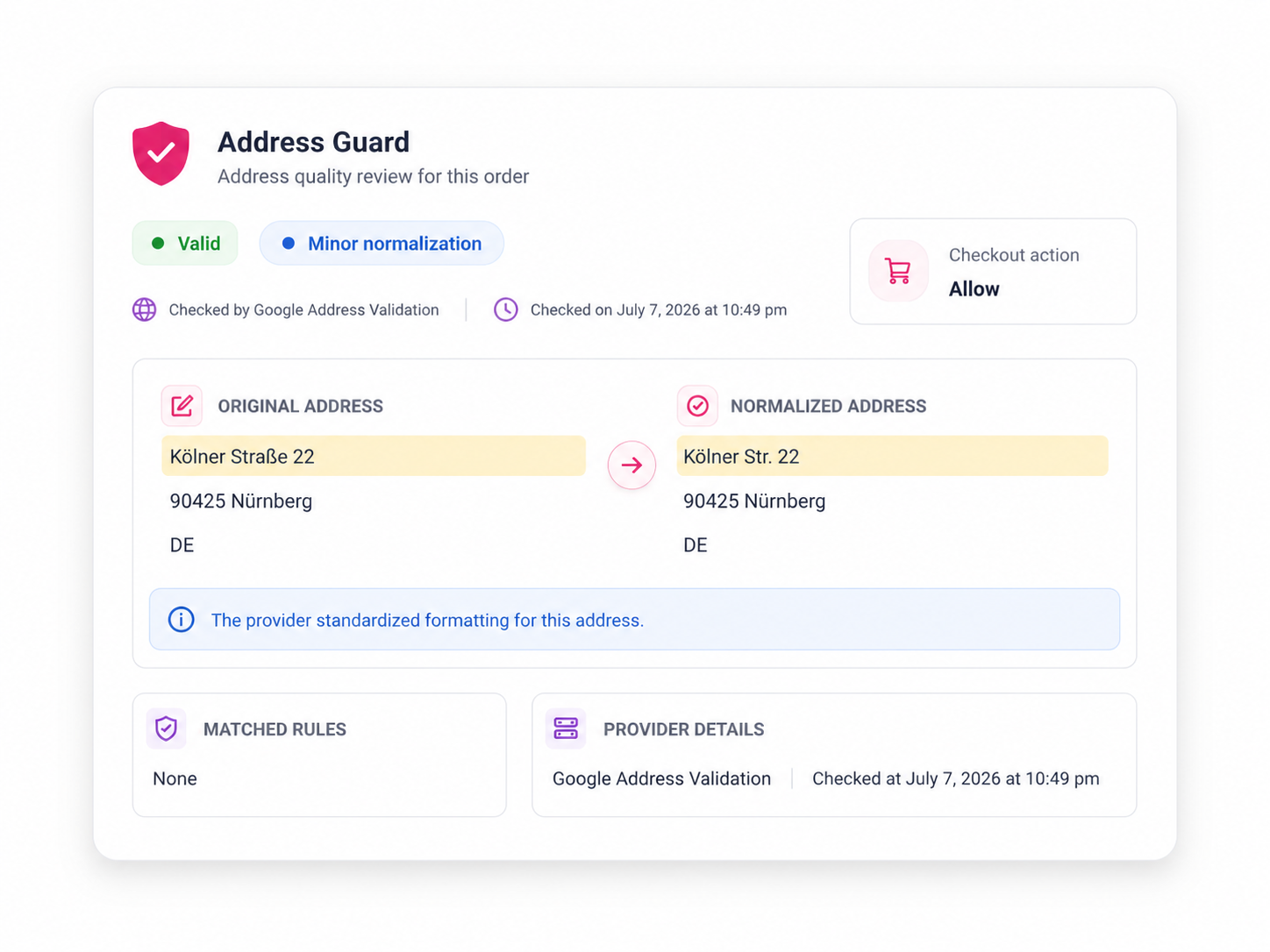
Review Address Quality Inside the Order
-
Original vs Corrected Address
- Compare the customer-entered address with the standardized or suggested address.
-
Validation Status
- See whether the address was valid, corrected, unverified, invalid, or required manual review.
-
Matched Rules
- Understand which address rules were triggered before the order was placed.
Powerful Address Protection Features for WooCommerce
Fine-tune how your store handles address autocomplete, validation, corrections, and risky checkout addresses.
Address Autocomplete
Show address suggestions while customers type and reduce checkout friction.
Address Validation
Validate addresses before the order is placed and reduce shipping mistakes.
Correction Suggestions
Let customers accept standardized address suggestions during checkout.
Checkout Rules
Create rules for missing house numbers, PO boxes, unsupported countries, invalid postcodes, and more.
Provider Flexibility
Choose Google, Mapbox, Smarty, or Loqate depending on your store’s needs.
Address Tester
Test addresses inside the admin before enabling rules on your live checkout.
Pricing
Select a license tailored to your business size, offering the best features to engage your audience, build customer loyalty, and boost sales.
Personal
The essentials to provide your best work for clients.
$49 /year
Checkout- 1 Site
- Regular plugin updates
- Email Support
Business
Most popular
A plan that scales with your rapidly growing business.
$129 /year
Checkout- Up to 5 Sites
- Regular plugin updates
- Email Support
Agency
Dedicated support and infrastructure for your company.
$399 /year
Checkout- Up to 25 Sites
- Regular plugin updates
- Email Support
Unless specified as a lifetime license, billing is done annually. If your annual license expires, you can continue using the plugin but won't receive further updates, new features, or support. Lifetime licenses come with ongoing updates and support. You can upgrade your license at any time.

30-Day Money-Back Guarantee on All Plugins
Try our WordPress plugins risk-free! We’re confident you’ll love the functionality and performance our plugins bring to your site. If you’re not completely satisfied, just reach out to us within 30 days, and we’ll provide a full refund—no questions asked. Enjoy the peace of mind knowing you have nothing to lose!
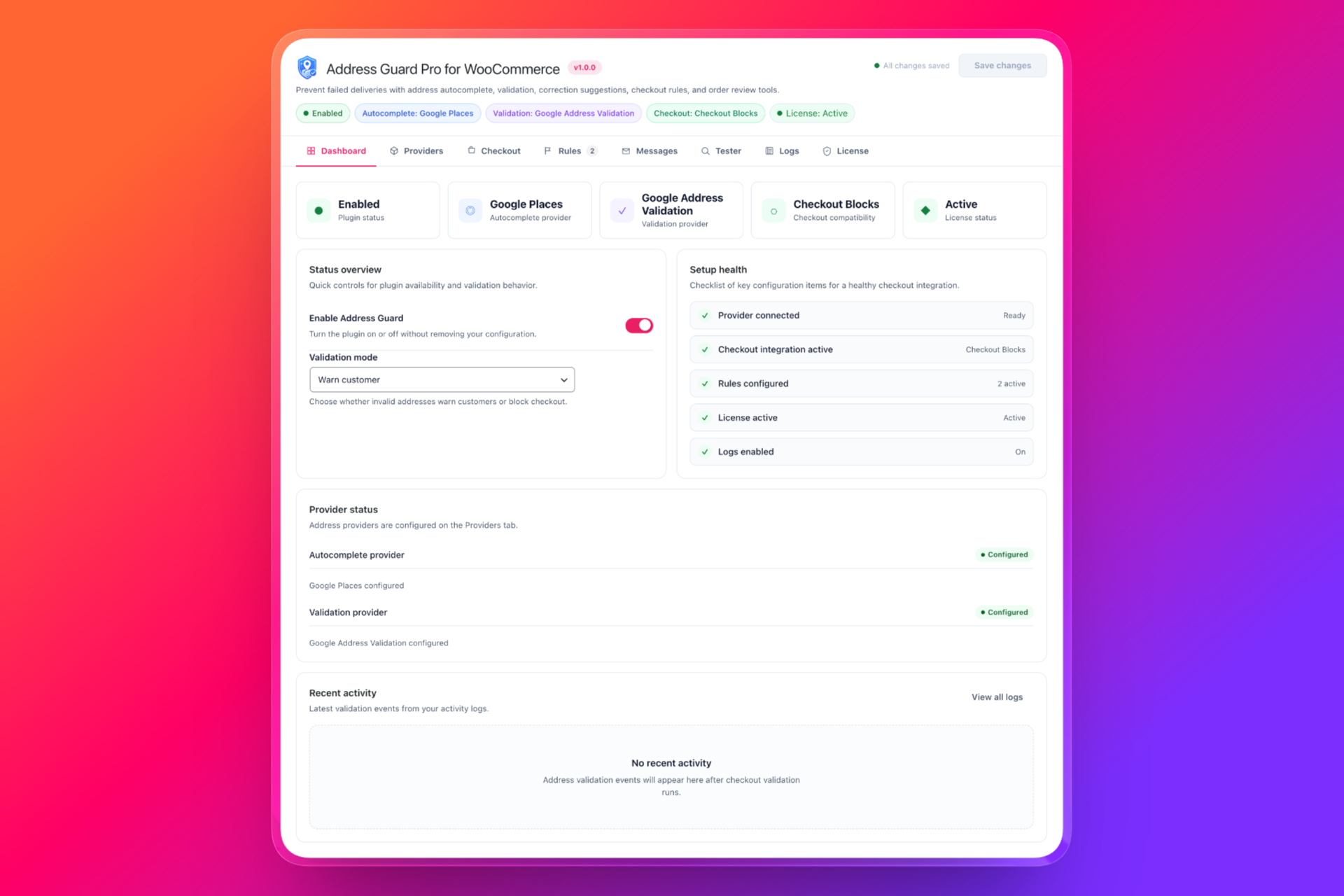
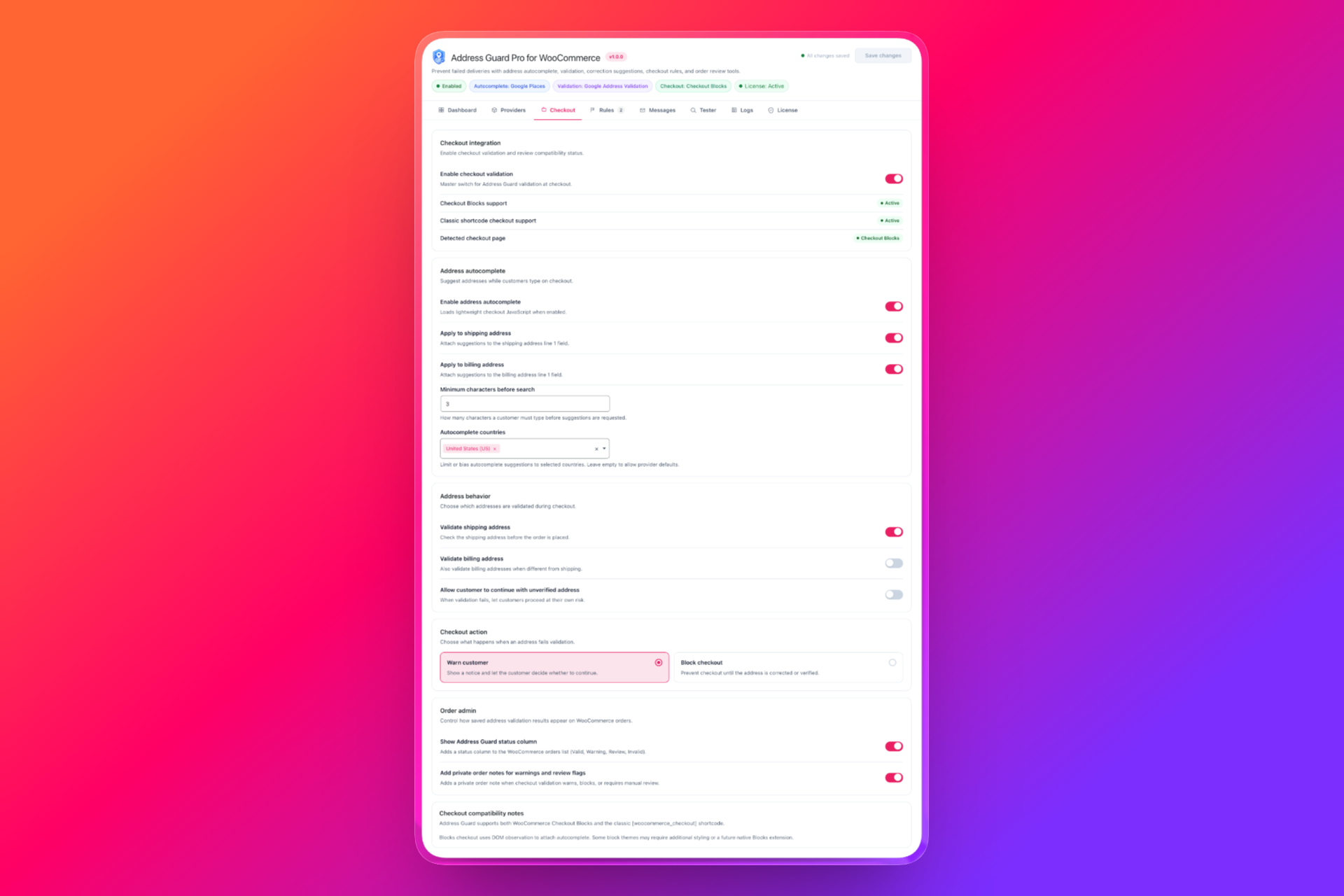
Screenshots
WooCommerce Address Guard Pro in action
Frequently Asked Questions
Any questions? We're here to help.